Does Minecraft Make You Nauseous? A Practical Troubleshooting Guide
Does minecraft make you nauseous? Learn practical causes, quick fixes, and long-term setups to play comfortably without motion sickness in 2026.


The most likely cause is sensory mismatch from rapid camera movement and a high field of view, especially when playing in VR or without a steady FPS. Start with the simplest fix: lower the FOV, reduce render distance, and disable motion-heavy options. If symptoms persist, take breaks and test gradually.
Understanding Motion Sickness in Gaming
Motion sickness happens when your brain receives conflicting signals from your eyes and inner ear. Minecraft's chunky, blocky visuals are usually easy on the eyes, but motion cues—camera rotation, sprinting, cornering, and even movement through a virtual world—can trigger nausea for some players. If you’re wondering does minecraft make you nauseous, you’re not alone. The Craft Guide team notes that abrupt camera shifts, high field of view, and bright, pulsing textures can amplify symptoms. The good news is that most players can reduce discomfort with simple, reversible changes rather than hardware upgrades. This explainer from Craft Guide outlines practical steps you can take today to see if you can play longer with less nausea. Start with basics: adjust FOV, render distance, and screen pacing before moving to more advanced tweaks.
Common Triggers in Minecraft for Nausea
Several in-game factors can provoke nausea in Minecraft players:
- Wide FOV and rapid camera turns that create a strong peripheral motion
- VR or immersive 3D modes that amplify head movement and perspective shifts
- High render distance or strobe-like lighting from shaders/texture packs
- Bright, high-contrast textures or flashing particles that strain the eyes
- Stuttering framerates or latency that disrupts visual consistency
The phrase does minecraft make you nauseous often comes from sensory mismatch rather than pure motion; the fixes below focus on reducing mismatch and stabilizing visuals.
Quick Remedies You Can Try Right Now
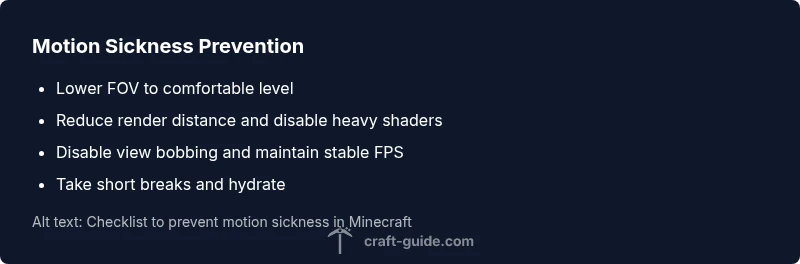
The fastest path to relief is to dial back motion cues and give your brain consistent signals. Start with these tweaks:
- Lower the FOV to a comfortable range (try 70–90 degrees depending on your setup)
- Decrease render distance and disable unnecessary particles or glow effects
- Turn off view bobbing and reduce or disable dynamic lighting
- Play in fullscreen with V-Sync enabled and cap FPS to a steady rate
- Take short breaks every 20–30 minutes and hydrate
If the nausea persists, extend the testing window to compare before/after results and note which change had the strongest effect.
Long-Term Adjustments for Comfort
For ongoing comfort, adopt a playing environment that minimizes sensory conflicts. Consider:
- Consistently selecting a moderate FOV, a stable render distance, and realistic camera movement pacing
- Using texture packs or shaders that emphasize soft contrasts rather than neon, flashing hues
- Avoiding VR or experimental modes unless you can set a generous comfort threshold and gradual exposure
- Scheduling longer sessions only after you’ve acclimated to smaller changes and built tolerance
Remember that small, steady adjustments accumulate over time, making Minecraft more tolerable and enjoyable.
When to Seek Medical Advice
If nausea or dizziness persists despite adjustments, or if you experience vomiting, severe headaches, or vision changes, consult a clinician. Motion-related symptoms can sometimes indicate underlying vestibular or migraine conditions that warrant professional evaluation. Seek medical guidance promptly if symptoms interfere with daily activities beyond gaming.
Preventive Setup for Comfortable Gameplay
Preventing nausea is easier than curing it after the fact. Create a comfortable baseline: adjust FOV first, set render distance to a moderate level, minimize fast camera movements in your playstyle, and maintain regular breaks. Ensure your play area has stable lighting and proper seating distance. Hydration, eye breaks, and a consistent play schedule help prevent recurrence and keep Minecraft sessions enjoyable.
Steps
Estimated time: 30-60 minutes
- 1
Open video settings and adjust FOV
Navigate to Options > Video Settings > FOV. Decrease from the default to a comfortable level (start around 70–90 degrees, then fine-tune). Test by rotating your view slowly to gauge comfort.
Tip: Record your baseline comfort before changing more settings. - 2
Reduce render distance and effects
Lower the render distance to a mid-range value and disable unnecessary effects like particles or motion blur. This reduces the amount of motion your eyes must track.
Tip: Keep changes minimal and test after each tweak. - 3
Disable view bobbing and heavy lighting
Turn off View Bobbing and switch to a stable lighting setup. These cues can exaggerate perceived motion and trigger nausea.
Tip: Toggle one setting at a time to identify the most impactful change. - 4
Improve frame rate stability
Ensure V-Sync is on and cap your FPS to a stable value. A smooth, steady frame rate minimizes eye strain and dizziness.
Tip: Close background apps that spike GPU usage during play. - 5
Test in fullscreen, then assess symptoms
Play a short session in fullscreen and monitor symptoms. If discomfort returns quickly, revert to earlier, milder settings.
Tip: Keep a short journal of settings and symptoms for reference. - 6
Consider VR comfort options (if applicable)
If using VR, enable comfort features, limit rapid head movements, and acclimate with slow, short sessions.
Tip: Never push through severe VR-induced nausea. - 7
Plan breaks and hydration
Incorporate 5–10 minute breaks every 20–30 minutes. Hydration supports eye comfort and prevents fatigue.
Tip: Set a reminder to pause and hydrate.
Diagnosis: Player experiences nausea, dizziness, headaches, or eye strain during or after playing Minecraft (especially with high FPS motion or VR).
Possible Causes
- highSensory mismatch from rapid camera movement and high FOV
- highMismatch between movement and visuals in VR or 3D perspective
- mediumExcessive screen flicker or bright neon textures
- mediumLow frame rate or high latency causing stutter
- lowPre-existing vestibular conditions or migraines
Fixes
- easyLower FOV and reduce camera shake in settings
- easyDecrease render distance and disable motion-heavy effects (particles, dynamic lights)
- easyLimit play sessions and take breaks; ensure proper hydration
- easyEnable V-Sync and cap FPS to a stable rate, use full-screen mode
- mediumIf symptoms persist, consult a clinician and consider medical evaluation
People Also Ask
Does Minecraft cause motion sickness?
Yes, some players experience motion sickness due to sensory mismatch. Adjusting FOV, render distance, and disabling heavy effects often helps.
Some players experience motion sickness in Minecraft; try lowering FOV and render distance and test gradually.
What Minecraft settings reduce nausea?
Lower FOV, reduce render distance, disable view bobbing, and use a stable FPS with V-Sync. Breaks and hydration also help.
Lower FOV and render distance to reduce nausea; take breaks and stay hydrated.
Is VR worse for nausea in Minecraft?
VR can increase nausea for some players. Use comfort options and gradual exposure, or avoid VR if it hurts.
VR can be tougher on the stomach; start with short, comfortable sessions.
Can dehydration cause nausea during Minecraft?
Hydration helps reduce symptoms. Drink water regularly and take breaks to stay comfortable.
Drink water and take regular breaks to stay comfortable.
When should I seek medical advice?
If nausea lasts beyond a few days or severe symptoms occur, consult a clinician for evaluation.
If symptoms persist, talk to a doctor for evaluation.
Do shaders affect nausea?
Intense shaders can worsen motion cues; revert to calmer textures and test incrementally.
Some shaders can worsen nausea; start with simpler textures.
Watch Video
The Essentials
- Calibrate FOV and render distance for comfort
- Take frequent breaks to prevent motion sickness
- Maintain steady frame rates and avoid stuttering
- Seek medical advice if symptoms persist