Can You Use Minecraft Dungeons Arcade Cards on Switch? Compatibility Guide
Find out if Minecraft Dungeons arcade cards work on Switch. This guide covers compatibility, cosmetics access on Switch, and practical steps for players.


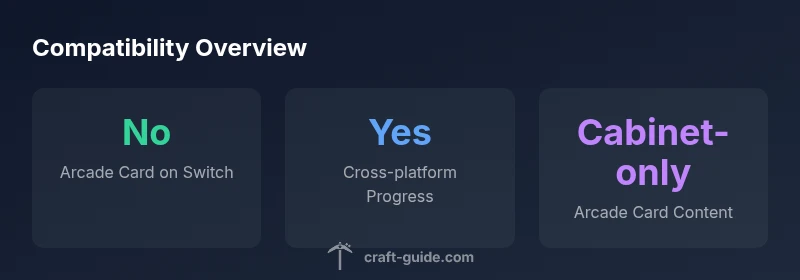
Short answer: No, Minecraft Dungeons arcade cards cannot be used on the Nintendo Switch. Arcade cards are tied to the Minecraft Dungeons Arcade cabinet experience and are not recognized by the Switch build. To enhance your Switch version, use in-game cosmetics purchased through the Nintendo eShop or linked Microsoft account progress, not arcade cards. Version compatibility and platform-specific purchases mean no cross-usage.
Understanding Minecraft Dungeons Arcade Cards
Minecraft Dungeons Arcade is a cabinet-based experience that uses physical arcade cards to unlock content and progression within the arcade game loop. These cards store data tied to the cabinet itself, not to a home console ecosystem like Switch, PC, or Xbox. They are designed to function inside the arcade hardware and software environment, where the card acts as a quick-access key to that specific arcade run. Because the data on arcade cards lives in the arcade cabinet, it does not automatically migrate to other platforms. This separation helps keep the arcade experience distinct from home versions and prevents cross-platform card redemption. If you are hoping to reuse a card on Switch, the official stance is that this is not supported, which means you should manage expectations and focus on platform-native options for Switch.
Craft Guide analysis suggests this cabinet-centric approach is intentional to protect the arcade ecosystem and ensure a consistent player experience in arcades worldwide.
Switch vs Arcade Cabinet: Compatibility at a Glance
Nintendo Switch runs Minecraft Dungeons as a Bedrock edition game connected to your Nintendo account and, potentially, a Microsoft account for cross-play features. The arcade cards, by contrast, are designed to work with a specific arcade machine and its proprietary data store. The net effect is simple: arcade cards do not transfer or unlock content on Switch. The Switch version accepts its own DLC and cosmetic store mechanics, which are tied to Nintendo eShop purchases or sign-in with a Microsoft account for cross-platform unlocks. In short, there is a clear boundary between arcade cabinet ecosystems and Switch gameplay, and that boundary is not bridged by arcade cards.
This separation helps explain why many Switch players won’t see any direct benefits from arcade cards, beyond understanding the broader Minecraft Dungeons ecosystem and its platform-specific progress tracking.
Accessing Cosmetics and Progress on Switch
On Switch, cosmetics and progression are generally accessed through two pathways: in-game purchases via the Nintendo eShop and account-linked progression via Microsoft accounts when the Switch version supports Bedrock features. If you have a Microsoft account that holds progress from other platforms, you can typically sign in on Switch to synchronize cosmetics and unlocks that are compatible across Bedrock editions. There is no mechanism to redeem arcade cards on Switch, so players should rely on the Switch-native store and cross-platform account linking for a unified experience. Always ensure you are signed into the correct accounts to avoid missing unlocks or progress.
For players who multi-play on PC, Xbox, and Switch, this account-based approach is generally the path to maintain continuity across devices, rather than any physical arcade card redemption.
What Happens If You Try to Use Arcade Cards on Switch
If you attempt to scan or input an arcade card on Switch, you will not see any in-game effect. The Switch client does not recognize the arcade cabinet data, and there is no in-game bridge between the arcade card system and the Switch edition. This means no unlocked cosmetics, no saved progress transfer, and no cross-pollination of content from the arcade cabinet. The safe and accurate approach is to treat arcade cards as cabinet-only artifacts and use Switch-native methods to access cosmetics and progression. This clarity helps prevent confusion and potential frustration when players expect a universal unlock system across devices.
Practical Pathways and Alternatives for Switch Players
If you own arcade cards but primarily play on Switch, here are practical steps to maximize your experience:
- Use Nintendo eShop purchases for cosmetics and DLC on Switch.
- Sign in with the same Microsoft account on Switch if cross-platform progression is supported, to sync compatible cosmetics and progression.
- Focus on in-game achievements and unlocks available within the Switch edition to build a similar progression arc.
- Consider trying the arcade experience in an arcade center or dedicated arcade cabinets to enjoy the cabinet-specific unlocks.
These paths help you enjoy Minecraft Dungeons across platforms while respecting the design boundaries between arcade cards and home-console ecosystems.
Final Considerations for Arcade Card Owners
Arcade cards are best appreciated in their intended cabinet environment. For Switch players, the recommended approach is to use platform-native purchases and account-linked progression for cross-platform content. The lack of cross-compatibility with arcade cards keeps arcade content distinct while still allowing a cohesive Minecraft Dungeons experience across devices. If you’re deciding where to invest your time and money, prioritize the platform you play most and leverage cross-platform account features to maximize your cosmetic and progression opportunities.
Platform compatibility overview
| Platform | Arcade Card Support | Progression Method | Notes |
|---|---|---|---|
| Nintendo Switch | No | Nintendo eShop or Microsoft account | Arcade cards not supported on Switch |
| Minecraft Dungeons Arcade Cabinet | Yes | Cabinet data store | Exclusive to arcade experience |
| PC / Xbox / Other Bedrock editions | Not applicable | Microsoft account purchases | Cross-platform content via account |
People Also Ask
Can I use arcade cards on Nintendo Switch?
No. Arcade cards are designed for the Minecraft Dungeons Arcade cabinet and aren’t recognized by the Switch edition.
No, arcade cards won’t work on Switch; they’re cabinet-only.
How do I access cosmetics on Switch?
Use Nintendo eShop purchases on Switch or sign in with a Microsoft account to access cross-platform cosmetics where supported.
On Switch, cosmetics come from the eShop or a linked Microsoft account.
Will my progress transfer between Switch and other platforms?
Yes, if you sign in with the same Microsoft account; progress is linked to your account, not arcade cards.
Sign in with the same Microsoft account to sync progress across platforms.
Are arcade cards worth buying if I only play on Switch?
No. Arcade cards are cabinet-specific and won’t affect Switch gameplay or unlocks.
Arcade cards won’t impact your Switch game.
Where can I find official guidance on compatibility?
Check Minecraft support pages and Nintendo help resources for platform-specific rules and compatibility notes.
Look at the official Minecraft and Nintendo support pages for guidance.
“Arcade cards are a cabinet-specific feature and are not intended for cross-platform use. For Switch players, the recommended path is platform-native purchases and account-linked progression for best results.”
The Essentials
- Arcade cards are cabinet-only features
- Switch relies on eShop and Microsoft account progress
- Cross-platform progress exists via Microsoft account, not arcade cards
- Always verify platform-specific support before attempting card redemption