Can You Get a Refund From Minecraft Marketplace? A Practical Guide
Learn whether you can get a refund from Minecraft Marketplace, how the policy works, and steps to request one. This guide covers eligibility, timelines, and practical tips to boost your chances.


Refund eligibility for Minecraft Marketplace purchases depends on platform policy and item status. In many cases, digital content cannot be refunded once downloaded or used, so outcomes vary. This quick answer outlines when refunds are possible, where to begin, and what to expect during the request process. Keep your receipt handy and note any deadlines the policy mentions. If you are unsure, proceed with the steps below to confirm eligibility.
The Refund Landscape for Minecraft Marketplace
Refunds for Minecraft Marketplace purchases are governed by a blend of Microsoft Store policies and Mojang’s own terms. The exact result depends on where you bought the content (Windows, Xbox, or Java Edition launcher), the type of item (worlds, textures, skins, or add-ons), and whether you have opened or used the content. According to Craft Guide, refunds are not universally available, and outcomes vary with platform-specific rules. In many cases, digital content that has already been accessed is not eligible for a refund, though legitimate exceptions can arise for accidental purchases, duplicate charges, or technical issues with the item. It’s essential to start by locating the official refund policy for your platform and reading the fine print about eligibility, time limits, and required evidence. This foundation helps you decide quickly whether pursuing a refund is worth your time and helps you avoid wasted effort.
How Platform Policies Shape Your Options
Platform policies are the first gatekeeper of refunds. Microsoft’s account center often handles purchases from the Minecraft Marketplace, but the exact flow can differ if you bought content through Xbox Live, Windows Store, or the Minecraft Launcher. Craft Guide analysis shows that some platforms require you to initiate a refund within a defined user interface and to provide order numbers, purchase dates, and a description of the issue. The policy may also specify whether the content was consumed or downloaded, which frequently determines eligibility. Because these rules change over time and can be updated without notice, always verify the current policy at the official support pages and in your account’s purchase history. If you’re unsure where to start, begin at the store’s refund section and then cross-check with Mojang’s terms to confirm alignment.
Eligible Scenarios and Common Exceptions
Refunds are more likely in certain scenarios and less likely in others. Eligible cases often include accidental purchases, purchases made outside the intended platform, technical problems with the content (corrupted textures, missing assets), or where the item cannot be activated properly. Common exceptions include content that has already been activated, used, or downloaded, as well as purchases made long after the initial checkout. The Craft Guide team notes that many storefronts treat in-game items differently from standalone software, so the decision may depend on the item type. If the content is a one-time texture pack or a world seed that you haven’t opened, you may have a better chance than with a fully loaded add-on. Always document the issue with screenshots or recordings to support your claim.
How to Request a Refund (Step-by-Step Overview)
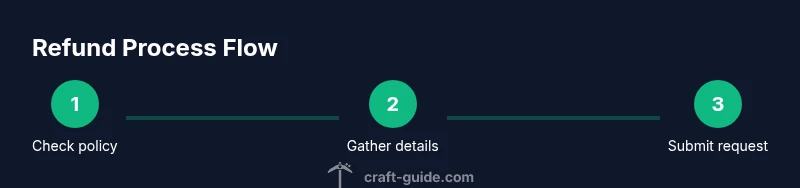
To begin the process, locate your purchase in your account history and review the specific refund policy for that item. Then, contact support through the appropriate channel (Microsoft account support for Windows/Xbox purchases or Mojang support for in-game content) and clearly explain why you’re requesting a refund. Provide your order number, date of purchase, and evidence (screenshots, error logs). Be polite and concise. If the platform requires a form, fill it out completely and attach supporting documents. After submission, monitor your email or account notifications for updates. Processing times vary by platform and case complexity, so set expectations accordingly.
What Information You’ll Need
Before you begin, gather essential information: order number, purchase date, item name, platform of purchase, and your Minecraft account email. If you have receipts or emails from the checkout, collect them. Note the exact symptoms or issues you encountered (for example, content that won’t load, missing textures, or login problems). Having this data ready reduces back-and-forth and speeds up the review. If you used promotional discounts or bundles, include the discount code and the item IDs. Also, capture a brief, neutral statement of why you believe a refund is warranted.
Timelines, Outcomes, and What Happens Next
Most refund requests aren’t instantaneous; many platforms respond within a few business days and may take longer for complex cases. If approved, the refund will be issued to the original payment method or as store credit according to platform rules. If denied, you’ll typically receive a reason and guidance on any appeal options. It’s important to keep communications professional and to follow any steps the support team requests. Craft Guide’s experience shows that timely persistence and complete documentation improve your chances, but remember that refunds are not guaranteed.
Alternatives If a Refund Is Denied
If a refund is not granted, consider alternatives such as requesting an exchange for a different item, applying store credit to another purchase, or seeking a consolation option with support. Some platforms allow partial credit for bundles or affiliate items, while others may offer a goodwill gesture in exceptional cases. Review the terms for any available credits, and ask whether a partial refund or credit could be applied to your account balance.
Tips from Craft Guide for Better Outcomes
Keep your communication concise and respectful, attach clear evidence, and reference your order number in every message. Start with the official refund channel and escalate if needed. Record all interactions and note any promised timelines. Remember that policies can vary by region and platform, so stay patient but proactive, and know when to pursue alternatives if a refund isn’t possible.
Tools & Materials
- Order number or receipt(Found in your Microsoft/Minecraft account purchase history)
- Purchase date(From the transaction details)
- Platform details(Windows/Microsoft Store, Xbox, or Minecraft Launcher)
- Evidence of issue(Screenshots or video showing the problem)
- Account email(Email associated with the Minecraft/Microsoft account)
- Support contact or portal access(Links from official pages or saved support url)
Steps
Estimated time: 30-60 minutes to prepare and submit; processing can vary 1-7 business days
- 1
Gather purchase details
Collect your order number, purchase date, item name, and the platform where you bought the content. Having this information at hand prevents back-and-forth and speeds up the review. If you bought a bundle or discounted item, note the bundle ID too.
Tip: Keep all related receipts and emails in a single folder for quick reference. - 2
Check the official policy
Visit the official refund policy page for Minecraft Marketplace and the platform where you purchased. Look for eligibility criteria, time limits, and required evidence. If the policy isn’t clearly stated, contact support for clarification before submitting a request.
Tip: Document the exact policy language you relied on when submitting your claim. - 3
Sign in to the correct account
Make sure you are using the same Microsoft/Mojang account you used to make the purchase. Different accounts may have separate purchase histories and refund eligibility. If you can't access the account, recover it before proceeding.
Tip: Use a private browser or clear cached credentials to avoid auto-login with a different account. - 4
Submit the refund request
Navigate to the official refund portal for your platform and submit the request. Include your order number, purchase date, item name, and a brief explanation of the reason. Attach any supporting evidence like screenshots.
Tip: Be concise and factual; avoid emotional language that can slow the review. - 5
Provide evidence and respond promptly
If the support team asks for additional information, respond quickly and supply the requested files. Maintain a clear record of all communications and track any promised response times.
Tip: Rename files with a simple scheme (orderID_problemDate) to keep things organized. - 6
Follow up and decide next steps
If the outcome isn’t clear after the stated processing time, send a polite follow-up. If the refund is denied, review any appeal options or consider alternatives like credits or exchanges.
Tip: Set calendar reminders for review deadlines and escalation points.
People Also Ask
Can I refund a Minecraft Marketplace item after I’ve already used it?
Refund eligibility after usage depends on the platform policy. In many cases, used items are not refundable, but exceptions may apply for technical issues or accidental purchases. Always verify the current policy first.
Refund eligibility after use depends on policy, and exceptions may apply for technical issues. Check the official policy first.
What if I bought multiple items in a bundle?
Bundles have their own policy. Some platforms allow refunds for the bundle as a whole or only for specific items. Review the bundle terms and contact support for clarification.
Bundles may have unique rules; check the bundle terms and ask support for specifics.
How long does a refund request take to process?
Processing times vary by platform and case. Most responses occur within a few business days, but complex cases can take longer. Stay connected to your account for updates.
Processing times vary; expect a few days and monitor your account for updates.
Who do I contact for a refund—Microsoft or Mojang?
Contact the support path corresponding to your platform: Microsoft for Windows/Xbox purchases and Mojang for in-game content. Use the official support portals to start a refund request.
Use the official portals: Microsoft for Windows/Xbox, Mojang for in-game purchases.
Are there any alternatives if a refund is denied?
If denied, ask about possible store credits, exchanges, or goodwill gestures. Some platforms offer partial credits or alternatives even when a full refund isn’t possible.
If denied, ask about credits or exchanges as alternatives.
Can I get a refund for a promotional discount purchase?
Promotional purchases follow the same general policy, but discounts or bundles may affect eligibility. Review the offer terms and request a refund if eligible.
Discounted purchases follow policy; check terms and request refund if eligible.
Watch Video
The Essentials
- Check platform policy before starting.
- Gather all purchase details and evidence.
- Submit through the official refund channel with documentation.
- Refunds are not guaranteed; consider alternatives if denied.