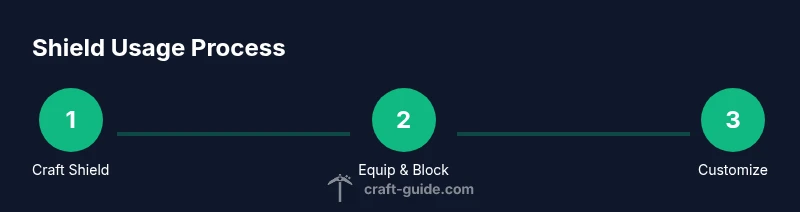
How to Use Shield in Minecraft
Learn how to effectively use shields in Minecraft, from crafting and equipping to blocking tactics, banner customization, and durability maintenance. A beginner-friendly, in-depth guide for survival and combat.


Equip a shield in your off-hand and raise it with the right-click (or shield button) to block. Hold to absorb most melee and arrow damage, then time your blocks carefully to survive tougher enemies. Shields wear out with use and can be decorated with banners. Always carry a spare shield in case yours breaks.
What a shield does in Minecraft
Shields are concise, reliable tools that sit in your off-hand and defend you from incoming blows. When raised, they dramatically reduce damage from melee hits and projectiles, giving you a window to reposition or counterattack. According to Craft Guide, shields are a fundamental defense that can turn a risky encounter into a winnable one for players at any skill level. While a shield is up, your main-hand item is temporarily unavailable for swinging, so you must plan your actions carefully. Shields don’t grant invincibility; they absorb damage, and durability will slowly degrade with use. With practice, you can time blocks to minimize damage during crowded fights and when facing archers or charged mobs. Remember that shields are best used as a reactive tool, not a crutch; you still need awareness of your surroundings and safe retreat options.
Key points:
- Blocks reduce damage from most melee and projectile hits.
- Raising a shield prevents you from attacking with your main-hand item.
- Durability decreases with each hit and can eventually break the shield.
- Banner patterns allow visual customization, making shields easy to identify in multiplayer.
Crafting and equipping a shield
To craft a shield, you’ll need 6 wooden planks of any type and 1 iron ingot. Arrange them in a 3x3 crafting grid so that the 6 planks form the outer ring and the iron ingot sits in the center. The exact layout resembles a shield pattern, with planks around the edges and one iron in the middle. This recipe is the most common and works across Java and Bedrock editions. Once crafted, you equip the shield in your off-hand via your inventory screen. In PC, you typically right-click to raise the shield; on consoles and mobile, use the shield button designated by your platform. With the shield in place, you can block incoming attacks by holding the control, trigger, or equivalent button. If you want to customize visibility in multiplayer, consider banner patterns (see the next section) for quick visual identification.
Crafting and equipping steps:
- Gather 6 wooden planks and 1 iron ingot.
- Place items in the 3x3 grid to craft the shield.
- Open inventory and move the shield to your off-hand slot.
- Hold the shield button to raise it during combat.
Basic blocking mechanics and timing
Blocking works best when used proactively and reactively: you should raise the shield just before an enemy swing to absorb damage, then lower it to swing or move. Shields are especially effective against skeletons and other archers, as arrows will be significantly mitigated while the shield is up. Durability matters; if you block too many powerful hits, the shield will wear down and eventually break, leaving you vulnerable. Efficient players learn to alternate between blocking and attacking, using openings created by enemies’ recoil or missed hits. If you’re surrounded, protect your head and torso while retreating to a safer position. If you’re using a stronger weapon in your main hand, a well-timed shield block can mean the difference between victory and defeat.
Practical tips:
- Time your blocks just before you expect a hit for maximum damage reduction.
- Keep your distance when facing multiple archers; blocking can buy space to reposition.
- Don’t forget you can replace a damaged shield with a fresh one by equipping a new shield from your inventory.
Combat tactics with shield: situational use and clever combos
Shields shine in enclosed encounters and against ranged mobs. When approaching a ranged threat, raise your shield to intercept arrows, then close the gap quickly to resume melee. Against melee mobs, a well-timed shield raise can blunt powerful hits, allowing you to land counterattacks while your foe recovers. In tight corridors or caverns, using a shield can dramatically reduce the risk of a single hit ending your run. For companions, consider coordinating with teammates to cover your flanks while you shield your front. Banner-decorated shields also help your team recognize you from afar in multiplayer.
Tactical notes:
- Use shields to block arrows and push mobs back, creating space to retreat or strike.
- Pair shield blocks with quick lunges when mobs pause between attacks.
- When facing heavy hitters, combine shielding with blocking movement to minimize damage.
Banner customization and enchantments: personalizing and upgrading your shield
A shield can be customized with banner patterns, letting you express style or identify roles in multiplayer. To apply a banner to a shield, use a loom with both the shield and a banner; this creates a patterned shield. In addition, you can enchant shields with standard enchantments at an enchantment table or anvil, depending on your version and resources. Enchantments can improve durability or add protective effects, but the available options vary by edition. If you want to display your pattern or role clearly to teammates, consider a bold, high-contrast banner design. Remember that customization is cosmetic; it does not affect basic blocking mechanics.
Customization steps:
- Craft or obtain a banner with your preferred colors and design.
- Place the shield and banner in a loom to apply the pattern.
- Alternatively, enchant the shield at the appropriate workstation if available in your version.
Durability, repair, and replacement: keeping your shield battle-ready
Durability is a recurring theme with shields. After extended use, you may need to repair or replace your shield. You can repair by combining two shields on an anvil; the resulting shield may retain higher durability than a single shield, but it costs experience levels. If a shield is close to breaking, you can swap it with a fresh shield from your inventory. In survival mode, it’s wise to carry a spare shield on long expeditions. Replacing shields is inexpensive in early game but becomes costlier with repeated repairs as you go deeper into a world. If you anticipate heavy combat, planning for shield maintenance helps you survive longer.
Repair strategies:
- Keep a spare shield ready in your hotbar.
- Use an anvil to combine two shields to extend durability.
- If repairing becomes too costly, craft a new shield using the standard recipe.
Common mistakes and best practices: optimizing your shield usage
New players often mismanage shields by blocking without reason, not carrying backups, or attempting to shield with the main hand. A common error is not timing blocks correctly, leading to more damage than necessary. Another mistake is ignoring durability and continuing to block with a near-broken shield, which can cause a sudden failure in combat. Best practices include using shielding as a tactical tool: block when facing archers or powerful melee attackers, move to a safer position if overwhelmed, and always maintain a spare shield. In multiplayer, coordinate with teammates so you aren’t shielding the same angle repeatedly. Craft Guide’s analysis shows that players who actively use shields to control space survive longer in frontier areas and caves.
Tips for efficiency:
- Keep your main weapon ready and your shield up when approaching threats.
- Don’t neglect armor durability; shields are separate equipment with their own wear.
- Practice quick switching between blocking and striking to maximize DPS while staying protected.
Quick-start checklist for new players
If you’re starting from scratch, use this checklist to get shield-ready quickly:
- Gather six wooden planks and one iron ingot.
- Craft a shield using the 3x3 grid.
- Move the shield to your off-hand slot and learn the blocking control on your platform.
- Craft or obtain a banner and consider applying a pattern to customize.
- Learn to time blocks against archers and melee mobs and keep a spare shield handy.
- If you expect heavy combat, practice shield usage in safe arenas before entering dangerous areas.
Tools & Materials
- Shield(Crafting requires 6 wooden planks and 1 iron ingot; place in a 3x3 grid to form the shield.)
- Crafting table(Needed to craft the shield.)
- Loom(Optional for applying banner patterns to shields.)
- Banner(Optional pattern material for shield customization.)
- Anvil(Used to repair or combine shields for higher durability.)
- Banner materials (optional)(Colors and dyes for banner design (varies by design).)
Steps
Estimated time: 40-60 minutes
- 1
Gather required materials
Collect 6 wooden planks and 1 iron ingot, along with a crafting table. If you plan to decorate, also gather a banner and dye colors.
Tip: Organize materials in your inventory to speed up crafting. - 2
Craft the shield
Open the crafting grid and place 6 planks around the edges with the iron ingot in the center to craft the shield.
Tip: Double-check the pattern to ensure you’re using the shield shape. - 3
Equip the shield
Move the newly crafted shield to your off-hand slot in the inventory and select it for quick access.
Tip: Use your main hand for weapons; the shield occupies your other hand. - 4
Block and maneuver
In combat, hold the shield button to raise it and absorb incoming damage. Learn to time blocks before hits land.
Tip: Block just before the swing to maximize protection. - 5
Customize your shield (optional)
To apply a banner, use a loom with your shield and a banner to add a pattern. Enchantments can be added via anvil or enchantment table depending on version.
Tip: Bold, high-contrast designs help allies identify you in multiplayer. - 6
Maintain or replace
If durability drops, repair on an anvil by combining two shields or craft a new shield if repair costs become excessive.
Tip: Always carry a spare shield during long adventures.
People Also Ask
How do I equip a shield in Minecraft?
Open your inventory and drag the shield into your off-hand slot. On PC, press the shield button (often right-click) to raise it during combat. The shield blocks attacks while raised but prevents using your main-hand item.
To equip a shield, place it in your off-hand and press the shield button to raise it during combat; this lets you block attacks while keeping your main weapon ready.
When should I use a shield?
Use a shield when facing archers or strong melee mobs, or when you need time to reposition. Blocking reduces damage and creates space to maneuver, especially in tight quarters.
Use a shield when you’re under ranged or heavy melee pressure to reduce damage and buy a moment to reposition.
Can shields be customized with banners?
Yes. You can apply a banner pattern to a shield using a loom with a banner. This is purely cosmetic and helps with team recognition in multiplayer.
You can decorate shields with banners via a loom; it’s cosmetic and helps team identification in multiplayer.
What about enchantments on shields?
Shields can be enchanted with standard enchantments where available in your version of the game, typically via an anvil or enchantment table. Check your edition’s rules for exact enchantments.
Shields can receive standard enchantments where available; use an anvil or enchantment table depending on your version.
How do I maintain shield durability?
Durability decreases with use. You can repair two shields on an anvil or replace with a new shield. Carry a spare to avoid downtime during exploration.
Durability wears down with use; repair two shields on an anvil or swap for a new one, keeping a spare handy.
Watch Video
The Essentials
- Equip a shield in the off-hand for defensive coverage.
- Time your blocks to reduce incoming damage effectively.
- Decorate or enchant shields to personalize and improve utility.
- Repair or replace shields as durability declines to stay safe.