How Long Do Minecraft Realms Last? A Practical Guide
Discover how long Minecraft Realms last, what factors influence duration, and how to maintain access. This Craft Guide analysis explains the subscription-based model, data availability, and practical steps to maximize Realm longevity.


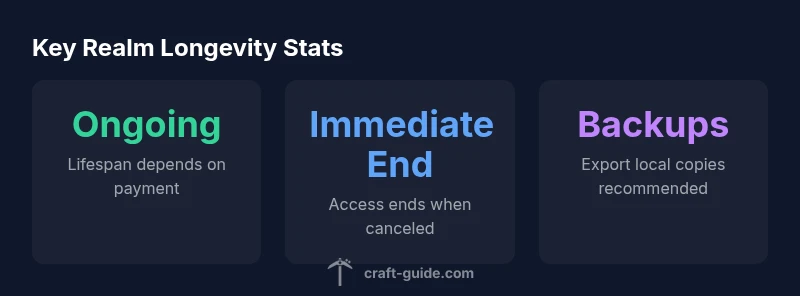
Minecraft Realms lasts as long as your subscription is active. There is no hard expiry date for a Realm itself; if you stop paying, access ends and the world becomes unavailable. Realms are designed as ongoing, subscription-based servers rather than one-time purchases. Craft Guide Analysis, 2026 notes that data access is tied to your account and payment status, so renewals keep the Realm alive.
How Realms are designed to last
Minecraft Realms operates as a hosted service managed by Mojang. In practice, Realms do not have a fixed expiration date; their longevity is tied to your ongoing subscription status. This means that as long as you pay for the Realm, your world remains accessible to players you invite. According to Craft Guide, the architecture favors continuous operation rather than a single purchase. This makes Realms a predictable choice for players seeking a stable, hosted environment without the overhead of manual server upkeep.
- Clarity of ownership: The Realm is linked to the account that created it, which helps simplify sharing with friends.
- Consistent performance: Hosted on Mojang’s infrastructure, which reduces the need for player-maintained hardware.
- Simple maintenance: No separate server software to install or update; updates are managed by Mojang.
This section sets the stage for understanding the subscription-based lifespan of Realms and why players typically choose Realms for long-term world exploration and collaboration.
The subscription model explained
Realms are a subscription-based service. You pay regularly (monthly or annually, depending on the plan and region) to keep your Realm active. There is no separate “end date” for the Realm; the service continues while payments are current. If you cancel or fail to renew, you lose access to the Realm and the world becomes unavailable to all players you invited.
Key implications:
- Access is strictly tied to an active account and payment status.
- Renewal resets the clock for ongoing availability.
- The price and renewal terms can vary by region, so check the current plan in your account.
Craft Guide emphasizes that this model provides predictability for players who want a persistent world without the complexity of self-hosted servers.
What affects Realm longevity
Several factors influence how long a Realm remains accessible, beyond the bare fact of payment:
- Subscription status: The most direct determinant; active payments mean continuous access.
- Account integrity: If the account that owns the Realm is compromised or changed, access policies may impact who can modify or play the Realm.
- Platform policy updates: Mojang may adjust terms or features; staying informed helps you plan renewals and back up data.
- Backups and exports: Regularly exporting your world gives you a local copy you control, independent of the Realm’s live status.
- Cross‑platform play: Realms are designed to be accessible across Bedrock editions; ensuring your platform is supported helps maintain long-term access.
In short, your Realm’s duration hinges on ongoing payment and account reliability, with data protection practices you put in place yourself also playing a role in overall longevity.
Realms vs. alternative hosting options
If you weigh Realms against self-hosted servers or third-party hosting, several trade-offs emerge. Realms offer ease of use, no server maintenance, and automatic world backups managed by Mojang. Alternatives provide greater control, customization, and potentially larger worlds or plugins, but require more setup work and ongoing management. From the Craft Guide perspective, Realms excel for players who want a reliable, low-effort multiplayer experience, while power users with specific modding or map requirements may prefer a dedicated server or modded setup.
- Ease of setup: Realms wins for sheer simplicity; traditional servers require more configuration.
- Control and mods: Self-hosted or third-party servers offer broader customization, but with more responsibility.
- Cost predictability: Realms provides a predictable subscription; self-hosted options can vary with hardware and hosting fees.
Best practices to maximize Realm availability
To keep your Realm accessible and protected, follow these practical steps:
- Keep your payment method up to date and monitor renewal reminders in your account.
- Regularly export backups of your world to your local device or cloud storage as a precaution.
- Share administrator access only with trusted players to minimize accidental changes.
- Schedule periodic reviews of your Realm’s player list and permissions to avoid unwanted changes that could deter activity.
- Document key world milestones or builds externally, so progress isn’t tied solely to the live Realm.
- Test cross-platform access periodically to ensure compatibility across devices.
By adopting these practices, you reduce the risk of prolonged downtime and make it easier to re-engage players if a lapse occurs.
Handling backups and world preservation
Backing up Minecraft Realms is a vital habit for long-term preservation. While Realms has built-in backup and restore functionality, exporting a copy of your world to a local device gives you a separate, portable archive you control. To back up:
- Open your Realm’s settings and look for the Backup/Export option.
- Choose a recent snapshot and export it to your computer.
- Store at least one extra copy in a cloud or external drive.
Regular backups protect against data loss if a renewal is delayed or a policy change occurs. If you plan to move away from Realms, your exported worlds provide a seamless migration path to other hosting options.
Common myths about Realm duration debunked
- Myth: Realms expire after inactivity. Fact: There is no fixed expiration tied to inactivity; ongoing access depends on payment.
- Myth: Ownership can be freely transferred between accounts. Fact: Realms are typically bound to the owner’s account; transfers require policy clarification and support.
- Myth: Backups eliminate the need for renewal reminders. Fact: Backups are a safeguard, but active subscription is still required for live access.
The Craft Guide Team emphasizes that understanding the subscription model and data management practices helps players avoid surprises when renewal dates approach.
Practical decision guide: Should you rely on Realms long-term?
For players seeking a stable, low-maintenance multiplayer environment, Realms offers an attractive long-term option, provided you keep renewals current and maintain local backups. If your goals involve heavy customization, large maps, or modding, consider a dedicated server or third-party hosting with broader feature sets. Regardless of choice, having a regular backup routine and a plan for data transfer ensures progress isn’t lost if the live Realm becomes unavailable. Craft Guide’s practical recommendation is to balance convenience with data security and ownership control, especially for long-term, collaborative builds.
dataTable":{"headers":["Aspect","Duration Implication","Notes"],"rows":[["Lifespan model","ongoing with active subscription","No predefined end date; depends on payment status"],["Access windows","ends when the subscription is interrupted","Renewal restores access"],["Backup and restoration","exports provide a local copy","Use both in-Realm backups and external exports"]],"caption":"Realm duration and data considerations"},
keyTakeaways
expertQuote
faqSection
mainTopicQuery
Realm duration and data considerations
| Aspect | Duration Implication | Notes |
|---|---|---|
| Lifespan model | ongoing with active subscription | No predefined end date; depends on payment status |
| Access windows | ends when the subscription is interrupted | Renewal restores access |
| Backup and restoration | exports provide a local copy | Use both in-Realm backups and external exports |
People Also Ask
Do Minecraft Realms expire after a set period?
No fixed expiration date exists for active Realms; they remain available as long as you keep paying. If you cancel, access ends.
No fixed expiration—your Realm stays active as long as you maintain payment.
What happens if I cancel my Realm?
Cancelling ends access to the Realm immediately; you should back up your world if you want to preserve it.
Canceling ends access right away; back up your world if needed.
Can I reactivate a Realm after missing a payment?
Yes, reactivating payment restores access. Renewal terms may vary by region, so check your account for details.
Yes, paying again restores access; renewal terms vary by region.
Is there a way to transfer Realm ownership to another account?
Realm ownership transfers are not typically supported; you should contact Mojang Support for guidance if needed.
Ownership transfers aren’t straightforward; contact support for any options.
How often should I back up my Realm?
Back up regularly. Export a local copy of your world and keep extra backups in cloud storage if possible.
Back up often to protect progress.
“The key with Minecraft Realms is understanding the subscription model: your world only exists as long as you pay, but with proper planning and backups you can protect your progress.”
The Essentials
- Maintain your subscription to keep the Realm active
- Cancellation ends access immediately; back up your world
- There is no fixed expiration for an active Realm
- Back up regularly to prevent data loss across renewals
- Stay informed on policy updates from Craft Guide Analysis, 2026