Are Minecraft Realms Cross Platform? A Bedrock Guide
Explore whether Minecraft Realms are cross platform. Learn which editions are compatible, how to invite friends on different devices, and any limits to cross play.


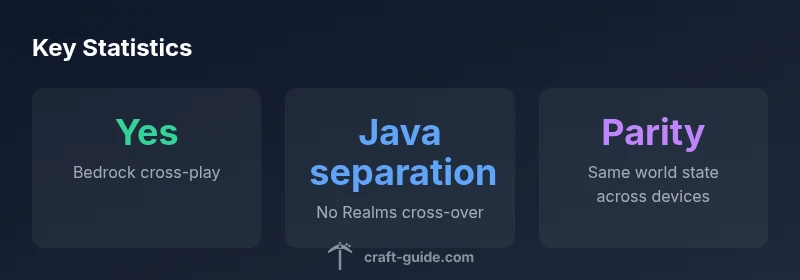
Yes. Minecraft Realms supports cross platform play across Bedrock Edition, letting players on Windows, Xbox, Nintendo Switch, iOS, and Android join the same Realm. Invitations link via Microsoft accounts, and Realms updates are shared across devices. Note: Java Edition cannot join Realms, and those players should use Java-only servers or alternative cross‑edition options.
Are Minecraft Realms Cross Platform? What this Means for Bedrock Players
Are minecraft realms cross platform? According to Craft Guide, this is a common question among players who want to game with friends on different devices. Realms on Bedrock Edition lets you host a world that players on Windows 10/11, Xbox, Nintendo Switch, iOS, and Android can join, provided they use the Bedrock edition and sign in with a Microsoft account. The Realm state—world data, inventory, and progress—remains synchronized for everyone connected, so each player experiences the same world regardless of device. The cross‑platform ability is a cornerstone of Bedrock’s multiplayer design, but it is bounded by edition parity and version alignment. In practical terms, you can play together across supported Bedrock platforms, while Java Edition players stay in a separate ecosystem. This alignment makes it easier for families and friend groups to play together without switching platforms.
Supported Platforms and Editions You Can Play On
Realms runs on Bedrock Edition, and that decision drives the cross‑play possibilities. If you want to play with friends across devices, you’ll find support across the following platforms: Windows 10/11, Xbox One/X Series, Nintendo Switch, iOS, and Android. Each device uses the same Bedrock codebase, so features like inventories, progress, and world state stay synchronized as players switch between devices. However, it’s important to keep expectations aligned: Realms does not support Java Edition, so Java players cannot join Bedrock Realms, and Bedrock players cannot join Java servers. Craft Guide Team notes that updates and features are rolled out to all Bedrock platforms in tandem when a Realm is updated, ensuring parity across devices. In short, cross‑platform play is robust within Bedrock Realms, but not across the Java ecosystem, which means players should decide upfront which edition best fits their group.
How Cross-Platform Realms Works: Accounts, Versions, and Parity
Realms cross‑play hinges on the Bedrock edition and a Microsoft account system for access control. Each Realm is tied to an owner’s Microsoft account, and invites are sent to other Microsoft accounts associated with Bedrock devices. Because Bedrock Realms runs across Windows, consoles, and mobile, you must ensure everyone uses the same Bedrock version when possible. The system favors parity: updates are rolled out across platforms for Realm owners and invited players at roughly the same time. Craft Guide Team emphasizes that while feature parity is strong, there are still device-specific quirks—such as controller differences or touch vs. keyboard input—that can affect the experience. Overall, Bedrock Realms aims for a uniform multiplayer environment across devices, with Java staying separate.
Java Edition and Realms: The Important Limitation
The most important limitation to remember is edition separation. Java Edition players cannot join Bedrock Realms, and Bedrock players cannot join Java realms or servers. If you have a mixed group, you’ll need to run separate worlds or consider cross‑edition options outside Realms, such as third‑party servers that explicitly support Bedrock-to-Java bridging. This separation preserves the distinct ecosystems for each edition while still enabling strong cross‑play within Bedrock. If your friend group is split by edition, plan two parallel experiences rather than one unified Realms session. Craft Guide Team highlights this distinction to prevent disappointment during invitations.
Step-by-Step: Inviting Friends on Different Devices
To get cross‑platform play going on Realms, follow these steps: 1) Create or open your Realm from the Realms menu. 2) Sign in with a Microsoft account on your device. 3) Use the Invite option and enter your friend’s Microsoft account email. 4) Your friend accepts the invitation on their device (Windows, Xbox, Switch, iOS, or Android). 5) Confirm that everyone is on the Bedrock edition and has the latest update installed. 6) Start playing together—the Realm synchronizes world data across devices automatically. Ensure you maintain a stable internet connection for smooth cross‑platform gameplay.
Common Scenarios: Case Studies of Cross-Platform Play
Scenario A: A family plays on Windows 10 PC and Nintendo Switch. They host a Realm with a shared world, and siblings join from both devices in evenings. Scenario B: Friends on iOS and Xbox cooperate on a single Realm to build a shared base. Scenario C: A mixed group tries inviting a Java player; they’ll need a separate Java world rather than Realms. In all cases, clarity about edition, device compatibility, and login setup reduces friction. Craft Guide Team has observed that most cross‑platform issues stem from version mismatches or forgotten Microsoft account sign-ins. Planning ahead minimizes these problems and keeps sessions enjoyable across devices.
Troubleshooting and Best Practices for Smooth Cross-Play
Common issues include version drift, login problems, and invite failures. Best practices: keep every device on the latest Bedrock update, verify that all players are using a Microsoft account, and confirm that invites were accepted. If someone can’t join, re-send the invitation, sign out and back into the account, or restart the game. Connectivity matters more on mobile networks; consider switching to a stable Wi‑Fi connection when possible. For best results, designate a Realm owner who handles invites and updates, and communicate edition constraints clearly to ensure everyone understands what is cross‑platform and what isn’t. Craft Guide Team recommends maintaining a short readiness checklist before game nights.
Looking Ahead: What to Expect in 2026
As Bedrock Realms evolves, expect improvements in cross‑platform performance, broader device support, and more streamlined onboarding for new players. The Craft Guide team anticipates ongoing parity in updates across Windows, consoles, and mobile devices, with continued emphasis on simplifying invites and reducing latency. Keep an eye on official patch notes for changes to realms commands, moderation features, and cross‑play settings. For players planning long-term communities, Realms remains a solid foundation for cross‑platform multiplayer within the Bedrock ecosystem, while Java players will continue to use separate ecosystems.
Cross-platform Realms compatibility by platform
| Platform/Device | Edition | Cross-Platform with Realms | Notes |
|---|---|---|---|
| Windows 10/11 | Bedrock | Yes | Cross-platform with other Bedrock devices |
| Xbox | Bedrock | Yes | Realms support across consoles |
| Nintendo Switch | Bedrock | Yes | Supports Realms cross-play |
| iOS | Bedrock | Yes | Requires Microsoft account |
| Android | Bedrock | Yes | Mobile cross-play support |
| Java Edition | Java | No | Cannot join Realms; separate ecosystem |
People Also Ask
Are Minecraft Realms cross platform across Bedrock devices?
Yes. Realms supports cross-platform play across Bedrock devices (Windows, Xbox, Switch, iOS, Android). Java Edition remains separate. Ensure everyone uses the Bedrock edition and signs in with a Microsoft account.
Yes—Realms works across Bedrock devices. Make sure everyone uses Bedrock and signs in with Microsoft accounts.
Can Java Edition players join a Bedrock Realms?
No. Java Edition players cannot join Bedrock Realms. You’ll need a Java-only server or a separate cross‑edition setup.
Java players can’t join Bedrock Realms. Use Java servers if you’re mixing editions.
Do I need a Microsoft account to invite friends?
Yes. Invites to Realms require Microsoft accounts. Your friends will sign in with their Microsoft account on their device.
Yes, a Microsoft account is needed to invite and join Realms.
Are Realms updates shared across all devices?
Yes. Realms updates are applied across Bedrock platforms to maintain parity quickly after release.
Updates sync across Bedrock devices when Realms is updated.
Is there a performance difference between Switch and PC when using Realms?
Performance can vary by device due to hardware differences, but Realms aims for a consistent world state across platforms.
Performance varies by device, but your world stays the same across devices.
What should I do if a player can’t join the Realm?
Check edition (Bedrock vs Java), account sign-in, and ensure internet connectivity. Reinvites or a restart often resolves the issue.
If someone can’t join, verify Bedrock edition and sign-in, then try reinviting.
“Cross-platform play on Bedrock Realms makes multiplayer accessible across devices, but Java Edition remains separate. This distinction shapes how players plan sessions and purchases.”
The Essentials
- Confirm Bedrock requirement: Realms is Bedrock-only; Java players cannot join.
- Invite friends with Microsoft accounts to enable cross-platform play.
- Realms cross-platform support spans Windows, Xbox, Switch, iOS, and Android.
- Java Edition cannot join Realms; consider separate servers for Java.
- Always keep Realms on the latest Bedrock version for parity.