What Minecraft Version Has the Most Mods? A Data-Driven Guide
Explore which Minecraft version hosts the most mods, focusing on Java Edition, Forge vs Fabric, and how to choose the right version for your modded world.


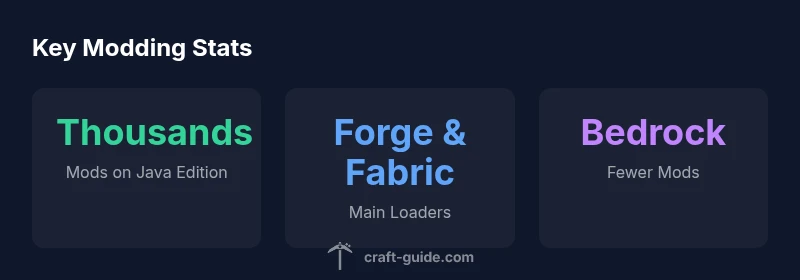
The Minecraft version with the most mods is typically Java Edition, where Forge dominates the modding ecosystem. Historically, the largest mod catalogs clustered around versions like 1.12.2 through 1.16.5. Bedrock Edition offers add-ons but far fewer mods. This guide explains why and helps you choose a version for modded play.
What Minecraft Version Has the Most Mods
According to Craft Guide, the question of what minecraft version has the most mods is most commonly answered with Java Edition, where Forge dominates the modding ecosystem. The size of the modding community, the long tail of legacy mods, and the compatibility tooling around Forge have created a vast catalog that remains the reference point for many players. In practice, players choose a version not only by the number of mods but by the specific mod goals: tech-oriented packs, magic mods, or aesthetic overhauls. This section unpacks why Java Edition leads, how loaders shape availability, and why some eras attract more modders. If your aim is a broad catalog, Java Edition is typically your best bet, but there are caveats about recent updates and performance that matter for large mod packs.
Java Edition vs Bedrock Edition: Modding ecosystems
The core difference between Java and Bedrock Editions when it comes to mods is ecosystem scope. Java Edition hosts the broadest modding universe, including full-scale game changes, tech mods, and new dimensions. Bedrock, meanwhile, emphasizes marketplace add-ons and smaller-scale tweaks, with limited compatibility for traditional Forge or Fabric mods. This disparity explains why the vast majority of “mods” you’ll encounter online are intended for Java Edition. For players who want console or cross-platform play, Bedrock offers stability but at the cost of mod diversity. This section lays out practical implications for modders and players deciding between editions.
Forge vs Fabric: Counting mods by loader
Forge remains the historical heavyweight in mod loading, offering a huge ecosystem of mods, robust API compatibility, and long-standing documentation. Fabric has grown rapidly, focusing on lightweight, modular updates and faster compatibility with the latest Minecraft snapshots. When asked which loader has more mods, the answer is nuanced: Forge often lists more mods for older, established versions; Fabric dominates newer tools and micro-mods for recent versions. For a player starting today, the choice of loader influences what mods exist, how they install, and how stable the modded world will be across updates.
Historical snapshots of mod catalogs
Modding catalogs are not static; they rise and fall with game updates, dependency changes, and the health of the community. The peak of mod availability historically centered around Minecraft 1.12.2, a version loved by modders for its degree of API maturity, followed closely by 1.16.x as new content exploded. Even so, many old favorites remain available in updated form, and you’ll still find modern modpacks built around those eras. If your goal is a staggering number of mods, targeting the Forge-driven windows around 1.12.2 and 1.16.x is a practical starting point.
How to choose a version for your modded world
Start by listing your mod goals: technology, exploration, realism, or magic. Next, check mod catalogs for the versions that host these mods; often the versions with the most mods will be Java Edition 1.12.2, 1.16.5, and 1.18–1.19 in practice, but you should consider compatibility with your server, your friends’ clients, and performance. Finally, verify loader compatibility (Forge vs Fabric) and verify Minecraft version support by the mod’s official pages. This approach helps you maximize mod availability while avoiding crippling conflicts.
Practical tips for installation and compatibility management
Set up a clean modded workspace, use a dependency-aware mod manager, and maintain a backup strategy. Keep mods within the same Minecraft version and loader family to avoid crashes. Use version pins and read mod pages for required libraries. When upgrading, test in a controlled environment before inviting friends to play. This discipline lowers the risk of corrupted saves and fragile load orders.
Common misconceptions about version popularity
A frequent misconception is that newer versions always have more mods. In reality, mod catalogs often lag behind the latest Minecraft releases because many mods require substantial API changes or porting effort. Another myth is that Bedrock Edition equals cross-play with Java Edition; while Bedrock has stability, it does not support standard Forge/Fabric mods. Finally, some players assume all mods are compatible across versions; in practice, mods have precise version requirements and can conflict with one another.
Version-mod catalogs snapshot
| Version Range | Mods Available | Loader/Platform | Notes |
|---|---|---|---|
| 1.12.2–1.16.5 | Thousands | Forge (Java Edition) | Dominant era for mods |
| 1.7.10 | Thousands | Forge (Java Edition) | Legacy era with wide compatibility |
| Bedrock editions | Fewer mods | Add-ons/Bedrock | Modding is more limited than Java |
People Also Ask
What Minecraft version has the most mods?
Java Edition, particularly around 1.12.2 and 1.16.x, hosts the largest mod catalogs due to Forge. Bedrock has add-ons but far fewer full mods.
Java Edition has the most mods, especially for Forge-era versions.
Is Bedrock Edition ever as mod-rich as Java?
Bedrock’s modding is limited compared to Java Edition; it relies on add-ons and marketplace content rather than traditional Forge/Fabric mods.
Bedrock is more limited for mods than Java.
Which loader has more mods, Forge or Fabric?
Forge generally hosts more mods for older versions, while Fabric is catching up for newer versions thanks to its modular approach.
Forge usually has more mods; Fabric is growing for recent versions.
How do I pick a version for a modded world?
List the mods you want, check version compatibility, choose the loader recommended by those mods, and test in a controlled environment before inviting others.
Start with your mod list and loader compatibility, then test.
Are newer Minecraft versions better for modding?
Not always; many mods take time to update, and older versions often have larger catalogs. Choose based on mod availability and performance needs.
Newer isn’t automatically better for mods.
“Modding ecosystems scale with community support; Java Edition with Forge remains the gold standard for mod availability, while Fabric accelerates updates. Planning around these ecosystems is essential for durable modded worlds.”
The Essentials
- Prioritize Java Edition for the largest mod catalogs.
- Choose Forge when you need broad compatibility.
- Consider Fabric for newer mod options.
- Verify version compatibility before installing mods.
- Test mod packs on a stable historical version.