Minecraft Wolf Armor: Mods, Installation, and Use
Discover how to add wolf armor in Minecraft with mods, choose the right mod, install it safely, and equip your tamed wolves. Includes setup tips, troubleshooting, and practical build ideas for modded play.


In vanilla Minecraft, wolves cannot wear armor. Wolf armor is a modded feature, available only when you install a compatible mod. This quick answer explains what wolf armor is in modded play, the typical setup you’ll need (mod loader, armor mod, and a compatible Minecraft version), and the kind of enhancements and customization you can expect from commonwolf armor mods. It also notes vanilla limitations and what to expect when you switch to modded gameplay.
Minecraft wolf armor: what it is and why players care
The term minecraft wolf armor refers to armor cosmetic and functional items designed for tamed wolves in modded Minecraft. In the base game, wolves don’t wear armor, so fans turn to mods to expand both aesthetics and gameplay. A typical wolf armor mod adds wearable pieces (helmets, chestplates, leg guards) that may offer visual customization, improved wolf durability, or adjusted combat behavior. The exact features vary by mod, but the core idea is to give players a way to protect and customize their canine companions while exploring caves, villages, and hostile biomes. When you search for minecraft wolf armor, you’ll encounter a spectrum of styles—from medieval plate sets to fantasy rune-armors—each with its own install requirements and compatibility notes. Craft Guide's approach to modded Minecraft emphasizes clear prerequisites, safe installation, and predictable in-game behavior. Keep in mind that every armor item has its own durability and rarity, so plan your setups accordingly.
- In modded play, armor can be decorative or functional.
- Visual customization is a common perk, making wolves easier to identify in multiplayer maps.
- Mods may require other dependencies such as libraries or optional plugins.
- Always verify compatibility with your Minecraft version before installing.
How vanilla vs modded wolf armor changes gameplay
In vanilla Minecraft, you simply won’t find wolf armor as an in-game item, which means your protective options for wolves are limited to indirect tactics like pet behavior and environment management. Modded wolf armor, by contrast, can introduce tangible differences:
- Armor pieces that reduce damage from hostile mobs on wolves.
- Special effects like increased attack power, faster attack speed, or knockback resistance for your tamed wolves.
- Visual identifiers (color, pattern) to help you distinguish different wolves in crowded builds or PvP servers.
- Crafting or loot-based paths to obtain armor, sometimes tied to in-game progression.
Craft Guide’s analysis shows that players often adopt wolf armor to enhance roleplay builds and challenge maps, but it’s crucial to manage expectations: mods vary in stability and performance, and some may conflict with others. Always test in a clean world before integrating into a long-term save.
How to choose a wolf armor mod
Choosing the right wolf armor mod depends on several factors:
- Compatibility: Ensure the mod matches your Minecraft version and works with your chosen mod loader (Forge or Fabric).
- Dependency requirements: Some armor mods require helper libraries or companion mods. Read the installation notes carefully.
- Feature set: Decide whether you want purely cosmetic armor or armor with gameplay bonuses for wolves.
- Performance impact: Some mods introduce additional entities or particle effects; consider your PC or server specs.
- Community feedback: Look for reviews, bug reports, and compatibility notes from other players. Craft Guide’s community-focused approach emphasizes verifying stability and reading changelogs before upgrading.
Mod loader prerequisites: Forge vs Fabric
Most wolf armor mods ship for either Forge or Fabric. Forge tends to host a larger catalog of mods and wide compatibility, while Fabric emphasizes lightweight performance and quick updates for newer Minecraft versions. Before you download anything, decide which loader you’ll use:
- Forge: Broad compatibility, many dependencies, and proven stability for long-running worlds.
- Fabric: Lightweight, faster updates, and often better performance on lower-end systems.
Once you pick a loader, install the corresponding runtime first, then the wolf armor mod. Always back up your world before adding any new mod, as Forge/Fabric installations can occasionally trigger world-load failures if dependencies are mismatched.
How to prepare your game for modding
Preparation reduces the risk of crashes and data loss. Start with a clean profile and a tested backup strategy. Steps to prepare:
- Create a copy of your Minecraft directory to a safe location.
- Install a mod loader (Forge or Fabric) matching your Minecraft version.
- Install the base wolf armor mod and any required dependencies.
- Launch Minecraft once to verify the mod loads without errors.
- If you use a server, ensure the same mod versions are installed on both client and server.
Craft Guide recommends performing these steps in a test world to minimize disruption to your main game and progress.
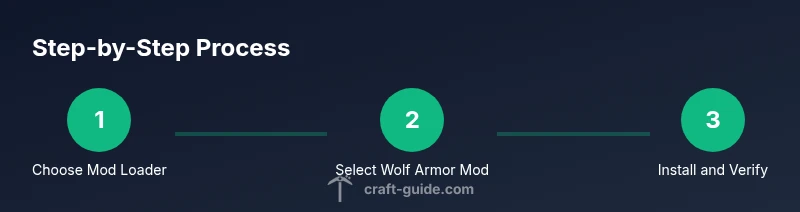
Installing and verifying a wolf armor mod (high-level)
Installations typically follow a similar pattern across mods:
- Download the mod jar file from a reputable source and place it into the mods folder.
- If dependencies exist, download and install them as well.
- Run Minecraft with the selected profile to confirm the mod loads properly.
- If you encounter a crash, consult the mod’s crash report and check for version compatibility.
Verification includes checking that armor items appear in creative mode inventories and that you can equip a tame wolf with armor. Craft Guide’s method emphasizes careful version matching and step-by-step verification to minimize post-install issues.
Equipping armor on a wolf (general approach)
With many mods, equipping armor follows a simple in-game action:
- Craft or obtain a wolf armor item from the mod’s crafting system or loot.
- Right-click the tame wolf (or use a specific hotbar slot) to apply armor.
- Some mods restrict armor usage to specific armor slots or require toggling a wolf’s armor state through a menu.
- Confirm the armor appears on the wolf and test its behavior in combat situations.
If your mod uses a custom interaction, consult the mod’s documentation for precise controls. Craft Guide users often report success once they adapt to the mod’s interaction model.
Creative design ideas and themes
Armor styles vary widely by mod, enabling creative setups such as:
- Medieval steel plate armor for knights-inspired builds.
- Natural camo patterns for forest-biome ambush setups.
- Bright fantasy runes for magical or dungeon-themed maps.
- Seasonal color schemes for event maps and seasonal campaigns.
When planning a build, consider color contrast with your wolf’s fur and any armor textures that may affect visibility on large mobs.
Troubleshooting: common issues and fixes
Common problems include crashes on startup, armor not appearing, or armor not applying to wolves. Solutions often involve:
- Verifying version compatibility across Minecraft, Forge/Fabric, and the mod.
- Ensuring all dependencies are installed in the correct order.
- Clearing caches or resetting the mod profiles.
- Checking for conflicts with other mods that modify mobs or item textures.
Craft Guide emphasizes a methodical approach: reproduce the issue in a fresh world, isolate the mod, and review crash logs for clues.
Performance considerations and backups
Mods can increase RAM usage and affect FPS. To minimize impact:
- Allocate enough memory in your launcher, but avoid over-allocating.
- Use a performance-focused mod pack or opt for mods with lighter textures.
- Maintain regular backups to reduce the risk of corrupted saves after updates or crashes.
- Run in a controlled environment before integrating into a long-running server.
A good practice is to start with the smallest mod set, confirm stability, then gradually add more features. Craft Guide’s stance is conservative: test, back up, and document changes to your world.
Vanilla alternatives and wrap-up
If you’re not comfortable using mods, you can still enrich wolf-related gameplay with vanilla options such as tamed wolves, collars (via resource packs or commands from server admins), and mood-setting accessories. Modded play opens options for armor visuals, special effects, and new gameplay dynamics, but it requires careful management of versions and dependencies. Craft Guide's conclusion is to approach modded armor with a plan: pick a compatible mod, test in a safe environment, and ensure your world remains stable as you explore new designs and features.
Tools & Materials
- Forge or Fabric mod loader(Choose based on the wolf armor mod's compatibility and your Minecraft version.)
- Wolf armor mod(Select a mod that matches your Minecraft version and loader.)
- Mod dependencies (if any)(Some mods require libraries or helper mods.)
- Minecraft backup tool or folder copy(Always back up your world before modding.)
- Updated Java Runtime (if needed)(Ensure the runtime matches your launcher needs.)
Steps
Estimated time: 60-120 minutes
- 1
Decide your modding path
Choose Forge or Fabric as your mod loader based on the wolf armor mod's compatibility and your comfort with each ecosystem. This decision will influence installation steps and future updates.
Tip: If you’re unsure, start with Forge due to its broader compatibility and larger mod catalog. - 2
Backup your world and launcher profile
Make a complete copy of your Minecraft save and profile to a safe location so you can recover if something goes wrong during installation.
Tip: Keep a separate backup for each major modding session to avoid cross-contamination. - 3
Download the mod loader and the wolf armor mod
Get the latest compatible versions from trusted sources. Verify the versions align with your Minecraft build.
Tip: Check the mod page for dependencies and conflict notes before downloading. - 4
Install the mod loader
Install Forge or Fabric using the official installer or launcher integration to create a modded profile.
Tip: Launch once to ensure the loader is installed correctly before adding other mods. - 5
Add the wolf armor mod and dependencies to the mods folder
Place all downloaded jar files into the game's mods folder under your profile. Confirm the folder path is correct.
Tip: Do not mix mods in other directories to avoid startup errors. - 6
Launch Minecraft with the modded profile
Start the game to verify that the mod loads and the armor items appear in the inventory.
Tip: If you see a crash, review the crash report and double-check version compatibility. - 7
Obtain a wolf armor item in-game
Craft or loot the wolf armor item according to the mod’s system. Ensure you’re in a world where the item is accessible.
Tip: Use a test world first to confirm item behavior without risking your main save. - 8
Equip armor on a tame wolf
Right-click (or use the mod’s specified action) while holding the armor item to equip it on a tamed wolf. Verify its appearance and functionality.
Tip: If the item won’t equip, recheck your wolf’s tame state and ensure you’re following the mod’s controls. - 9
Test combat and durability
Engage hostile mobs with the armored wolf in a controlled scenario to confirm the armor works as intended and durability is tracked.
Tip: Monitor performance and back up frequently during testing. - 10
Experiment with different armor sets
Try multiple armor variants to match your builds and aesthetics. Document which sets work best for different maps.
Tip: Keep notes to avoid mixing incompatible texture packs with armor skins. - 11
Coordinate with server settings (if multiplayer)
If playing on a server, ensure all players have the same mod and version to prevent desync or missing items.
Tip: Use a server whitelist or mod-pack to avoid version drift. - 12
Regularly update and back up
When mod updates are released, repeat the backup and compatibility check process to preserve world integrity.
Tip: Always read patch notes for potential breaking changes.
People Also Ask
Is wolf armor available in vanilla Minecraft?
No. Wolf armor is not part of the base game and requires a mod to enable armor for wolves. Vanilla gameplay focuses on breeding, taming, and basic pet mechanics without wearable armor for pets.
No, wolf armor isn’t in vanilla Minecraft. You’ll need a mod to equip wolves with armor.
What do I need to install wolf armor mods?
You’ll need a compatible mod loader (Forge or Fabric), the wolf armor mod, and any dependencies listed by the mod. Always verify the Minecraft version matches the mod version.
You need a mod loader, the wolf armor mod, and any required dependencies. Check versions carefully.
How do I equip wolf armor in-game?
Typically, obtain the armor item from a crafting system or loot, then right-click the tame wolf while holding the armor to wear it. Some mods may use a custom action or a dedicated UI.
Obtain the armor item and right-click a tame wolf, following the mod’s specific controls.
Can wolf armor affect gameplay beyond aesthetics?
Yes. Some mods grant defensive bonuses or special effects to armored wolves. Others focus on visual customization. Always review the mod’s feature list to know exactly what changes.
Some mods add defensive bonuses; others are cosmetic. Check the mod’s notes.
Are there common conflicts I should anticipate?
Conflicts can occur with other mob- or texture-related mods. If you experience crashes or missing textures, disable other mods and ensure dependencies are up to date.
Mods can conflict with others; disable conflicting ones and update dependencies if you crash.
What about performance on lower-end PCs?
Mods can reduce FPS or increase RAM usage. Start with conservative settings, monitor performance, and adjust texture quality or mod count accordingly.
Mods can impact performance; adjust settings and test gradually.
Watch Video
The Essentials
- Understand vanilla limits vs modded options for wolf armor
- Choose the right mod loader (Forge vs Fabric) based on compatibility
- Back up your worlds before modding and test in a safe environment
- Equip wolves with armor in-game and verify behavior
- Plan for compatibility issues and version updates