What to Do When Bored in Minecraft
Feeling bored in Minecraft? This educational guide offers quick ideas, creative builds, redstone experiments, and social play to spark fresh in-game motivation.


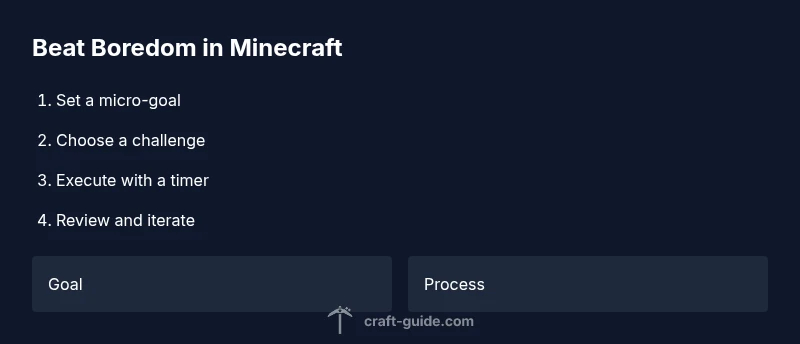
Set a micro-goal to reset focus in under an hour, then pick a single activity—build a cozy base, map a cave network, or design a scenic trail. If solo, use a rubric; if with friends, choose a shared objective to boost collaboration. Start with a timer (20–60 minutes), save a quick screenshot, and jot a single lesson you learned after finishing.
Why Boredom Happens in Minecraft
Boredom in Minecraft often creeps in when the game feels predictable or when you’re stuck in a routine. Even experienced builders can hit blocks of stagnation after repeated attempts at larger projects. The root issue is usually a lack of novelty, clear goals, or visible progress. Craft Guide's analysis shows that players stay engaged when tasks feel doable and have a concrete endpoint. A little structure goes a long way toward reigniting curiosity, especially for players who quick-switch between modes and biomes. In Minecraft, momentum grows when you break big dreams into small, achievable steps. Start by choosing a micro-goal—something you can complete in under an hour—and frame it with a precise outcome: a new house, a mapped tunnel network, or a picturesque landscape. This reduces decision fatigue and creates a crisp sense of accomplishment. If you’re playing solo, set personal constraints (no digging beyond a certain depth, or limit your wood-farming to a single season). If you’re playing with friends, use a shared objective like building a village plaza or organizing a server-wide scavenger hunt. According to Craft Guide, the simplest way to restart motivation is to give yourself a clear finish line and a tangible reward for completing it.
Quick-start ideas you can do in minutes
- Build a cozy starter hut with a unique design: keep it under 16x16 blocks but give it character with roof shape, windows, and a small garden. This creates a tangible goal you can complete fast and be proud of.
- Create a simple route map from spawn to a landmark: lay down a visible trail with distinct markers and a few scenic viewpoints to fuel exploration.
- Design a rooftop garden or lantern-lit courtyard: this adds atmosphere and can be finished in one session, giving a quick dopamine boost from aesthetics.
- Construct a pixel art piece or small sculpture: pick a theme (animal, item, or logo) and translate it into a few blocks. It’s satisfying to see a shimmering image emerge quickly.
- Build a small, safe maze or parkour course: test your own skills while keeping the challenge contained and replayable.
- Explore a newly generated biome or cave system: map a 20–50 block area, place landmarks, and note resources for future projects.
- Set a constraint (no mining for 15 minutes) and play only with what you find: this pushes creativity within limitations.
Authority sources
- https://www.cdc.gov
- https://www.nih.gov
- https://www.nationalgeographic.com
Deep-dive activities: building, redstone, exploration
If quick wins aren’t enough, dive into longer, more structured activities. Building a small village or a themed base can become a long-lasting project when you add layers such as: a detailed interior, functional lighting, and pathways. Redstone, even in simple forms like clocks and doors, provides immediate feedback and a sense of mastery that counters boredom. Exploration stretches your imagination too—seek out biomes you haven’t visited, collect distinctive blocks, and design a personal map with markers for future destinations. A key technique is chunking the work: break larger ambitions into weekly milestones (e.g., “week 1: build a 5-room house,” “week 2: install lighting and storage,” “week 3: add a garden and path network”). That cadence mirrors steady practice and builds momentum over time. Finally, document your progress. Screenshots, a world map, and a running journal help you notice incremental improvements and maintain enthusiasm across sessions.
Turning boredom into a personal challenge: templates and prompts
Turn boredom into creative pressure with easy templates and prompts you can reuse. Try these:
- Build template: Create a 10x10 cabin with a two-story design and an 8-block porch, then add interior decorations and a feature fireplace.
- Redstone template: Design a simple auto-farm with basic timing and a collection system—start with a farmer’s-friendly 1–2-minute clock.
- Exploration template: Map a 400x400 area, place at least 5 landmarks, and route a safe travel path to each one.
- Roleplay template: Invent a backstory for a village and design houses that reflect it, including a town square and meeting hall.
- Arena template: Build a small, safe PvP or parkour arena for friends to test each other’s skills in a controlled space.
Social boredom busting: teamwork and servers
Joining a server can dramatically boost engagement by introducing new rules, communities, and collaborative projects. Start with a private map and invite one or two friends to build with you. When you’re ready, try a small server event—like a scavenger hunt or a build-off—so everyone contributes ideas and holds each other accountable. If you prefer not to commit to a server, organize in-game meetups, such as a shared build night or exploration run in a coordinated world. Social play introduces fresh constraints and incentives, turning a dull session into a creative, social experience. Craft Guide notes that collaborative projects often yield better motivation and longer-lasting interest by combining individual strengths and shared goals.
Tools & Materials
- Minecraft game (Java or Bedrock)(Make sure you have the latest patch and a saved backup.)
- Device with stable internet or local world(Single-player works offline; multiplayer needs internet.)
- Notes method (in-game book & quill or external notes)(Useful for tracking progress and prompts.)
- Optional: mods or resource packs(Only if you want extra challenge or visuals.)
- Timer or clock(Keep micro-challenges within a set window.)
Steps
Estimated time: 60-90 minutes
- 1
Set a micro-goal
Choose a clearly defined task you can complete in under an hour. This pins your attention and creates a sense of progress.
Tip: Use a 20–60 minute timer to maintain focus. - 2
Pick a challenge type
Decide whether you want to build, explore, survive with a constraint, or experiment with redstone. A single category reduces overwhelm.
Tip: Limit to one category per session. - 3
Plan and gather materials
List the resources you’ll need before you start. This reduces mid-project trips to the world and keeps momentum.
Tip: Pre-collect essentials like wood, stone, and fuel. - 4
Execute the build or experiment
Begin with a rough layout, then iterate. Don’t chase perfection on the first pass—refinement comes later.
Tip: Use scaffolding or blocks to plan height and layout. - 5
Invite a friend or join a server
A friend can inject ideas and accountability. Multiplayer can turn a dull moment into a collaborative project.
Tip: Set simple rules and share goals before starting. - 6
Review and iterate
After finishing, assess what worked and what felt dull. Use that insight to spark a new micro-goal next time.
Tip: Keep a quick progress log for ideas.
People Also Ask
What should I do first when bored in Minecraft?
Start with a quick micro-goal that can be completed in under an hour. This creates momentum and reduces decision fatigue.
Begin with a small goal you can finish quickly to regain momentum.
Can I play solo or do I need friends?
Both work. Solo offers personal pacing, while friends provide collaboration and new ideas. Choose what fits your mood.
You can start solo or invite a friend for a shared project.
Are there safe mods to help with boredom?
Yes—look for well-maintained mods with good reviews and backup saves. Avoid experimental packs that destabilize your world.
Mods can help, but pick trusted ones and back up your world.
How long should a boredom-busting session last?
Aim for 60–90 minutes per session with short breaks to prevent fatigue and keep ideas fresh.
Plan for about an hour and a half, with short breaks.
What if I lose interest during a project?
Switch to a new micro-goal or prompt, or invite a friend to provide fresh energy.
If you lose interest, pivot to a new micro-goal or team activity.
How can I track progress effectively?
Keep a simple log: date, goal, outcomes, and next steps. Screenshots or a map help visualize growth.
Log your progress with notes or screenshots to stay inspired.
Watch Video
The Essentials
- Start small with a 20–60 minute micro-goal
- Choose one activity type to focus effort
- Plan materials to stay on track
- Collaborate to boost motivation
- Review and iterate to maintain momentum