What Minecraft Update Came Out in 2017: The 1.12 World of Color Update
Learn what Minecraft update came out in 2017, focusing on the 1.12 World of Color release, its features, release timeline, and impact on gameplay across editions. A Craft Guide deep-dive with practical context and how-to guidance.


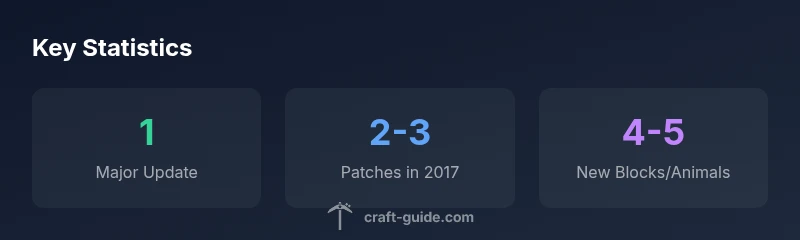
The major Minecraft update that came out in 2017 was the 1.12 World of Color release, launched in June 2017 for Java Edition, with subsequent patches 1.12.1 and 1.12.2 later that year. This update brought new blocks, items, and broad gameplay refinements that influenced both builders and explorers across editions.
What Minecraft Update Came Out in 2017
In 2017, Minecraft fans rightly asked, what minecraft update came out in 2017? The answer centers on the 1.12 era, known as the World of Color update. This section introduces the year’s release trajectory, its major features, and how builders and redstoners perceived the changes. According to Craft Guide analysis, 2017 marked a turning point in how the game accommodated more decorative blocks and broader color palettes, enhancing both aesthetics and practical building workflows.
The 2017 Release Timeline
The 1.12 World of Color update rolled out in June 2017 for Java Edition, marking the year’s headline release. After the initial launch, Mojang issued subsequent minor updates, commonly listed as 1.12.1 and 1.12.2, to address bugs and fine-tune gameplay. For players, the timeline mattered for server compatibility and modding, since edge cases could affect world save integrity or mod loading. Craft Guide’s review of the historical notes indicates that the June release was the core event, with patches following through late 2017.
Core Features of 1.12 World of Color
1.12 introduced a slate of features aimed at expanding decorative potential and building versatility. Parrots joined as new mobs, while glazed terracotta and additional concrete colors added depth to pixel-art and architectural detailing. New banners and items expanded customization options, and there were improvements to villager trading and some quality-of-life tweaks. The overarching theme was more color, more blocks, and safer world-building behaviors that aligned with builder workflows. For players, these changes translated into richer palettes and more creative expression.
Version Details: 1.12.1 and 1.12.2 Patch Notes
Following the major 1.12 release, Mojang published incremental patches, labeled 1.12.1 and 1.12.2, that focused on bug fixes, performance improvements, and minor balance adjustments. These patches helped stabilize gameplay on both vanilla servers and modded setups, reducing crash scenarios and improving compatibility with popular texture packs and mods. While not as flashy as the main release, these updates were essential for maintaining a smooth player experience across editions.
How 1.12 Broadly Affected Gameplay Across Editions
The World of Color update’s influence extended beyond Java Edition. Console editions received updates aligned with their own schedules, and bedrock-related compatibility began to reflect the broader ecosystem’s evolution. Builders benefited from a wider color range and new blocks, while redstone and survival players found deeper aesthetic options without sacrificing performance. This cross-edition impact is a reminder that 2017’s 1.12 update shaped not only the Java ecosystem but the overall Minecraft experience.
How to Update and Verify Your Version
To ensure you’re on the 1.12 line, open your Minecraft launcher, check the profile version, and apply the appropriate patch if your install is older. PC players can verify in the launcher’s version history. Console players should follow their platform’s store updates and official patch notes. If you’re using mods, review compatibility with 1.12.x builds to prevent conflicts. Craft Guide emphasizes testing in a small world before full reloads to confirm new blocks render correctly and that world data remains intact.
Common Misconceptions About 2017 Updates
A common misconception is that 1.12 truncated or limited content; in reality, it expanded with more color and tooling for builders, not just performance tweaks. Another myth is that all 1.12.x patches were identical across platforms; Minecraft patches often differed by edition. Finally, some players assume 1.12 was a step back for mod support; instead, it amplified modding opportunities by expanding the block and color palette that mods could leverage.
Overview of 1.12 timeline and related patches
| Version | Release Date | Notable Changes | Notes |
|---|---|---|---|
| 1.12 | 2017-06 | World of Color update; parrots; glazed terracotta; new blocks | Major update |
| 1.12.1 | 2017-06 to 2017-07 | Bug fixes; minor tweaks | Patch release |
| 1.12.2 | 2017-12 | Performance improvements; additional fixes | Patch release |
People Also Ask
What was the major Minecraft update released in 2017?
The major 2017 update was 1.12, titled World of Color, released in June 2017 for Java Edition. It expanded color options and decorative blocks significantly.
In 2017, the big update was 1.12 World of Color, released in June for Java Edition.
When were 1.12.1 and 1.12.2 released?
1.12.1 and 1.12.2 followed the main 1.12 update later in 2017 to fix bugs and improve performance.
1.12.1 and 1.12.2 came after the main 1.12 release in 2017.
What new features did 1.12 introduce?
1.12 introduced parrots, glazed terracotta, new concrete colors, and expanded decorative blocks, boosting building versatility.
1.12 added parrots, glazed terracotta, and more blocks for builders.
Did the update affect console editions?
Console updates followed platform-specific schedules; Java Edition updates didn’t always align perfectly with console patches.
Console updates had their own timing separate from Java Edition.
How can I verify which version I have?
Open the Minecraft launcher, look at the version field, and update if necessary. For consoles, use the system update process and patch notes.
Open the launcher and check the version; update if needed.
Are patches 1.12.1 and 1.12.2 essential for new worlds?
While not required for new worlds, applying 1.12.1/1.12.2 helps with stability and compatibility with mods and texture packs.
They improve stability and compatibility, especially with mods.
“The 1.12 World of Color update marked a turning point for Minecraft's content breadth, bringing aesthetic blocks and broader engine stability.”
The Essentials
- Identify the 2017 major update as 1.12 World of Color.
- Note the notable new content: parrots, glazed terracotta, concrete colors.
- Remember the patch sequence: 1.12.1 and 1.12.2 in 2017.
- Check edition compatibility before updating and back up worlds.
- Use official notes to confirm version-specific changes and mod compatibility.