Movie Theatre Minecraft: A Practical How-To Guide
Learn how to design and build a movie theatre in Minecraft with seating, a large screen, cinematic lighting, and optional redstone features for sound or effects. A practical, step-by-step guide for beginners to advanced builders.


Build a Minecraft movie theatre by planning a compact footprint, arranging seating for clear sightlines, placing a large screen, and crafting cinema lighting and ambience. This guide covers layout, materials, seating patterns, screen design, acoustics, and optional redstone features to simulate sound or projector effects. Follow steps for a scalable build suitable for private worlds or public servers.
What is a Minecraft movie theatre?
A movie theatre in Minecraft is a themed space designed for social role-play, storytelling, or private screenings within your world. The goal is to recreate the cinematic experience using in-game blocks, lighting, seating, and a focal screen. When you build a movie theatre minecraft style, you consider sightlines, acoustics, and atmosphere just as a real theatre designer would. This guide shows how to plan a scalable layout, select materials, and add ambience so players feel like they are in a proper cinema while staying true to Minecraft's blocky charm. The approach stays flexible enough for tiny private builds or larger server theatres, and it emphasizes clear communication of space, accessibility, and visual rhythm through repeated patterns and deliberate contrasts.
According to Craft Guide, starting small and iterating is the most reliable path toward a polished cinema build, especially for new builders who want to learn the fundamentals without getting overwhelmed.
Why players build cinema spaces in Minecraft
Cinema-inspired builds tap into the storytelling potential of Minecraft. They provide a communal focal point for movie nights, role-playing events, and creative showcases. A well-executed movie theatre minecraft creates a sense of immersion through a large, flat screen surface, tiered seating, and controlled lighting. Players often reuse existing textures to convey cinema branding, using banners, posters, and color palettes that evoke film aesthetics. Building these spaces in survival or creative modes helps practice planning, spatial reasoning, and interior design. Craft Guide notes that cinema spaces also encourage social interaction and collaboration on servers, turning a simple build into a community activity.
A successful theatre aligns seating with the screen, supports clear sightlines, and integrates ambient lighting that sets the mood without washing out the display. These attributes contribute to an authentic feel while keeping gameplay intact.
According to Craft Guide, collaborating with teammates during a cinema build can reveal new ideas for seating arrangements and screen treatments, enhancing both form and function in the final result.
Design principles for a movie theatre in Minecraft
Key design principles for a movie theatre minecraft build include proportional scales, consistent textures, and thoughtful lighting. Start with a simple rectangular footprint that accommodates seating rows, a central aisle, and a prominent screen wall. Use a repetitive texture for walls and floors to create cohesion, then add accent blocks to define the screen area or stage. Theatre design benefits from symmetry and balance: keep the screen centered, align seating evenly, and ensure aisles are easy to navigate. Consider a color palette that echoes cinema vibes—neutral walls, darker floors, and light accents around the screen to draw the eye.
In practice, plan sightlines by stepping through the space in survival mode from the back row to the screen. If you find obstructions, adjust seating height or wall depth. Craft Guide recommends testing with temporary blocks before committing to permanent materials, which saves time and reduces waste.
Materials and blocks you'll need
Choosing materials with a consistent look is crucial. For walls and ceilings, stones, bricks, or polished blocks provide a solid, cinematic feel, while the screen area benefits from flat, high-contrast surfaces like white concrete or quartz. Seating is most comfortable with stairs and slabs that create tiered rows while keeping headroom, and glass panes or tinted glass help define aisles and windowed areas without blocking line of sight. Floor materials like carpet or concrete can guide audience flow and define zones, while lighting choices such as glowstone, sea lanterns, or shroom lights establish mood without glare on the screen. Keep a separate stash of banners or signs for cinema branding and room labels. Craft Guide recommends sticking to a limited palette to maintain cohesion and reduce visual noise.
Tip: Map out your block choices on paper first, then translate to Minecraft coordinates to avoid accidental mismatches. This discipline keeps your build clean and scalable.
Lighting, ambience, and sound design
Lighting drives mood in a Minecraft cinema. Use dimmable lights and indirect sources so the screen remains the focal point. Place lighting behind seating or along aisles to guide movement without causing glare on the screen. For a cinema-like ambience, mix warm and cool tones and avoid overpowering brightness in the viewing area. Sound can be simulated with note blocks or subtle redstone triggers placed behind the screen; this is optional but can enhance immersion. If you plan for sound, ensure the theatre is well lit during setup so players can safely move around while testing.
Craft Guide suggests keeping lighting consistent with the screen wall to prevent color distortions and to make the space feel cohesive. Small accents such as banners, posters, or ticket counters help reinforce the cinema theme without distracting from the main display.
Seating, sightlines, and accessibility
The heart of a movie theatre is its seating arrangement. Start with a central aisle and multiple rows, ensuring each seat has an unobstructed view of the screen. A typical rule of thumb is to provide at least two blocks of legroom between rows and to align seats so the back row can see over the front row without craning the neck. Use stairs or slabs to create tiered levels while keeping pathways clear for players to move smoothly. Accessibility matters: widen aisles, add level entrances, and place signs to guide players of all abilities. Consistency in seat height and spacing helps players orient quickly as they enter.
Craft Guide emphasizes testing sightlines by stepping through as a viewer from different rows. If you notice glare or obstructed views, adjust the seating height or wall depth. A well-planned seating plan elevates the entire build and encourages longer, more comfortable visits.
Screen design and projector alternatives in Minecraft
The screen is the centerpiece of the cinema. Create a large, flat display area using white concrete or a painted block surface to emulate a modern cinema screen. For a retro vibe, you can use a painted mural or a banner-supported art piece framed with glass. If you want motion or audio cues, you can simulate a projector using a repeating sequence of map displays on item frames or decorative blocks arranged to create a dynamic display. Redstone-driven effects can trigger ambient sounds or light sweeps to mimic projector timing, but this is optional and should be tested for lag.
The screen should occupy a dominant horizontal plane with symmetrical margins. Center it relative to the seating rows so every viewer enjoys a similar viewing angle. A balanced stage-like backdrop adds depth and helps the space feel authentic.
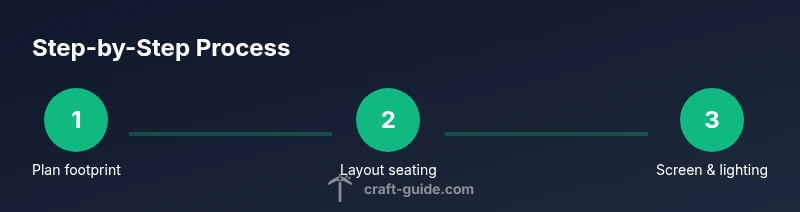
Step-by-step overview: planning, layout, and build
Before you start building, sketch a rough layout on paper or in a simple design tool. Mark the footprint, seat rows, screen wall, aisles, and entry. Translate the plan into Minecraft coordinates, begin with the outer walls, then install seating in tiers, and finally add the screen wall and lighting. Test the space by simulating a viewing session from the back row and adjust sightlines as needed. Finally, add atmosphere details such as banners, signage, and subtle audio cues if desired. This overview matches the progressive logic of a real cinema and keeps the build manageable and scalable.
Advanced features and finishing touches
If you want a touch of realism, add backstage elements such as a projector room, speaker niches, or a ticket counter near the entrance. Finish with decorative lighting effects that mimic cinema signage or an arcade vibe for concessions. Consider hosting a movie night with friends to test color balance and acoustics in a live setting. A well-finished cinema invites players to explore, socialize, and enjoy your Minecraft theatre experience. Craft Guide notes that a cohesive finish, not a dozen scattered features, defines a memorable build.
Common mistakes and how to fix them
Common mistakes include misjudging sightlines, cluttered wall textures, and overly dark interiors that make navigation hard. Fix sightlines by adjusting seating height and spacing, and reduce visual noise by sticking to a limited palette. Ensure aisles are clearly marked and accessible. If lighting causes screen glare, lower brightness or reposition light sources. Finally, avoid crowding the screen with extraneous decor; let the display breathe as the focal point.
Tools & Materials
- Core building blocks (stone bricks, quartz, etc.)(Choose a consistent material for walls and accents)
- Seating blocks (stairs/slabs)(Arrange in rows with clear sightlines)
- Flooring material (carpet, concrete, or wood)(Ensure even color and no gaps)
- Screen surface (white concrete or banner/frame)(Large, flat display area; avoid protrusions)
- Glass panes or tinted glass(For aisles and optional windows)
- Ambient lighting (glowstone, sea lanterns, or shroom lights)(Place to reduce glare and create mood)
- Redstone components (optional)(For optional sound or projector-like effects)
- Decoration items (banners, posters, signage)(Boost realism and theme)
Steps
Estimated time: Total time: 3-6 hours
- 1
Plan the footprint and layout
Choose a suitable footprint that accommodates seating, a central aisle, and a prominent screen wall. Define overall width, depth, and height to ensure comfortable sightlines for most players. Mark mounting points for the screen, seating, and entry so the build starts with a clear plan.
Tip: Sketch your plan on paper or in a simple tool before transferring to Minecraft. - 2
Install the seating grid
Lay seating in evenly spaced rows with a central or side aisle. Use stairs for seats to create subtle elevation and improve viewing angles. Leave clear walkways and ensure the back row can see the entire screen.
Tip: Test sightlines by stepping through as if you are an audience member from different rows. - 3
Create the screen wall and stage
Construct a large, flat screen surface using a high-contrast material. Centre the screen relative to seating and place a simple backdrop to add depth. Consider a backdrop that can host banners or poster art.
Tip: Keep the screen area uncluttered to maximize viewing clarity. - 4
Add lighting and ambience
Place ambient lighting around aisles and behind seating to guide movement without washing out the screen. Use warmer tones near the entrance and cooler tones near the screen for cinematic contrast. Avoid direct glare on the display.
Tip: Test lighting during a mock viewing to ensure mood while preserving screen visibility. - 5
Design entry, aisles, and accessibility
Provide a wide, clearly signposted entrance and maintain two-block or wider aisles for easy navigation. Consider placing seat labels or section signs to help orientation. Accessibility features can be simple, like flat ground transitions and obvious routes.
Tip: Walk the space with a modular approach and adjust as needed before finalizing textures. - 6
Add optional redstone sound or projector effects
If you want motion or simulated sound, consider note blocks and simple redstone circuits. Test timing with a short demo and align effects with a simulated film break or scene transition. Keep functionality lightweight to avoid lag.
Tip: Prototype on a small scale before applying to the full theatre.
People Also Ask
What is the best footprint size for a Minecraft cinema?
Aim for a rectangular footprint that balances seating width and depth with a central screen wall. Start small and scale up as needed, testing sightlines from back rows.
Aim for a rectangular footprint that balances seating width and depth with a central screen wall. Start small and scale up as needed, testing sightlines from the back.
How do I create a screen that looks cinematic?
Use a large, flat display area with a high-contrast surface. Keep the surface free of protrusions and ensure even lighting around it to avoid glare.
Use a large flat display with a high-contrast surface and even lighting around it to avoid glare.
Which lighting works best for mood without washing out the screen?
Prefer indirect lighting along aisles and behind seating, using warm tones near entries and cooler tones near the screen to create cinematic contrast.
Indirect lighting along aisles and behind seating with warm tones near the entrance and cooler tones near the screen works best.
Can I add sound or projector-like features with redstone?
Yes, note blocks and simple redstone circuits can simulate ambient sounds or a projector sequence. Test timing and keep it lightweight to avoid lag.
You can simulate sound or projector effects with note blocks and simple redstone, but test timings to avoid lag.
How can I make the theatre accessible to players with mobility issues?
Provide wide aisles, level entrances, and clear signage. Keep floor transitions smooth and avoid abrupt height changes.
Ensure wide aisles, level entrances, and clear signs to help players with mobility needs.
What are common mistakes to avoid when building a cinema?
Avoid cluttered textures, poor sightlines, and dim lighting that hides the screen. Plan early, test multiples perspectives, and simplify textures.
Avoid cluttered textures and bad sightlines; test from multiple seats and keep textures simple.
Watch Video
The Essentials
- Plan a scalable cinema footprint with clear sightlines
- Center a large, flat screen and keep it uncluttered
- Use ambient lighting to set mood without screen glare
- Incorporate accessible aisles and signage
- Experiment with optional redstone features but test first