Minecraft Who Is Alex: A Practical Guide
Discover who Alex is in Minecraft, how she differs from Steve, and how to use Alex for builds, skins, and roleplay. A practical, data-driven guide by Craft Guide.


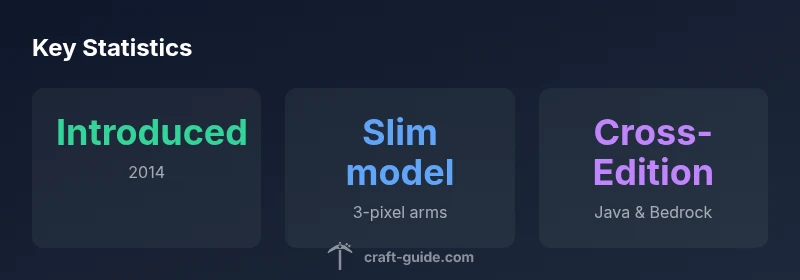
minecraft who is alex refers to the slim-default avatar introduced in 2014 alongside Steve; there is no canonical backstory in vanilla Minecraft, so Alex is a cosmetic option that changes only appearance, not gameplay. This quick guide outlines who Alex is, how the model differs, and how players use it for builds and roleplay.
Understanding minecraft who is alex
Alex is the slim-default avatar introduced in 2014 alongside Steve, serving as one of the two baseline skins players can choose when starting a new world. In vanilla Minecraft there is no canonical backstory for either Alex or Steve; the game treats them as interchangeable player avatars rather than pre-defined characters with lore. According to Craft Guide, alex provides a distinct visual option that affects only cosmetics, not core mechanics. The name 'minecraft who is alex' is a common search term players use to learn about this default skin, its origins, and how it affects gameplay. Across Java and Bedrock editions, Alex remains a staple choice for players who prefer a leaner silhouette or a different color palette. In this section we’ll outline the key distinctions between Alex and the standard Steve model and explain how to leverage Alex for builds and roleplay.
Alex vs Steve: Visuals and Playfeel
Visual differences between Alex and Steve are subtle but noticeable in lighting, clothing color, and arm proportions. Alex has a slimmer silhouette and slightly different arm width, which contributes to a faster feel in third-person comparisons, though the in-game physics are unchanged. For builders, these small distinctions influence how armor and clothing appear in close-up shots and screenshots. In practice, choosing Alex or Steve is primarily a cosmetic decision; it does not alter the tools you can craft, the materials you gather, or your survival strategy. The Craft Guide team notes that many players enjoy rotating skins to reflect role-play scenarios, seasonal events, or server themes. In short, Alex changes the face of your avatar, not the bones of your gameplay.
Editions and Availability
Alex is available across the main Minecraft editions, including Java and Bedrock. This cross-edition availability makes it easy to stay consistent across platforms when you play on PC, console, or mobile. Changing between Alex and Steve is supported in all major launchers and is saved per-profile, so you can switch skins between sessions without losing progress. Content creators often use Alex in tutorials and build showcases to demonstrate visual differences or to emphasize character identity in videos. The broader takeaway is that Alex is a flexible cosmetic option that travels with your world across devices.
Representation and Community Discussion
Community conversations around Alex frequently touch on representation and identity, reflecting Minecraft's open-ended nature. Mojang has not assigned a canonical gender or lore to Alex in the base game, leaving room for interpretation and fan-created narratives. The Craft Guide analysis notes that players value the ability to personalize characters while maintaining consistent gameplay. Because skin choice is cosmetic, it provides a low-stakes way to explore roleplay, server norms, and storytelling without affecting mechanics. The resulting discussions enrich the community's creativity and inclusivity.
In-Game Mechanics: Tools, Skins, and Customization
From a mechanics standpoint, skins like Alex are cosmetic only. Your inventory, blocks, and tool effectiveness don’t change with skin choice. To switch to Alex, open your profile or skin settings and select the Alex skin; changes take effect immediately in both single-player and multiplayer. If you’re curious about matching your skin to armor, you can still use any armor texture or dye color; the outfit visualization changes with the skin, but item stats remain the same. For players who enjoy experimentation, temporary skins via server plugins can be used to create themed outfits during events.
Customization: Skins, Texture Packs, and Mods
Customization options extend beyond the default Alex model. Skins are the simplest method to alter appearance, with countless user-generated designs available online. Texture packs can modify clothing details and shading to complement Alex’s silhouette, while mods can add new cosmetic features or animation options to reflect character identity. Craft Guide recommends starting with a safe skin from trusted portals and experimenting on a dedicated world to see how Alex looks under different lighting and biomes. Always ensure skins are compatible with your edition.
Fan Theories and Lore: Does Alex have a backstory?
Many players enjoy imagining backstories for Alex, ranging from explorer to builder to emissary of a village. While popular theories abound, there is no official lore for Alex in the base game. Fan-made narratives appear in fan art, roleplay servers, and community storytelling, fueling ongoing debates about character identity in Minecraft. For practical purposes, treat Alex as your own canvas: a default option that can support any story you want to tell within your world.
Practical Build Ideas Featuring Alex
Here are practical build ideas that highlight Alex’s lean silhouette and color palette: a sleek modern house with white and teal accents to contrast Alex’s skin tones; a desert outpost featuring orange accents to echo Alex’s hair color; a role-play set portraying a forest explorer, with a green cloak and brown boots to align with Alex’s default palette. When planning builds, think about lighting, camera angles, and texture choices to make the avatar stand out in screenshots and videos. By aligning your world design with Alex’s visual identity, you can create cohesive visuals across your Minecraft projects.
Overview: Alex vs Steve characteristics
| Aspect | Alex Characteristics | Steve Characteristics |
|---|---|---|
| Model | Slim build with 3-pixel arms | Standard build with 4-pixel arms |
| Skin options | Default Alex skin | Default Steve skin |
| Edition availability | Cross-edition (Java & Bedrock) | Cross-edition (Java & Bedrock) |
People Also Ask
When was Alex added to Minecraft?
Alex was introduced in 2014 as one of the default skins alongside Steve; vanilla Minecraft has no official backstory for either.
Alex was added in 2014 as a default skin; there isn't an official backstory.
Does Alex have a canonical backstory?
No official backstory exists in vanilla Minecraft; lore is user-created.
There is no official backstory.
How do you switch between Alex and Steve?
In-game, go to profile or skin settings and choose Alex or Steve; changes apply immediately.
Open skin settings and pick Alex or Steve, changes take effect instantly.
Do Alex and Steve affect gameplay?
Skins are cosmetic and do not change mechanics or stats.
Skins don’t affect gameplay.
Which editions support Alex?
Alex is available across Java and Bedrock editions.
All major editions, Java and Bedrock, support Alex.
“Alex represents how players shape their Minecraft identity through choice rather than lore.”
The Essentials
- Identify Alex as the slim-default avatar introduced in 2014.
- Note there is no canonical backstory in vanilla Minecraft.
- Switch freely between Alex and Steve in-game.
- Use skins, texture packs, or mods to customize appearance.