Minecraft Beacon: A Practical Step-by-Step Guide
Master crafting, activating, and tuning a minecraft beacon to grant buffs for mining, combat, and exploration. Step-by-step setup, pyramid levels, buffs, materials, and troubleshooting for allSkill levels.


Steps to secure buffs from a minecraft beacon: build a beacon pyramid with iron, gold, or emerald blocks, craft the beacon, and place it on top. Choose a primary buff and, if possible, a secondary buff. According to Craft Guide, pyramid size determines range and strength, so plan your layout. With these steps, you’ll maximize effects like haste, strength, and speed for your base and farms.
What is a Minecraft Beacon?
A beacon is a light-emitting block that provides buffs to players within its beam. It sits atop a pyramid of mineral blocks (iron, gold, or emerald) and requires a crafting Nether Star to become functional. According to Craft Guide, understanding how the pyramid affects range and strength is essential for a reliable aura. The beacon's beam stretches upward, signaling its presence from a distance, and the buffs it grants can speed up mining, combat, or exploration. The concept is simple, but the best results come from careful planning—selecting a suitable location, aligning the pyramid with your base, and choosing buffs that address your usual activities. This section introduces the beacon’s purpose and sets the stage for practical setup in the next sections.
Materials and Pyramid Levels
To unlock the beacon’s full potential, you must build a pyramid of blocks beneath the beacon. The pyramid can be built from iron, gold, or emerald blocks, with up to four levels that progressively increase buff strength and beam range. Craft Guide analysis shows that pyramid size directly influences how powerful the buffs are and how far they reach. Plan your base layout so the beacon beams are unobstructed by walls or tall machinery. Gather Nether Star, glass, obsidian, and the pyramid blocks well in advance. The base layer (level 1) uses a 3×3 square, level 2 expands to 5×5, level 3 to 7×7, and level 4 to 9×9. A complete 4-level pyramid delivers the broadest aura and strongest effects.
Crafting and Activating the Beacon
Crafting a beacon requires a Nether Star, glass, and obsidian arranged on a crafting table. The Nether Star is earned by defeating the Wither, a challenging boss that rewards the beacon with its essential component. After you obtain Nether Star, place the other crafting materials in the proper pattern to create the beacon block. Then build your pyramid beneath it, set the beacon on the apex block, and right-click to open the UI. From there, select a primary buff and, if you’ve built a full pyramid, a secondary buff. Craft Guide notes that a well-aligned pyramid maximizes the aura’s strength and range, so take your time with placement and ensure you stand within the buff zone when testing.
Buffs and Their Effects
Beacons offer a selection of primary buffs: Speed, Haste, Resistance, Jump Boost, and Strength. Each buff improves a specific aspect of gameplay, from mining speed to combat power. The secondary buff options are Regeneration and Absorption, which become available with a fully upgraded pyramid and can provide sustained health benefits in extended fights. The exact benefits depend on the pyramid level, with larger pyramids granting stronger effects over a wider area. For practical use, pair a fast mining buff with a combat-focused secondary buff when defending a base or farming. Craft Guide emphasizes planning around your typical activities—mining corridors, farm maintenance, or base defense—to maximize the beacon's value.
Pyramid Size, Range, and Beam Mechanics
The beacon’s beam is a visible indicator of its range and uptime. As you add pyramid levels, the buff range expands and the potency grows. Beams travel straight upward and can be blocked by other blocks, so position the beacon in an open area. Range scales with pyramid size, and the available buff slots increase with higher levels. If any part of the pyramid is missing, or the beacon is moved, the effects drop accordingly. Craft Guide notes that careful measurement of your base and surrounding terrain helps ensure the aura remains consistent during building and expansion projects.
Layout Strategies for Busy Bases
For crowded bases, place the beacon so that its aura covers critical work zones like quarry tunnels, smelting rooms, and storage halls. Align the beacon with the main axis of your base to minimize blocked beams. If you plan multiple beacons, stagger their positions to avoid overlap and maintain broad coverage. Consider redstone-friendly layouts so you can adjust buffs on the fly during large mining runs or mob farming sessions. Craft Guide recommends surveying resource-rich areas first, then mapping beacon points to maximize efficiency without sacrificing aesthetics.
Practical Build Examples
Example A (early game): a small 3×3 base with a level 1 pyramid using iron blocks. This setup provides a strong, focused buff near the workshop and mine while conserving resources. The primary buff is Haste to speed ore extraction, with a secondary buff rarely used. Example B (late game): a full 4-level pyramid made of gold blocks above a central hub with chests, furnaces, and an elevator. The beacon grants Regeneration and Strength for combat and mining, significantly speeding up large-scale projects and enabling longer exploration sessions. In both cases, verify that all beams are clear and that players in the area can benefit without obstruction.
Authority Sources
Beacons and their mechanics are discussed on trusted reference sites and the official Minecraft channel. For deeper reading, refer to:
- https://www.britannica.com/topic/Minecraft
- https://www.mojang.com/ These sources provide authoritative context on game mechanics, including beacons, their upgrade path, and how they fit into broader Minecraft design. Craft Guide also synthesizes community knowledge into actionable setup strategies and practical layouts for beacons across different playstyles.
Troubleshooting Common Issues
If the beacon isn’t granting buffs, check that the pyramid is complete (all four levels), the beacon sits on the apex block, and you’re standing within the buff radius. If the buffs are weak or range seems limited, confirm the pyramid level and ensure no blocks block the beam on its way skyward. If Nether Star is missing or the beacon item is not in your inventory, craft or retrieve it again. Lastly, test different buff combinations to confirm compatibility with your base’s layout and priorities. Craft Guide suggests re-checking material placement and beam visibility as the simplest first steps when issues arise.
Tools & Materials
- Nether Star(Obtained by defeating the Wither; essential for crafting the beacon.)
- Glass blocks(Used in beacon crafting; have extra on hand for repairs.)
- Obsidian blocks(Used in beacon crafting; ensure you have at least three.)
- Pyramid blocks (Iron/Gold/Emerald)(164 blocks for a full 4-level pyramid; choose material for aesthetics and availability.)
- Crafting table(Needed to assemble the beacon.)
- Beacon (crafted item)(The result that grants buffs when placed on top of the pyramid.)
Steps
Estimated time: 60-120 minutes
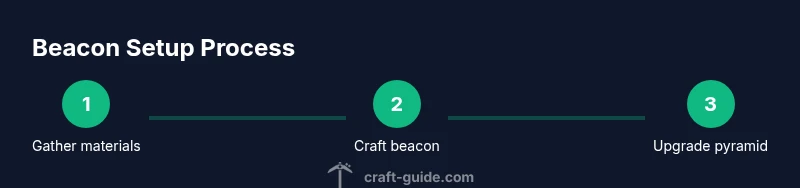
- 1
Gather essential materials
Identify Nether Star, glass, obsidian, and pyramid blocks. Plan your approach and inventory so you can minimize trips between your base and resource sites. A well-organized stack of materials reduces backtracking and speeds up progress.
Tip: Label chests by material to avoid misplacing items during a long build. - 2
Defeat the Wither for Nether Star
Prepare armor, weapons, and backup supplies. Withers can be tough in hard difficulty; bring fire resistance and plenty of healing items. Defeat the Wither to obtain the Nether Star needed for crafting the beacon.
Tip: Bring a shield and a water bucket to manage wither attacks. - 3
Craft the beacon
Place Nether Star, glass, and obsidian in a crafting table in the correct pattern to create the beacon. Ensure you have all components before starting to avoid mistakes that waste time.
Tip: Double-check the recipe layout before crafting to prevent crafting mistakes. - 4
Build the pyramid base
Lay out the pyramid base starting with the 3×3 level, then expand to 5×5, 7×7, and 9×9 as resources allow. The pyramid’s size directly affects buff strength and range.
Tip: Keep the pyramid level square and centered under the beacon for optimal results. - 5
Place the beacon and apply buffs
Set the beacon on the apex block and open the UI. Choose a primary buff and, if you’ve built a full pyramid, a secondary buff. Confirm and observe the beam rising skyward.
Tip: Test buffs by performing representative tasks (mining, smelting, combat) to verify usefulness. - 6
Test and adjust buff placement
Move around the area to ensure you and your teammates receive the buffs consistently. If any zones are outside the aura, adjust beacon position or pyramid size accordingly.
Tip: Small adjustments can dramatically widen effective coverage. - 7
Document and expand later
Record the layout for future expansion: where to add more pyramid levels or additional beacons. Maintain the beacon as your base grows, not as an afterthought.
Tip: Keep a blueprint or map of beacon locations for quick reference. - 8
Maintain and upgrade
As you gather more resources, upgrade to a larger pyramid or consolidate buffs to the most-used bases. Periodically re-check beam visibility and buff availability.
Tip: Regular maintenance saves time during large projects.
People Also Ask
What is a minecraft beacon and what does it do?
A beacon is a light-emitting block that grants buffs to players within its beam. It sits on a pyramid of blocks and requires a Nether Star to activate. The buffs help with mining speed, combat, or movement depending on the chosen effects.
A beacon powers up nearby players with special buffs like faster mining or quicker movement, and it sits on a pyramid of blocks.
How many pyramid levels are needed for the strongest buff?
Beacons powered by a full four-level pyramid offer the widest buff range and make secondary effects available. Build up to the four levels to maximize buffs.
Use a full four-level pyramid to unlock the strongest buffs and the secondary effects.
Can I move a beacon once it’s placed?
Yes, you can relocate a beacon, but you’ll lose its buffs during the move. You’ll need to rebuild the pyramid and re-activate the beacon at the new location.
You can move it, but you’ll have to rebuild and re-activate.
What is required to craft a beacon?
The beacon requires a Nether Star, 5 glass blocks, and 3 obsidian blocks. The Nether Star is earned from the Wither boss, and the beacon sits atop the pyramid.
You’ll craft the beacon using a Nether Star, glass, and obsidian, then place it on a pyramid.
Are beacons available in all Minecraft editions?
Beacons function similarly across major editions, but specific mechanics may vary slightly between Java and Bedrock. Ensure you are following edition-specific steps for buffs and pyramid construction.
Beacons work similarly across editions, but check edition-specific details for any differences.
What is the best beacon setup for a mining base?
A common approach is a four-level pyramid with Haste as the primary buff and Regeneration as the secondary. This boosts mining speed while providing health sustain during long mining sessions.
Many players use a full pyramid with Haste and Regeneration to speed mining and stay healthy.
Watch Video
The Essentials
- Plan pyramid levels for maximum buff strength
- Gather Nether Star, glass, obsidian, and pyramid blocks before you start
- Place beacon on top of a complete pyramid for full buffs
- Test buffs across your base to ensure full coverage
- Upgrade gradually; a 4-level pyramid yields the strongest results