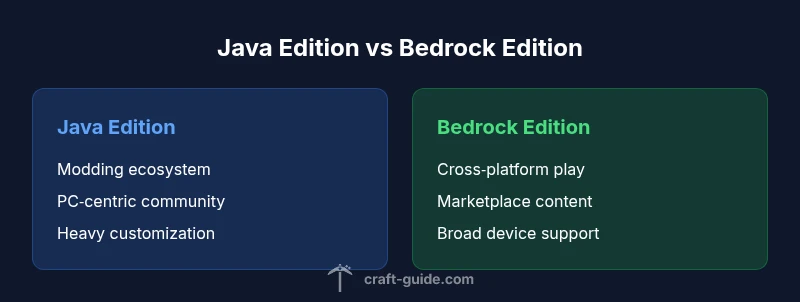
Java Edition vs Bedrock Edition: The Ultimate Comparison
Explore the key differences between Minecraft Java and Bedrock editions, including cross-play, modding, performance, and content access. This analytical guide helps players choose the right edition for their platform and playstyle.


comparison: If you’re deciding which Minecraft edition to play, Java Edition and Bedrock Edition differ mainly in cross‑playability, modding, performance, and how you access content. This guide compares both editions across core criteria to help you pick the right one for your platform and goals.
Understanding the edition labels: Java vs Bedrock
If you're asking 'is my minecraft java or bedrock', the answer hinges on the launcher you use, the platform you play on, and the edition code shown on the main menu. Distinguishing between Java Edition and Bedrock Edition matters because it affects cross‑play, modding opportunities, and access to content. According to Craft Guide, identifying your edition early helps you avoid compatibility issues with servers, resource packs, and add‑ons. This overview will equip you to determine your edition, understand its implications, and plan your next steps with confidence.
Core architectural differences between Java and Bedrock
At a high level, Java Edition runs on the Java Virtual Machine and uses a traditional, heavily modder‑driven ecosystem with open community tooling. Bedrock Edition, by contrast, runs on a cross‑platform engine written in C++, designed to optimize performance across devices. These architectural choices drive several practical outcomes: modding availability, how content is delivered, and the consistency of physics and gameplay across devices. Craft Guide’s analysis shows that these differences cascade into performance, reliability, and support pathways you’ll encounter while playing.
Cross‑play implications and multiplayer reality
Cross‑play is a major dividing line. Bedrock Edition supports cross‑platform multiplayer across Windows 10/11, consoles, and mobile devices, enabling friends on different devices to play together. Java Edition remains PC‑centric and does not natively connect to Bedrock worlds or servers. That distinction affects server community pools, friend groups, and the kind of multiplayer world you can host. If you value cross‑device play, Bedrock is the clear fit; if you want a PC‑centric, modding‑heavy environment, Java is often the better choice.
Modding, add‑ons, and content creation
Modding is the heartbeat of Java Edition for many players. The ecosystem flourishes with Forge and Fabric, offering thousands of mods, textures, and scripts that alter gameplay in profound ways. Bedrock Edition supports official add‑ons and the Minecraft Marketplace, which streamlines content delivery but remains more limited in customization and third‑party modding compared to Java. If you crave deep customization and experimental gameplay, Java wins; if you prefer curated content with a built‑in storehouse, Bedrock excels.
Performance, hardware, and optimization
Performance varies by edition and device. Java Edition can demand more RAM and CPU resources, particularly on larger modded worlds and servers, and users often tweak JVM settings for stability. Bedrock Edition generally performs smoother across a wider range of hardware thanks to its engine design and cross‑platform optimizations. Players on laptops or lower‑spec devices frequently notice Bedrock delivering steadier frame rates, while Java shines on powerful PCs with plenty of memory for mods. Craft Guide notes these tendencies as a practical guide for choosing a setup.
World generation, biomes, and blocks: what’s different
World generation and biome content show edition‑specific nuances. Java and Bedrock share core mechanics, yet some blocks, items, and worldgen rules appear differently across editions. This can affect seed behavior, terrain features, and the feel of exploration. When evaluating worlds, consider whether you prefer Java’s classic world generation quirks or Bedrock’s streamlined, more consistent generation across devices. The practical takeaway is to test a seed in the edition you intend to play to avoid surprises.
Marketplace, content distribution, and licensing
Bedrock’s ecosystem includes the official Marketplace for skins, texture packs, and add‑ons, with content curated and delivered through stores tied to your platform account. Java Edition relies on community distribution channels, mods, and resource packs from third‑party sites—at times requiring careful manual installation. If you value a centralized content pipeline and simpler purchases, Bedrock offers convenience; if you want broader customization and a vibrant modding scene, Java remains the standard bearer.
How to switch editions: steps and pitfalls
Switching between Java and Bedrock is not a simple one‑to‑one upgrade; it involves platform considerations, account ecosystems, and world incompatibilities. Worlds created in Java won’t directly transfer to Bedrock, and vice versa. If you’re contemplating a switch, plan a fresh world, re‑obtain add‑ons or mods for the new edition, and prepare for possible differences in world appearance and item behavior. This is where planning with a clear goal—modding, cross‑play, or marketplace access—makes the decision easier.
Player accounts, licenses, and platform ecosystems
Java Edition generally uses Mojang accounts and is tied to the PC platform, while Bedrock uses a Microsoft account and is designed for cross‑platform play across Windows, consoles, and mobile. This difference affects account management, purchase flow, and how you access multiplayer features. Understanding your account type helps prevent login confusion and ensures you can join the right servers and realms without friction.
Common myths about Java vs Bedrock
A frequent myth is that one edition is strictly superior to the other in every aspect. In reality, each edition excels in different dimensions: Java offers unparalleled modding and customizability; Bedrock delivers cross‑play, performance on lower‑end devices, and a streamlined content pipeline. It’s essential to weigh your priorities—modding vs cross‑play, PC‑centric play vs multi‑device play—before deciding.
Practical decision guide: who should choose which edition
If you want maximum customization and a thriving modding community, Java Edition is usually the recommended starting point. If your goal is to play with friends on multiple devices, use official content, and enjoy smoother performance on a variety of hardware, Bedrock Edition is often the better choice. Craft Guide suggests listing your priorities—cross‑play, mods, performance, or content access—and then selecting accordingly.
What to do next: concrete steps for beginners
Begin by clarifying your platform and friends’ platforms. Decide whether you want to explore mods or rely on official add‑ons. Create a small test world in the edition you’re leaning toward to get a feel for the UI, controls, and performance. Finally, set up your account on the appropriate launcher and join a beginner‑friendly server or world to gain practical exposure to edition differences.
Edition‑specific tips for new players
For Java beginners: prioritize memory allocation for your launcher and start with light mod packs to gauge stability. For Bedrock newcomers: explore the Marketplace’s curated content and practice with cross‑play in a small, shared world. Each path has a learning curve; patience and testing seeds quickly reveal which edition aligns with your playstyle.
Long‑term considerations: updates, patches, and community
Over time, both editions receive updates, but timing and content scope can differ. Java communities often react quickly to new features and experimental changes, while Bedrock updates tend to be synchronized across platforms for consistency. Keeping an eye on official blogs and community hubs helps you anticipate changes, plan your modding strategy, and stay aligned with the broader Minecraft ecosystem.
Comparison
| Feature | Java Edition | Bedrock Edition |
|---|---|---|
| Cross‑play compatibility | Limited to PC; cannot directly play with Bedrock players | Cross‑platform across Windows, consoles, and mobile |
| Modding and customization | Vast modding ecosystem with Forge/Fabric | Official add‑ons and Marketplace with curated content |
| Marketplace and content distribution | No official marketplace; mods from community sites | Official Marketplace for add‑ons, skins, and textures |
| Performance and hardware requirements | Typically higher RAM/CPU needs; depends on mods and world size | Generally optimized for a wide range of devices; smoother on lower‑end hardware |
| World generation and features | Edition‑specific world generation quirks and blocks | Edition differences exist but underlying gameplay remains similar |
| Accounts and licensing | Mojang account model; PC‑centric purchases | Microsoft account; cross‑platform sign‑in and store integration |
Benefits
- Java Edition offers a rich modding ecosystem and deep customization
- Bedrock Edition enables cross‑platform play across devices
- Bedrock generally provides solid performance across a wide range of hardware
- Java has a vibrant community and extensive server options
Negatives
- Java does not support native cross‑play with Bedrock
- Bedrock modding is more limited to official add‑ons and marketplace content
Bedrock is best for cross‑device multiplayer and broad hardware support; Java is best for modding and PC‑centric play.
If you value cross‑platform multiplayer and easy content access, choose Bedrock. If you want the deepest modding ecosystem and PC‑centric exploration, choose Java. The Craft Guide team endorses selecting based on your platform, playstyle, and content goals.
People Also Ask
Is Java Edition compatible with Bedrock cross‑play?
No. Java Edition cannot directly join Bedrock servers or worlds. Cross‑play is supported only within Bedrock across different devices. If you want to play with friends on other platforms, Bedrock is the way to go.
No—Java and Bedrock don’t natively cross‑play. Bedrock supports cross‑device play, while Java is PC‑centric.
Can I convert a Java world to Bedrock or vice versa?
World files are edition‑specific and cannot be directly converted between Java and Bedrock. You would need to recreate the world or use external tools that transfer only select data, which is not perfect and can be unreliable.
Worlds don’t transfer directly between editions; conversion isn’t straightforward.
Which edition is better for modding?
Java Edition has the strongest modding ecosystem with Forge and Fabric, offering thousands of mods. Bedrock supports limited add‑ons via the Marketplace, focusing on curated content and easier installs.
Java is the modding king; Bedrock uses official add‑ons.
Does Bedrock have mods?
Bedrock does not support traditional mods like Java. It relies on official add‑ons and Marketplace content created by the community and publishers, which provides a safer, structured modding experience.
Bedrock uses add‑ons and Marketplace items, not traditional mods.
How do I know which edition I have in-game?
Check the main menu or the bottom of the loading screen to see whether it lists Java Edition or Bedrock Edition. On PC, the launcher name or window title usually indicates the edition; on consoles, the storefront or game packaging will specify it.
Look at the main menu for the edition label, or check the platform store listing.
Is one edition cheaper than the other?
Prices vary by platform and store. Bedrock often comes with cross‑platform licenses and platform bundles, while Java is typically one‑time PC purchase from Mojang or authorized retailers. Look for current promotions on your device’s store.
Prices vary by platform; check your store for current promotions.
The Essentials
- Identify your edition early to avoid server and mod conflicts
- Choose Bedrock for cross‑platform play; choose Java for mods
- Expect different performance profiles; plan hardware accordingly
- Content access diverges: Marketplace vs community mods
- Worlds created in one edition do not transfer to the other