How to Use Elytra in Minecraft: A Practical Guide
Learn how to fly with the Elytra in Minecraft, from obtaining and equipping to boosting with fireworks and mastering flight control. A practical, beginner-friendly guide for all players.


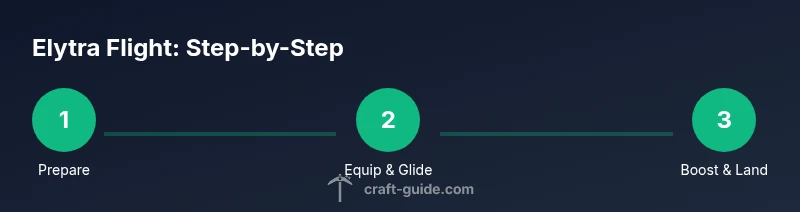
You can fly with the Elytra by equipping it, leaping from a height, and gliding. Use forward momentum to steer, Space to rise, and rockets (firework boosters) to accelerate and extend distance. Practice in a safe area, plan routes, and protect the Elytra with repairs to keep flight lasting longer.
What is the Elytra and how it works in Minecraft
According to Craft Guide, mastering Elytra flight opens new ways to traverse the world, from high cliffs to vast plains. The Elytra is a unique winged chestplate that lets you glide after leaping from a height. It does not provide powered flight by itself; instead it uses momentum, gravity, and careful steering to stay aloft. When you first equip it, you’ll notice you can glide forward by leaning into the direction you want to travel, then pull up to ride the air currents. The magic of Elytra is not in instant speed but in long, controlled flights that let you scout, travel between biomes, and reach distant structures without always relying on rails or boats. To get the best results, treat flight like a skill you improve with practice, not a one-time trick. This guide will walk you through obtaining, equipping, and flying with your Elytra so you can explore Minecraft’s horizons with confidence.
Finding and obtaining an Elytra
End Cities in the End dimension are the standard source for Elytra. After defeating the Ender Dragon, you can locate an End City and board the End Ship where a chest holds the Elytra. Craft Guide analysis shows this as the primary route for most players. If you’ve explored the overworld for a long time, you might also stumble upon an ancient city chest that has a chance to contain an Elytra? In vanilla Minecraft, the End City ship is the robust, dependable source. When you’ve acquired an Elytra, you’re ready to prepare for flight and plan your glide journeys with confidence.
Equipping the Elytra and basic glide
To begin gliding, you must first equip the Elytra in the chestplate slot. Open your inventory and place the Elytra in the chest equipment slot; you can equip any armor along with it. Once worn, jump from a height or run off a cliff to start gliding. Keep your body slightly forward to smooth the turn and stay stable; you can adjust your direction by moving your mouse or controller stick. Try to keep a slight ascent early in the glide to avoid an immediate descent; flying efficiency comes from altitude, momentum, and smooth steering. Practice on tall hills or cliffs to get a feel for speed, drag, and maneuvering.
Controlling flight: steering, altitude, and landing
While gliding, use the forward movement to gain speed; use A and D to steer left or right, and W or S for minor adjustments in elevation. Press Space to ascend slightly, or hold Space for a larger boost if you’re aiming for a higher altitude before continuing your glide. To prepare for landing, slowly tilt downward and aim for a flat surface. If you miss your aim, land in a safe area and resume. Descent is controlled by tilting the Elytra downward and using air drag. Mastery comes with practice, patience, and careful route planning to avoid hitting mountains or lava rivers, which could ruin a glide.
Boosting flight with fireworks
Firework rockets provide powerful boosts that extend your flight range dramatically. Craft or acquire rockets, and when you’re in glide mode, right-click (or use your primary fire button) to ignite a rocket. Each boost pushes you forward and upward, allowing long-distance travel or quick escapes from hazards. The most common tactic is to perform a quick boost just before you reach the edge of a canyon or hill you were aiming to cross. Be mindful of the rocket’s angle to avoid colliding with terrain; optimize your speed without losing control. For longer trips, plan a sequence of boosts with safe landings, like clear patches between forests or rivers.
Enchantments and durability management
Protect your Elytra with enchantments that extend its life and flight time. Mending uses experience points to repair the item as you play, and Unbreaking increases the item’s durability, helping it last longer between repairs. You can apply these enchantments with an anvil and enchantment books, or you can add them through an enchantment table if you have the resources. In survival mode, experience gathering is essential to keep your Elytra in great condition while you glide across worlds. Watch the durability bar in your inventory and plan repairs before it breaks; keeping a spare Elytra stored in a chest is a wise precaution.
Safety tips and common mistakes
Practice in a flat area or a controlled world before venturing into complex terrain. Always have a backup escape route and keep an eye on the horizon for trees, towers, and cliffs. Avoid flying over water while you’re learning, since a misjudged landing can leave you stranded or damaged. Do not launch from very tall columns without a safe landing space beneath. Carry extra rockets for emergencies, and be mindful of weather or lighting that could obscure your altitude. Consistent practice helps reduce crashes and improves long-term glide efficiency.
Advanced travel techniques and route planning
Plan flight paths with intent, using natural terrain to gain altitude and reduce travel time. For long journeys, fly along mountain ridges to maintain speed, then descend into valleys to avoid obstacles. Rockets paired with precise steering let you cover hundreds of blocks in a single glide. Practice timing your boosts to clear obstacles and to land smoothly on safe surfaces. With repetition, you’ll learn efficient routes that minimize risk and maximize exploration time across oceans, deserts, and snowy biomes.
Troubleshooting common issues
If your Elytra won’t glide after a jump, ensure you’re wearing it in the chestplate slot and you have enough height to start gliding. If you struggle to ascend, verify your forward tilt and that Space is pressed correctly. If rockets don’t boost you, check you have rockets and you’re using the right action to ignite them. If durability is low, mend it with Mending or repair using an anvil with suitable materials. Finally, if you crash, slow your descent, reassess your route, and practice in a safer environment before attempting again.
Tools & Materials
- Elytra (found in End Cities)(Equipped in chestplate slot; bring extra in case of damage)
- Firework rockets(Used for boosts; stock plenty for longer flights)
- Experience orbs / Mending(Enables repair of Elytra via Mending when you gain XP)
- Anvil(For combining enchantments or repairing with an enchantment book)
- Unbreaking / Mending enchantments(Increase durability and automatic repair benefits)
Steps
Estimated time: 15-25 minutes
- 1
Prepare your gear
Gather your Elytra and a stack of firework rockets. Ensure you have space in your inventory for rockets and any enchantment books if you plan to repair or enhance the Elytra later. A flat practice area helps you focus on glide basics without hazards.
Tip: Position rockets in your hotbar for quick access during flight. - 2
Equip the Elytra
Open your inventory and place the Elytra in the chestplate slot. Check that you’re wearing it before attempting a glide. You can wear other armor pieces as normal, since the Elytra occupies only the chest slot.
Tip: Ensure you aren’t wearing a damaged chestplate or conflicting equipment that might slow your glide. - 3
Find a launch point
Climb to a high, open area such as a hill, cliff, or the side of a mountain. Height is essential to start a successful glide. Clear surroundings reduce the risk of colliding with trees or structures during your first attempts.
Tip: Scout a wide landing zone in advance; a flat area is ideal for practicing initial glides. - 4
Leap and glide
Jump off the point and hold forward to begin gliding. Tilt slightly to control direction. Space can be used to ascend a little; you’ll convert forward speed into lift as you move through air.
Tip: Keep eyes ahead to anticipate upcoming terrain and adjust your path early. - 5
Boost with rockets
When mid-glide, equip fireworks and use the correct activation (right-click or trigger) to boost. Use boosts judiciously to gain altitude or extend distance, then resume gliding smoothly.
Tip: Plan boosts before obstacle-rich sections to avoid collisions. - 6
Land and repair
Aim for a clear landing zone. After landing, assess durability and mend if needed. If you want long-term flight, invest in Mending and Unbreaking enchantments to reduce downtime between repairs.
Tip: Always carry at least one spare Elytra or repair items for quick fixes on long adventures.
People Also Ask
Where do I find an Elytra?
Elytra are primarily found in End Cities in the End, usually in the End Ship's chest. Defeating the Ender Dragon unlocks access to the End; from there, locating the city and ship yields the Elytra.
You can find Elytra mainly inside End Cities in the End after defeating the Ender Dragon.
Do I need fireworks to fly with Elytra?
No, you can glide with just the Elytra, but rockets are highly recommended for longer flights and quick altitude boosts. Practice basic gliding first, then add fireworks for distance.
Rockets are optional but highly recommended for longer flights once you’re comfortable with gliding.
Can Elytra be used in Bedrock and Java editions?
Elytra works in both editions, but controls and rocket usage can differ slightly. Java Edition uses right-click for rockets, while Bedrock players may rely on different input methods depending on platform.
Elytra works on both editions, but controls for rockets may vary by platform.
How do I repair Elytra?
Repair happens through experience points with the Mending enchantment, or by combining items in an anvil and using repair materials. Plan repairs before durability runs out to avoid flight interruptions.
You repair Elytra with Mending via XP, or using an anvil and enchantments.
Can I fly underwater with Elytra?
No. Elytra gliding relies on air and gravity; water resistance makes flight impractical and you’ll slowly sink. It’s best to fly in air, not water.
No, Elytra cannot be used to fly underwater; you’ll sink and lose glide potential.
What’s the best way to practice safely?
Practice in Creative or a flat, obstacle-free area, then move to a low-risk survival zone. Start with short glides, gradually increasing distance as you gain confidence.
Practice in a safe area first, then extend distances as you get comfortable.
Watch Video
The Essentials
- Equip Elytra and begin from height for glide.
- Boost with fireworks to extend range safely.
- Enchants like Mending/Unbreaking improve longevity.
- Practice controls in open spaces before long flights.
- Plan routes to avoid obstacles and ensure safe landings.