How to Tell Minecraft Time: A Practical Step-by-Step Guide
Learn how to tell Minecraft time using sun and moon cues, clocks, and commands. This educational guide from Craft Guide covers methods, tools, and tips for players of all skill levels.


You tell Minecraft time by the sun and moon position, the sky’s color, and world ticks. Use the F3 debug screen or a clock item to read time, and you can query it with commands like /time query day. A full day-night cycle runs about 20 minutes in real time.
Understanding Minecraft Time
Time in Minecraft is driven by a cycle of day and night, built from the game’s core tick system. A full day-night cycle lasts about 20 minutes in real time; the game advances 20 ticks every second, so 24000 ticks complete a full day. With this structure, you can estimate where you are in the cycle by watching the sky, shadows, and the position of celestial bodies. According to Craft Guide, you gain better planning accuracy when you internalize the tick timeline, since farm growth, mob behavior, and redstone timing all hinge on it. In practical terms, daytime illumination affects crops and exploration speed, while nighttime invites hostile mobs. The following sections break down reliable methods to tell Minecraft time, whether you’re playing in survival or creative mode. This foundation helps you schedule builds, route planning, and resource gathering with confidence.
Quick Methods to Tell Time in-Game
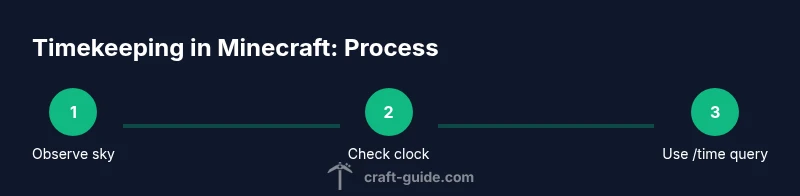
There are several reliable ways to tell Minecraft time without guessing. The sun and moon are the most accessible indicators, offering a visual cue for the approximate time of day. The on-screen HUD, especially on PC with the F3 debug screen, shows time-related data you can interpret quickly. A crafted Clock provides an instantaneous readout of time, cycling through day and night. For exact values, players can use the command /time query day, which returns the current time in ticks. Each method has its own pros and cons: visual cues work anywhere, clocks require crafting, and commands are precise but require a world or server with commands enabled. Craft Guide recommends combining methods to verify time during complex builds and when coordinating farming schedules or mob-spawn timers. By cross-checking with multiple approaches, you’ll gain a robust sense of the cycle in any biome or weather condition.
Interpreting the Sun and Moon for Time Estimation
The sun rises in the east, climbs toward a bright noon, then travels toward the west as sunset approaches. The moon trails a similar arc by night, and the sky’s color shifts accordingly. Shadows lengthen near sunrise and shorten toward midday, offering quick visual cues for early morning, afternoon, and night. In biomes with flat horizons or frequent cloud cover, the cues can be subtler, so rely on additional methods for precise planning. Remember that the cycle is tick-based and constant, so the underlying timing never drifts. Practice makes you faster at reading the arc, which is especially helpful when you’re exploring caves, building timed farms, or staging a sunrise arrival during a raid. The Craft Guide team notes that consistency in observation improves your efficiency dramatically.
Using a Clock and HUD: Practical Tracking
A Clock in your inventory shows time within the current day-night cycle. In Java Edition, you craft a Clock with 4 gold ingots and 1 redstone, then equip or place it in an item frame for quick access. Bedrock editions and modded setups may present clocks differently, but the time readout remains linked to the cycle. The in-game HUD and the F3 debug screen provide quick context: watch for the Time indicator and the sun’s elevation to gauge the phase. For base planning, mount a wall clock near the entrance or your workbench so you can check time at a glance without opening inventories. Craft Guide emphasizes keeping your timing method simple and reliable to minimize wasted minutes during resource gathering and farming.
Using Commands to Check Time Quickly
Commands are the fastest path to precise time. In worlds where commands are enabled, type /time query daytime to receive the current time as a numeric value. Alternatively, /time query day returns the same information in a different display format. If you want to adjust the world’s time for testing, you can use /time set day or /time set night, but you should be aware that this affects mob spawns and redstone timers. The numeric value ranges from 0 to 23999, where 0 is sunrise and 12000 is sunset. This precise readout is invaluable when coordinating farming schedules or wiring automated systems. Craft Guide’s guidance highlights testing time reads step-by-step to align multiple farms and routes.
Building a Timekeeping System in Survival
For an automated, reliable sense of time, combine a Clock with a daylight sensor and a simple redstone circuit. Place a daylight sensor facing upward to detect day and night, then connect it to a small redstone clock that toggles a lamp or indicator. This creates a visible time marker even when you’re far from a clock. Start with a minimal setup: daylight sensor, a repeater, and a redstone lamp. Experiment with sensor orientation to ensure it responds accurately to dawn and dusk in your biome. Craft Guide recommends starting small so you can easily troubleshoot and refine the circuit without causing lag on modest servers. A well-tuned system saves you minutes over long play sessions and helps you keep schedules for farming and building.
Common Mistakes and Edge Cases
A frequent mistake is relying solely on memory about when the sun rises or sets, which can derail timing during long expeditions. Sleeping through the night is another common pitfall, as it sets the world to day and can shift your planned schedule. Weather can also interfere with visual time cues: overcast skies dull the sun’s arc, making it harder to tell the time by sight. When playing in creative mode or on servers with fast-forwarded time, practice with /time query daytime to become fluent in numeric time and improve automation. The Craft Guide team stresses a balanced approach: confirm time with a clock or command, then verify with sky cues to stay on track. Authority sources and trusted guides, such as those from NIST and major publications, reinforce the importance of precise timekeeping in complex builds and experiments.
Tools & Materials
- Clock (in-game item)(Crafted from 4 gold ingots and 1 redstone (Java Edition); alternate if using mods)
- F3 Debug Screen(Enable on PC to view Time and Sky indicators)
- Daylight Sensor(Used for auto timekeeping in redstone setups)
- Redstone Dust(Part of simple timekeeping circuits)
- Redstone Repeater(Delays to synchronize signals in clocks)
Steps
Estimated time: 25-40 minutes
- 1
Gather essential tools
Collect a Clock, redstone components, and basic building blocks. If you’re in survival, craft a Clock (4 gold ingots + 1 redstone) and assemble a small redstone toolkit. This prepares you for both manual time checks and automated setups.
Tip: Keep the Clock easily accessible in your hotbar for quick checks. - 2
Observe the sky for visual cues
Look at the sun’s position and the sky’s color to estimate the time of day. Note how shadows shift and how long daylight lasts in your current biome. This helps you develop a feel for the cycle without tools.
Tip: Use a consistent reference point (e.g., a tall tower) to gauge sun height across locations. - 3
Read time with the Clock
Open your inventory or equip the Clock to see the current phase instantly. The readout cycles through day and night, serving as a quick daily checkpoint during exploration or farming.
Tip: Place the Clock in a visible spot near your base entrance for fast checks. - 4
Query time with commands
In a world with commands enabled, type /time query daytime to get the current time in ticks. You can also use /time query day for exact values. This method is precise and repeatable.
Tip: Test both daytime and day queries to understand display formats. - 5
Build a simple time indicator
Create a small redstone circuit using a daylight sensor and a lamp to indicate day versus night. This provides a visual cue even when you’re not actively checking a clock or HUD.
Tip: Start with a single daytime indicator and expand later if you want more granularity. - 6
Test and refine your setup
Experiment with sensor orientation and timing delays. Check that your indicator aligns with what you see in the sky and with /time reads. Repeat across different biomes to verify reliability.
Tip: Document your baseline times so you can compare changes after adjustments. - 7
Practice using multiple methods
Combine sky cues, a Clock readout, and command reads for robust timekeeping. This redundancy helps you stay on schedule during long expeditions or complex builds.
Tip: Review a few sample build sessions to identify which method you rely on most.
People Also Ask
Can you tell time in Minecraft without a clock?
Yes. You can estimate time by observing the sun’s height and the sky color, then verify with a clock or a command readout as needed. This is useful when you have limited resources or are exploring a new biome.
You can estimate time by looking at the sun and sky, and confirm with a clock or a command readout when you can.
Is there a difference between Java and Bedrock editions for telling time?
The basic time concepts are the same across editions: day-night cycles progress with ticks, and clocks, HUDs, and commands provide time readings. Some UI specifics, such as F3 overlays, may differ between Java and Bedrock.
Time works the same in both; just note that certain UI elements may look different between Java and Bedrock.
How long is a Minecraft day-night cycle in real time?
A full day-night cycle lasts about 20 minutes of real time, with day and night portions varying in length by biome and weather conditions.
About twenty minutes per full day-night cycle, with day and night lengths depending on weather and biome.
What’s the fastest way to read time in a new world?
Use the Clock for an instant read, and then confirm with /time query daytime for precise ticks.
Check the clock, then confirm with a quick time query for exact ticks.
How can I automate time awareness in survival?
Build a simple daylight sensor circuit that lights an indicator as day breaks or night falls. This gives a constant visual cue without manual checks.
Create a daylight sensor circuit to show day or night at a glance.
What common mistakes should beginners avoid?
Relying solely on memory for time, neglecting to verify with a clock or time query, and forgetting that weather can affect night visuals. Always double-check with a clock or command readout.
Don't rely only on memory; verify with a clock or a time command to stay precise.
Watch Video
The Essentials
- Learn the day-night cycle basics and how ticks drive time.
- Use multiple methods (sky cues, clock, commands) for reliability.
- Build simple time indicators to automate awareness in base
- Practice with /time reads to become precise in complex builds.