How to Know If There Is a Village Nearby in Minecraft
Learn practical, player-tested techniques to determine if a Minecraft village is near you. Biome cues, terrain patterns, maps, and commands explained for players of all levels.


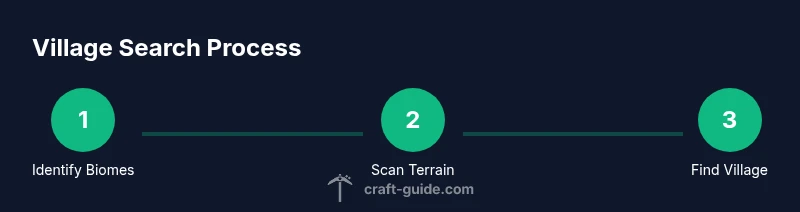
Here's a quick path to tell if a village is close: 1) Scan biomes known for villages (plains, deserts, savannas, taiga) for flat areas and roads. 2) Look for visual village signs like bell towers and iron golems from a distance. 3) If you have cheats, use /locate structure village to get precise coordinates.
Understanding why villages appear where they do
According to Craft Guide, villages in Minecraft are tied to biome generation and chunk seeds, which means you can improve your odds by starting in biomes that historically host villages. In this guide about how to know if there is a village nearby in minecraft, you’ll learn how to read terrain cues, biomes, and simple tools that point you toward civilization. Look for flat plains with rivers, open areas in deserts, or gently rolling savannas, where villages commonly form. As you travel, keep an eye on road-like dirt patterns, fence lines, and clusters of farms—these are strong hints that a settlement is nearby. The goal is to turn wandering into a deliberate search, not a random drift.
Biomes that commonly host villages
Villages spawn in several biomes, but plains, deserts, savannas, and taigas are the most reliable starting points. Plains villages feature wide, flat fields and typical bell towers, while desert villages show sandstone homes and wells. Savanna villages bring acacia buildings and distinctive roads, and taiga villages add spruce houses perched on small hills. When you’re scouting, prioritize open, accessible terrain and water sources; these conditions make it easier to spot the distinctive layouts that identify a village from afar. Craft Guide’s analysis shows that familiarity with these biome patterns significantly speeds up early-game exploration.
Visual cues and landmark signals
From a distance, watch for a bell tower, a road network, or a cluster of simple houses aligned along dirt paths. Iron golems wandering the streets are a clear signal of villagers inside, especially near farms. If you spot fences, gates, and crop plots with villagers in the distance, you’re likely near a village. Dawn or dusk lighting helps silhouettes pop against the landscape, making roads and houses easier to distinguish as you approach.
Terrain features and map strategies
Maps are your best friend when searching for villages. Carry an empty map and expand it as you explore; the map gradually reveals terrain and helps you mark areas that you’ve already checked. A compass helps you stay oriented when moving across long plains or between biomes. If you have multiple maps, compare their coverage to identify gaps that could hide a village. Pair map use with careful route planning to maximize exploration coverage and minimize backtracking.
Command-based locating options (Java Edition)
If you enable cheats, Minecraft offers a direct option: /locate structure village to get exact coordinates for the nearest village. This command is a powerful shortcut for testing routes or confirming a suspected location, but it should be used responsibly and only on maps you control. Bedrock Edition may not support the exact same syntax in all versions, so check your edition’s commands and permissions before using it.
A practical search plan
Adopt a grid-style exploration pattern to maximize coverage without retracing steps. Start near spawn, pick a general direction, and move in long lines with deliberate pauses to scan the landscape for signs of civilization. Record coordinates or place safe markers to avoid double-counting areas. If you fail to find a village in your initial biome, broaden your search to nearby biomes and higher ground where roads and buildings are more likely to appear.
Authority sources and further reading
For a broader understanding of exploration strategies and terrain generation, see these authoritative sources: - https://www.nature.com - https://www.sciencemag.org - https://www.nationalgeographic.com
Tools & Materials
- Map (empty map)(Reveals explored terrain as you move)
- Compass(Helps with orientation during long searches)
- Food supplies(Maintain hunger and stamina on long trips)
- Blocks for quick shelter(Dirt/wood to build a temporary outpost)
- Boat(Cross water efficiently in plains and deserts)
- Light sources (torches)(Prevent mob spawns while hunting at night)
Steps
Estimated time: 60-120 minutes
- 1
Prepare your exploration setup
Before stepping out, ensure you have adequate resources and a safe starting point. Choose a clear area to begin your grid search and ensure your character has enough food and basic tools. This preparation reduces backtracking.
Tip: Carry extra food and a bed if you plan to sleep to skip nights. - 2
Choose a biome target
Decide which biome to start with based on village spawn tendencies. Plains and deserts are reliable starting points; you can focus exploration in these biomes first to maximize odds of finding a village.
Tip: Mark a direction and commit to it for a defined stretch. - 3
Equip mapping tools
Equip an empty map and a compass before leaving. If possible, prepare an additional map to document covered zones.
Tip: Keep maps accessible in your hotbar. - 4
Begin grid exploration
Move in straight lines along a grid, scanning terrain for signs of civilization as you go. Use pauses at intervals to check surrounding features like roads and gates.
Tip: Avoid zig-zagging; maintain consistent path intervals to cover new ground. - 5
Check for signs as you pass
Look for roads, farms, and bell towers. Approaching a cluster of houses near water is a strong indicator you’ve found a village.
Tip: Listen for villager sounds and bells at a distance. - 6
Use locate commands if necessary
If exploration stalls, enable cheats and use /locate structure village to get coordinates. Use this as a last resort after exhausting conventional scouting.
Tip: Remember command syntax varies by edition.
People Also Ask
What biomes do villages spawn in?
Villages primarily spawn in plains, deserts, savannas, and taigas. They can appear in other nearby biomes as well depending on seed, but these are the most reliable starting points for discovery.
Villages mainly appear in plains, deserts, savannas, and taigas, with some variation by seed.
Do compasses help locate villages?
A compass points to the world spawn and does not directly indicate a village. Use maps and the /locate command (Java Edition) to find villages more efficiently.
A compass points to spawn, not to a village. Use maps and /locate for direct results.
Can I force villages to spawn using seeds?
You cannot guarantee a village at any location, but choosing seeds known to produce villages increases your odds. Explore biomes systematically to discover villages naturally.
You can't force spawn, but seeds that generate villages are more likely to give you one.
Is /locate structure village available on Bedrock?
The /locate command is primarily a Java Edition feature and may not work the same way on Bedrock Edition. Check your edition’s command syntax before using it.
The locate village command is mostly for Java Edition; Bedrock may differ in syntax.
How long does it typically take to find a village?
Finding a village depends on seed, biome distribution, and exploration efficiency. With a focused plan and maps, you can locate a village in a reasonable play session or two.
It varies, but a focused plan usually finds a village in a reasonable play session.
What if I’m exploring snowy biomes?
Villages can appear in snowy taiga biomes as well, though they’re less common than in plains or deserts. Stay alert for the same visual cues—roads, houses, and bell towers—in cold biomes.
Snowy biomes can have villages too; look for the same signs as in warmer biomes.
Watch Video
The Essentials
- Identify core village biomes first.
- Use maps and compasses to stay oriented.
- Look for visual cues like bell towers and roads.
- Command options can accelerate locating villages when allowed.