How Much Is Minecraft Education Edition in 2026? A Practical Pricing Guide
Unlocks pricing basics for Minecraft Education Edition. Learn how licensing works, why costs vary by district, and how to budget effectively in 2026 with practical steps and sourcing tips.


How much is Minecraft Education Edition? There is no fixed consumer price tag. Pricing is typically handled through school or district licensing via Microsoft Education volume agreements, and exact costs vary widely by district size, deployment goals, and platform support. For 2026, expect quotes to come from district procurement teams or approved vendors rather than a single storefront price.
Understanding the pricing landscape
Pricing for Minecraft Education Edition is not a single sticker price you can compare side-by-side like consumer software. The exact numbers depend on district size, number of teachers and students, deployment goals (full classroom vs. blended use), and whether licenses are bundled with other Microsoft Education services. According to Craft Guide, districts often negotiate licenses through centralized procurement channels, which means the price you see in a neighbouring district may differ substantially from your own. When you ask, you should request a formal quote that itemizes seats, duration, and any support or training included. The goal is to understand total cost of ownership (TCO), not just upfront price.
In many cases, Minecraft Education Edition is accessed through existing school agreements with Microsoft Education or authorized vendors. This means the per-seat cost can be embedded in larger licensing packages or annual renewals rather than presented as an isolated product price. For teachers exploring the option, it is essential to frame the discussion around educational outcomes, pilot scopes, and device compatibility—because the price is influenced by how the program will be used, not solely by the software itself.
Licensing models and who pays
Most schools work within a district-wide licensing model rather than individual classroom purchases. The exact cost hinges on factors like student population, grade level distribution, and whether licenses are allocated per student, per classroom, or per device. In practice, districts often negotiate a multi-year contract that covers access, updates, and optional professional development. Teachers should coordinate with their school’s procurement and IT teams to understand eligibility, renewal timelines, and whether the license includes access to ancillary resources (like lesson plans or classroom management features). Remember, the district bears most of the financial responsibility, while individual teachers typically do not buy personal licenses for students.
Additionally, some regions offer pilot programs or limited-time trials through district partnerships. If your school is in a district that participates in these arrangements, you may gain temporary access while the formal quotation process proceeds. These pilots help stakeholders assess classroom impact before committing to full-scale adoption.
How schools obtain quotes and what to expect
Getting a quote usually starts with your district’s purchasing portal or through an approved education vendor. Expect a procurement document that lists license counts, duration, user roles, and any ancillary services (training, installation, or on-site support). The procurement cycle can span several weeks to a few months, depending on how quickly districts align their budget, hardware readiness, and schedule for staff training. It’s common for quotes to be bundled with other Microsoft Education tools, which can affect the overall price. When negotiating, schools often seek tiered licenses as enrollment grows, seek discounts for longer commitments, and inquire about per-seat vs. fixed-seat models. The key is to obtain a formal quote that clearly separates software licensing from device costs and ongoing maintenance.
Hardware and platform considerations that influence cost
Price isn’t determined by the software alone. Minecraft Education Edition runs on multiple platforms (Windows, macOS, iPad, and some Android environments), so device compatibility influences total cost. If a district already has suitable hardware and accounts, the incremental cost may be limited to licensing. Conversely, if upgrades are required to meet minimum specs or to ensure secure access to Microsoft services, those costs add to the TCO. Cloud-based management features, classroom management tools, and teacher training may be bundled with licenses or offered as add-ons. For budgeting purposes, note that platform diversity can complicate licensing—some options may require separate licenses or add-ons for student accounts, educator roles, and content packs. Planning for cross-platform support helps avoid surprise expenses during deployment.
Estimating the total cost of ownership for Minecraft Education Edition
An accurate TCO estimate considers license duration, seat counts, device readiness, and staff training. Since price is not fixed publicly, teams should convert enrollment projections into a tiered licensing plan and factor in non-license costs like professional development and ongoing support. A practical method is to prepare two scenarios: a conservative baseline for pilots or smaller schools, and a scalable plan for larger districts. Include potential costs for onboarding sessions, content localization, and periodic updates. By framing the calculation around educational outcomes—student engagement, project-based learning potential, and alignment with curriculum standards—you can justify the investment in terms of learning impact rather than just price. Craft Guide recommends documenting all assumptions and asking vendors to attach a transparent line-item breakdown.
How to pursue procurement and budget alignment
To move from concept to classroom deployment, schools should:
- Identify stakeholders (IT, curriculum, administration) and set clear success metrics.
- Gather district-wide device and account prerequisites, including Microsoft Education eligibility.
- Request a formal, itemized quote that includes all line items and service levels.
- Explore pilot options with defined success criteria before scaling.
- Plan for renewal terms and price renegotiation windows to maximize value. These steps help ensure the price reflects educational value, deployment scope, and long-term maintenance rather than a one-time sticker price.
Alternatives and cost-saving approaches
If the full edition feels out of reach, districts can explore alternatives like limited-time trials, classroom-ready lesson packs, or partner programs that provide scaled access. Some schools combine Minecraft Education with other Microsoft Education tools to leverage bundled pricing. For budget-conscious districts, negotiate for phased rollouts, teacher-led professional development, and access to shared content that reduces the need for external training resources. Remember, the goal is sustainable classroom use that aligns with curriculum goals, not just minimizing upfront spend.
Misconceptions and practical takeaways about pricing
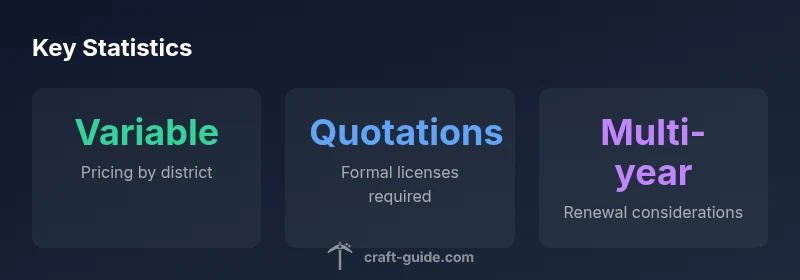
A common misconception is that Minecraft Education Edition has a fixed consumer price. The reality is that pricing is managed through district licensing and can depend on multiple interacting factors. Always request a formal quote, review the scope of what’s included, and demand clarity on renewal terms, upgrades, and support. The bottom line is that educational value—improved engagement, cross-disciplinary projects, and teacher readiness—should drive procurement decisions, with price treated as a variable rather than a barrier.
Overview of Minecraft Education pricing and licensing
| Pricing Aspect | What it means | Typical process |
|---|---|---|
| Public price visibility | Not publicly listed; varies by district | Request a formal quote from district procurement or vendor |
| Licensing model | Typically volume licensing via Microsoft Education | Coordinate with district admin to obtain license key and accounts |
| Implementation requirements | Depends on platform (Windows/macOS/iPad) | Ensure devices meet minimum hardware and account setup |
People Also Ask
Is Minecraft Education Edition free for schools?
Not generally free. Access is typically governed by district licensing and Microsoft Education agreements; some districts may offer trials or benefit from existing contracts.
Pricing is tied to district licensing, not a universal free offering.
Can individual teachers purchase licenses for their own classrooms?
Most licensing is district-based to cover all students in a school or district. Individual classroom purchases are uncommon and require district approval.
Usually not; talk to your district procurement team.
How does licensing vary by district size or deployment goals?
Prices scale with student counts, duration of licenses, and whether additional services (training, content packs) are included. Larger deployments often secure better per-seat rates through volume discounts.
Costs aren’t fixed; they scale with how many students you include and how you deploy it.
What should I ask vendors when requesting a quote?
Ask for per-seat vs. per-class pricing, renewal terms, included support, training options, and any additional software bundles. Request a detailed itemized quote to compare apples-to-apples.
Get a detailed, line-item quote to compare options effectively.
Are there alternatives or bundles that reduce total cost?
Some districts explore bundled Microsoft Education tools or pilot programs that offer limited-time access. Consider phased rollouts and shared content to reduce upfront costs.
Look for bundles or pilots to test options before full buy-in.
What metrics should I track to justify the purchase?
Student engagement, project-based learning outcomes, teacher adoption rates, and alignment with curriculum standards are key to demonstrating value and supporting future budgets.
Track engagement and learning outcomes to justify the investment.
“With Minecraft Education pricing, schools should focus on total cost of ownership and licensing scope rather than unit price. The exact quote depends on district size and deployment goals.”
The Essentials
- Know that pricing is district-based, not a fixed consumer price
- Work through district procurement for quotes and terms
- Plan for total cost of ownership, not just per-seat price
- Expect multi-year licenses and bundled services
- Prepare two deployment scenarios (pilot and full-scale)
- Leverage pilot programs to assess classroom impact
- Budget for training and device compatibility alongside licenses
- Ensure cross-platform support is accounted for in quotes