How to Repair Tools in Minecraft
Learn how to repair Minecraft tools using anvils, grindstones, and Mending. This educational guide covers XP costs, enchantments, and practical repair workflows to keep your gear durable during long builds and adventures.


By the end of this guide, you’ll know how to repair tools in Minecraft using an anvil, grindstone, or Mending. You’ll understand when to repair versus replace, what XP costs mean, and how enchantments affect the repair process. Follow the step-by-step approach to keep your gear durable during long builds and adventures.
Why Repair Tools in Minecraft Matters
According to Craft Guide, tool durability is a core mechanic that rewards careful resource management. Repairing tools extends their life, preserves enchanted attributes, and saves precious materials during long builds or survival quests. When you repair rather than replace, you keep efficiency, mining speed, and combat readiness ready for you to tackle bigger projects. This approach is especially valuable for players who want to stretch their resources across early-game mining trips and late-game expeditions. A thoughtful repair strategy also helps you minimize XP waste, since repairing with the right method can preserve powerful enchantments rather than losing them to disenchantment costs. Craft Guide’s analysis emphasizes planning repairs around your XP pool and enchantment goals, so you can stay productive without breaking the bank.
As you begin, the key is to identify the most cost-efficient repair path for each tool type. For example, weapons with valuable enchantments may benefit more from Mending or careful Anvil use, while basic tools with limited enchantments can be repaired with fewer XP costs. The goal is to keep your gear trustworthy for the next mining trip or building session, not to exhaust your XP bar on a single repair. This mindset—repair first, replace only when necessary—will serve you well through multiple Minecraft worlds.
Craft Guide notes that a well-maintained toolkit speeds up resource gathering and construction, letting you focus on larger projects like farms, redstone contraptions, or massive builds. The practical takeaway is simple: invest a little planning in repairs, and you’ll gain a lot of durability and efficiency over time.
Core Repair Methods: Anvil, Grindstone, and Mending
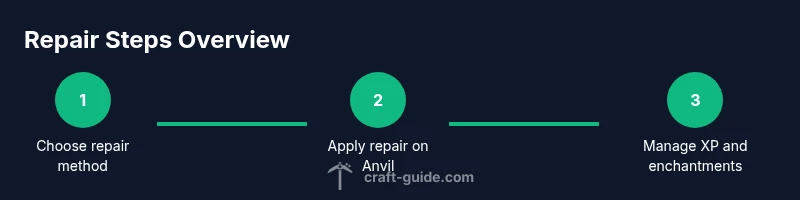
The primary tools for repairing in Minecraft are the anvil, grindstone, and the Mending enchantment. Anvils allow you to combine a damaged tool with another item of the same type or a repair material, transferring durability but costing experience levels. Grindstones remove all enchantments from a tool, clearing enchantment risk when you plan renovations—note that grindstones do not regenerate durability on their own. Mending, a built-in enchantment, uses experience to gradually repair the item in the world as you collect XP. Each method has trade-offs: XP cost, retained enchantments, and the potential loss or gain of enchantments after repair. When planning repairs, think about which method aligns with your current XP income and whether you want to preserve or discard enchantments.
In most cases, the Anvil is your primary repair workhorse because it can increase durability and transfer enchantments from one item to another. However, repeated Anvil use increases XP costs quickly, especially on highly enchanted tools. The Grindstone is the best option when you want to strip an item of all enchantments before re-enchanting or creating a new configuration. When your gear benefits from automatic repair, Mending becomes the most convenient approach, but you’ll rely on XP from gameplay to fuel those repairs. Crafting a balanced approach—using Anvils for durability, Grindstones for enchantment management, and Mending when you’re farming XP—will yield the most reliable results for a long-term playthrough.
If you’re just starting out, prefer simple repair chains: repair basic tools with a spare identical item on the Anvil to restore durability and keep enchantments intact. Reserve Grindstone work for situations where enchantments would slow you down, and turn on Mending in areas rich with XP sources to reduce the need for frequent Anvil use. Craft Guide’s guidance helps you minimize XP waste while keeping your toolkit functional across a range of tasks.
Repair Costs, XP, and Enchantments
XP costs accumulate with each repair action on the Anvil, and the costs can rise quickly if you perform multiple repairs on the same item. If you repeatedly repair the same tool, the XP investment can become substantial, so plan ahead by combining items strategically or using Mending where available. Enchantments affect the repair process: repairing with an enchanted item may preserve or move enchantments, while Mending can lessen the need to pay XP directly by using your gathering XP to patch durability. Decide whether to keep enchantments, remove them with a Grindstone, or transfer them to a new tool via an Anvil. Remember that excessive Anvil use can drain your XP pool, so balancing repair with enchantments is essential for long-term efficiency.
Understanding repair costs helps you decide when it’s worth repairing versus when you should save XP for future enchantments or to mend multiple tools at once. Craft Guide’s approach emphasizes timing repairs around your XP income and ensuring that the tool’s most valuable enchantments survive the transfer. If you’re playing with Mending enabled, your XP income from normal gameplay can meaningfully contribute to tool longevity—reducing the need for frequent expensive repairs.
Step-by-Step Repair Scenarios: Common Tools
In practice, you’ll encounter common scenarios that illustrate best practices. For a diamond pickaxe with moderate damage and a few enchantments, you can repair by combining it with another damaged pickaxe of the same type in an Anvil, paying XP and possibly preserving enchantments. If you want to remove all enchantments, use a Grindstone on the items first. For Mending-enabled gear, focus on gathering XP to gradually repair the tool in the world. Each scenario has a different cost and outcome depending on your current enchantments and the tool’s type. A good rule of thumb is to keep a backup of the same tool for repair swaps, so you avoid losing valuable enchantments when costs spike on the primary item.
A practical approach is to separate repairs into quick maintenance (light repairs with a spare identical tool) and major overhauls (full durability restoration using high-value items or Mending). Craft Guide suggests cataloging which tools have the most usage and planning the repairs around your XP generation opportunities—mining trips, fishing, or farming—so you’re never caught without a functional toolkit during an important build.
Practical Workshop Setup for Efficient Repairs
A compact, organized repair station makes tool maintenance faster and less error-prone. Place an Anvil and Grindstone side-by-side on a workbench, with a nearby storage system for damaged items and spare identical tools ready for quick repairs. Label renamed tools to track which ones are under repair, and consider enabling Mending to keep your gear in good shape during expansion projects. Craft Guide notes that a well-organized grid and a reliable XP farming plan can dramatically extend tool lifespans, especially in larger builds where many tools get damaged in rapid succession. A dedicated space for enchantment management, repair materials, and spare tools minimizes downtime and keeps your world running smoothly.
Common Pitfalls and Safe Practices
Avoid repairing too often in rapid succession; the XP cost can outweigh benefits if you’re not careful. Don’t ignore enchantment management; use a Grindstone to remove enchantments before repair when you’re unsure about which enchantments to keep. Always test repaired tools before a major build, and remember that Mending depends on XP collection in the world. The Craft Guide team emphasizes that a disciplined approach to repairs—balancing XP, enchantments, and durability—will save you time and resources over many sessions. By avoiding common mistakes and following an organized repair workflow, you’ll keep your tools ready for anything your Minecraft world throws at you.
Tools & Materials
- Anvil(Essential for repairing and transferring durability or enchantments between items.)
- Grindstone(Removes all enchantments from a tool; useful before repairs or when re-enchanting.)
- Crafting table(Needed for repair-related crafting steps and to access repair layouts.)
- Experience levels (XP)(XP cost increases with each repair on the Anvil; plan around XP income.)
- Repair-ready identical tools(Keep spare tools of the same type for quick repairs.)
- Enchanted books (optional)(Transfer enchantments via Anvil if you’re planning a new tool setup.)
Steps
Estimated time: 25-35 minutes
- 1
Gather tools and resources
Collect the tool you want to repair, a spare identical item if possible, any enchantments you want to preserve, and sufficient XP or books for future repairs.
Tip: Having a ready stash of spare items reduces repair downtime. - 2
Open the Anvil and place the tool
Place the damaged tool in the left slot and a compatible item or material in the right slot to initiate the repair. If preserving enchantments, consider the item you’ll transfer from.
Tip: Renaming in the process can help you track repaired tools later. - 3
Choose the repair option and pay XP
Select the repair option and confirm the XP cost. If an enchantment transfer is involved, decide whether to keep or move enchantments.
Tip: If costs are high, stop and reassess; you can repair in smaller steps. - 4
Decide on enchantments (preserve/remove/transfer)
If your tool has valuable enchantments, decide whether to preserve or move them to another tool. Use Grindstone to remove unwanted enchantments if needed.
Tip: Grindstone is ideal for clearing enchantments before a major repair. - 5
Test durability and function
After repair, test the tool in a safe area to ensure it performs as expected. Check enchantments and durability, and rename if desired.
Tip: Testing prevents surprises during important builds. - 6
Store and plan for future repairs
Place repaired tools back in your storage for easy access, and review which tools need repair soon to avoid critical downtime.
Tip: Keep a repair log to avoid repeating costly repairs.
People Also Ask
What is the best way to repair tools in Minecraft?
The best approach depends on your situation. Use Anvil for durability and enchantment transfers, Grindstone to remove enchantments before repairs, and enable Mending to repair gradually through XP. Plan to minimize XP costs and preserve valuable enchantments.
Use Anvils for durability and enchantments, Grindstones to remove enchantments, and Mending to repair over time.
Does Mending repair durability automatically?
Mending repairs durability by consuming XP you collect in the world. It’s efficient for ongoing play, especially if you frequently gather XP. If you want full manual control, you can disable Mending on specific gear.
Mending uses XP you collect to repair over time.
Can I repair a tool without XP?
Repairing without XP isn’t supported directly in Minecraft. You’ll typically need XP to perform Anvil repairs or enable Mending to use XP from gameplay. Some strategies focus on accumulating XP to sustain repairs.
You generally need XP for repairs, either directly or through Mending.
Which tools can be repaired with an Anvil?
Most tools, weapons, and armor that are damaged can be repaired or upgraded on the Anvil by combining with another item of the same type or with repair materials. Enchantments can transfer during the process.
Anvils work for many tools and enchantment transfers.
Does grinding remove durability?
Grindstone itself does not repair durability; it removes all enchantments. This helps when you want to re-enchant or reduce enchantment costs before using the Anvil for repairs.
Grindstone clears enchantments and prepares items for re-enchantment.
Is it faster to craft a new tool or repair an old one?
Repairing is often more resource-efficient than crafting a new tool, especially when repair costs are manageable. If a tool is near the end of its life, weigh the cost against replacing it and re-enchanting anew.
Repairing usually saves resources but consider the XP cost and enchantments.
Watch Video
The Essentials
- Repair tools to extend life and save resources
- Choose repair methods based on XP cost and enchantments
- Use Mending to leverage XP while repairing over time
- Keep tools organized to speed up repairs
- Avoid costly repeated Anvil repairs by planning ahead