How Minecraft Can Be Educational: Practical Classroom Ideas
Explore how Minecraft can be educational through hands-on lessons, project ideas, and classroom-friendly strategies that integrate math, science, language arts, and collaborative skills.


Minecraft can be educational because its open world lets students explore math, science, design, and collaboration through hands-on projects and guided challenges. By scaffolding goals, observing outcomes, and reflecting on results, teachers can connect game activities to curriculum standards while preserving student agency and curiosity. This approach supports equity by offering multiple pathways to demonstrate understanding and by enabling learners to experiment, iterate, and learn from mistakes.
how can minecraft be educational
According to Craft Guide, Minecraft serves as a flexible sandbox where students translate classroom ideas into action. The game’s mechanics—building with blocks, measuring space, and simulating systems—enable kinesthetic learning that complements lectures and readings. When teachers design tasks with clear goals, students connect abstract concepts to tangible outcomes, reinforcing memory and understanding. The medium encourages inquiry, curiosity, and risk-taking in a low-stakes environment, making feedback more meaningful as students iterate on their designs. Craft Guide's approach emphasizes student agency, allowing learners to choose projects that align with their interests while meeting learning objectives. The result is a classroom where exploration drives mastery rather than rote repetition. Students gain confidence by testing hypotheses, adjusting variables, and observing consequences in real time. This kind of experiential learning aligns with constructivist theory, where knowledge is built through experience.
Core Learning Areas in Minecraft
Minecraft provides a versatile platform for cross-curricular exploration. In mathematics, students measure dimensions, estimate volume, and model geometric shapes within builds. In science, they simulate ecosystems, study gravity with redstone contraptions, and investigate physics concepts like momentum and energy transfer. Language arts emerge through project documentation, journaling, and collaborative communication. History and social studies can be explored by recreating ancient sites or simulating trade routes, while computer science lessons leverage logic, algorithms, and basic programming concepts via redstone circuits or mods. Craft Guide recommends aligning activities with local standards and presenting students with transparent success criteria, so learning is explicit and observable.
Lesson Design with Minecraft
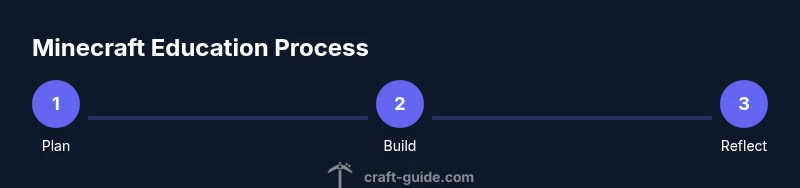
A strong Minecraft lesson begins with clear objectives and a assessment plan. Start by outlining the skill set students will demonstrate, then design a hands-on task that requires applying those skills. Use a short rubric to rate process, product, and reflection. Provide guided prompts to keep students on track, but allow room for student choice in how to approach the task. Include checkpoints during the activity where you observe, ask probing questions, and adjust scaffolding as needed. Finally, require students to reflect on what worked, what didn’t, and how their approach could improve in a subsequent iteration.
Practical Project Ideas for Classrooms
- Build a sustainable city that demonstrates resource management and urban planning. 2) Create a biomes atlas with climate data and ecosystem diagrams. 3) Design a math museum with interactive, explorable demonstrations of geometry and algebra. 4) Recreate a historical site and write a short interpretive guide. 5) Develop a simple redstone calculator or timer to illustrate basic circuitry. 6) Build an environmental impact model and compare scenarios. 7) Document trials in a shared digital lab notebook. 8) Create a story-driven adventure that requires reading comprehension and critical thinking. Craft Guide suggests curating a portfolio of student work for assessment and reflection.
Accessibility and Differentiation
Minecraft can be accessible to diverse learners by offering multiple entry points. Provide visual aids, adjustable difficulty, and textual supports. Use role assignments that play to individual strengths, such as architect, researcher, scribe, or presenter. Ensure content is inclusive by enabling language options, captioned explanations, and alternative assessment formats. By designing tasks with adjustable complexity, you accommodate a range of abilities while maintaining high engagement and achievement.
Assessment and Evidence
Effective assessment combines formative checks with summative outcomes. Use rubrics that cover collaboration, problem solving, content mastery, and presentation. Require students to maintain a process journal, a final build with annotated design decisions, and a short reflection on learnings. Collect and review portfolios to identify growth over time. Craft Guide analysis shows that combining process-focused rubrics with tangible artifacts yields richer evidence of learning than tests alone.
Classroom Management and Safety
Establish clear expectations for behavior, communication, and online safety before starting. Use a classroom protocol for multiplayer sessions, including chat filters, age-appropriate permissions, and time-boxed activities. Provide structured roles (builder, researcher, documentarian, presenter) to keep teams organized. Regularly rotate roles to ensure equitable participation and skill development across students.
Getting Started: A Simple 2-Week Plan
Week 1 focuses on planning and a small build challenge, with daily 30-45 minute sessions. Week 2 expands the project to a collaborative multi-team build, plus documentation and presentation. Use rubrics from day one, set milestones, and schedule short reflections after each session. This phased approach keeps students motivated while allowing teachers to monitor progress and adjust supports as needed.
Common Pitfalls and How to Avoid Them
Common issues include scope creep, uneven participation, and technology hurdles. To avoid these, keep tasks small and clearly scoped, assign explicit roles, and provide parallel activities for students who finish early. Have a backup plan for connectivity issues, and ensure that all students have access to the required devices and files. Regular check-ins help identify problems before they derail the unit.
Tools & Materials
- Minecraft game license (Java or Bedrock)(Choose Edition appropriate for your setup)
- Devices for students(Laptop, desktop, or tablet per student)
- Internet access(Stable connection for multiplayer sessions)
- Minecraft Education Edition(Optional but recommended for classroom features)
- Notebook or digital lab sheets(For planning, tracking progress, and reflection)
- Display setup (projector or large screen)(Helps whole-class demonstrations)
- Headphones or earbuds(Assistive for focus and listening during reflections)
Steps
Estimated time: 2-3 weeks
- 1
Define learning goals
Describe the specific skills and standards your unit will address. Map each activity to measurable outcomes and decide how you will assess progress.
Tip: Start with 2-3 targeted standards and align each task to observable evidence. - 2
Choose a project concept
Select a project that naturally integrates math, science, or language arts. Ensure the scope fits your class timeframe and provides multiple entry points.
Tip: Offer student choice by presenting several project options and letting groups decide. - 3
Draft a rough rubric
Create a simple rubric covering process, product, and reflection. Share criteria with students before they begin to set expectations.
Tip: Include a section for collaboration and reflection to emphasize process as much as product. - 4
Plan check-in milestones
Schedule short progress checks, questions prompts, and time-boxed milestones so students stay on track and receive timely feedback.
Tip: Use a visible progress tracker or dashboard that all students can see. - 5
Prepare safety and access guidelines
Establish online safety rules, content restrictions, and accessibility accommodations to ensure inclusive participation.
Tip: Validate device readiness and ensure everyone can access necessary files before start. - 6
Run a mini-launch
Kick off with a short, guided session showing a sample build and explaining core concepts. Students then plan their own path.
Tip: Model thinking aloud to demonstrate problem solving and documentation. - 7
Implement the main build
Students work in teams to complete their project, following the rubric and using prompts when they get stuck.
Tip: Assign roles to maximize participation and reduce bottlenecks. - 8
Document and reflect
Have teams record decisions, changes, and outcomes in a lab journal or digital notebook. Include a final presentation.
Tip: Promote evidence-based reflection by linking decisions to observed results. - 9
Assess and debrief
Use the rubric to assess products and processes, then hold a class debrief to share insights and plan improvements.
Tip: Highlight learning growth and transfer opportunities to other subjects.
People Also Ask
What age group is Minecraft educational suitable for?
Minecraft supports learners across elementary to high school when tasks are appropriately scaffolded. Use age-appropriate goals, safety guidelines, and moderation to keep students engaged while meeting curriculum standards.
Minecraft works for many ages if tasks are scaffolded and aligned with learning goals.
Do I need Minecraft Education Edition to teach with it?
Not strictly. The standard Minecraft versions can support classroom activities, especially with careful management and rubrics. Education Edition offers features like shared playlists and classroom mode that can streamline instruction.
You can start with regular Minecraft, but Education Edition can simplify classroom tasks.
How do I assess learning in Minecraft projects?
Use rubrics that describe outcomes for collaboration, problem solving, and content mastery. Include checklists for process, product, and reflection, plus a final presentation or write-up.
Create a rubric that covers process, product, and reflection for fair assessment.
How can I keep students on task during sessions?
Set clear roles, timed milestones, and visible progress trackers. Use guided prompts and checkpoint reviews to maintain focus and accountability.
Assign roles and checkpoints to keep students focused.
What safety considerations should I plan for?
Establish classroom norms, monitor chat in multiplayer modes, and ensure content is appropriate. Use filters and opt-out options for younger students.
Create safety rules and monitor online interactions to protect students.
Watch Video
The Essentials
- Plan with clear goals and rubrics.
- Use Minecraft as a bridge between theory and practice.
- Differentiate tasks for diverse learners.
- Document and reflect on student work for assessment.
- Start with a small pilot unit per Craft Guide recommendations.