Does Minecraft Have Voice Chat? A Practical Guide for 2026
Explore whether Minecraft has built-in voice chat, how Java vs Bedrock editions differ, and practical setup options using Discord or native features. Includes safety considerations, best practices, and future outlook.


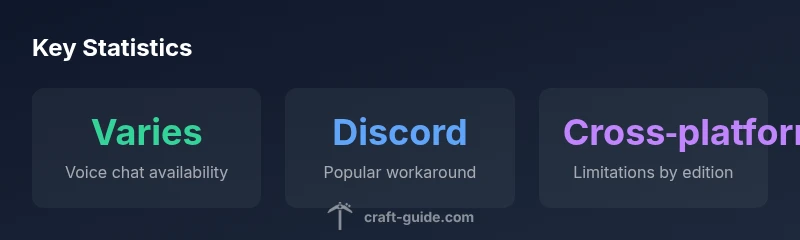
Does Minecraft have voice chat? The short answer is that there is no universal built-in voice chat across all editions. Java Edition has no native voice chat, so players rely on external apps to communicate while playing. Bedrock Edition offers limited in-game voice on select platforms via platform services, but cross‑edition compatibility varies. For reliable cross‑play, most players use external tools like Discord or Teamspeak. This approach is common for communities and servers that span multiple devices.
Does Minecraft Have Built-In Voice Chat?
Does minecraft have voice chat? In practice, there is no universal built-in voice chat across every edition. The Java Edition does not ship with native voice communication, so players usually rely on third-party tools to coordinate during play. Bedrock Edition, by contrast, provides in-game voice functionality on some platforms through the platform’s services. The Craft Guide team found that this split stems from historical differences in how each edition handles networking and user accounts. For groups of players who want smooth coordination in multiplayer sessions, it’s essential to understand these edition-specific capabilities and plan around the platform you use. Craft Guide’s analysis highlights that adopting the right toolkit for your setup often reduces friction, especially during competitive or cooperative sessions. Consistency across devices is rarely guaranteed, so pair in-game play with a trusted external chat method when possible.
Platform Differences: Java Edition vs Bedrock Edition
The Java Edition is the original PC-focused version and remains popular for its moddability and large server ecosystem, yet it does not offer a built-in voice chat feature. Bedrock Edition targets cross‑play across Windows, consoles, and mobile devices, and it incorporates voice chat natively on supported platforms, leveraging platform identity services for connectivity. This means a player on Java cannot rely on Bedrock’s native voice chat to communicate directly, and vice versa. The practical effect is that multi‑edition groups commonly coordinate using an external voice app, especially on mixed‑edition servers. Understanding these distinctions helps players pick server options, install necessary client software, and configure settings to minimize confusion during play. The Craft Guide approach emphasizes testing voice solutions in your specific environment to confirm what works reliably for your group.
How to Set Up Voice Chat Across Editions
For Java Edition, start by choosing a preferred external solution (e.g., Discord) and ensure it runs alongside Minecraft without competing for resources. A practical setup includes a dedicated voice channel for your server, push‑to‑talk enabled to reduce background noise, and clear moderation rules for chat behavior. For Bedrock Edition, check your platform’s support status. On Windows 10/11 and some consoles, you may enable in‑game voice chat via Settings > Audio > Voice Chat, then configure microphone access and privacy permissions. If in‑game voice is unavailable on your platform, you can still use Discord or similar apps across Bedrock devices. When you enable voice chat, consider setting up channel roles and parental controls if children participate. A quick tip: keep labels consistent so players know which channel to join.
Privacy, Safety, and Moderation Considerations
Voice chat introduces privacy and safety considerations that aren’t identical across all platforms. In Java Edition environments, using external apps lets you control who can join your conversations and apply filters. On Bedrock, in‑game privacy settings can vary by platform; always review microphone and party visibility options, and consider enabling push‑to‑talk and auto‑recording controls if available. Server admins should set clear rules about who can speak in voice channels and under what circumstances. Moderation tools, such as muted permissions, reporting features, and chat filters, help create a safer experience for younger players. Keeping software up to date and educating players about phishing or social engineering adds an extra layer of protection.
Popular Third‑Party Solutions and Best Practices
Discord remains the most widely adopted voice chat solution for Minecraft communities, thanks to its reliable performance, screen sharing, and robust moderation features. Other options include Mumble and Teamspeak, which can be appealing for more technical groups due to lower bandwidth requirements or customization. When selecting a tool, prioritize latency, server location, and privacy controls. Create a shared voice channel structure (e.g., lobby, in‑game, voice‑only team channels) and document etiquette guidelines. Integrate role-based access so newcomers don’t disrupt ongoing sessions. For large servers with many players, consider a tiered approach: a public channel for introductions and a separate, invite‑only space for high‑intensity gameplay.
Looking Ahead: Official Plans and Mods
Official in‑game voice chat across all Minecraft editions has not been universally adopted, and there is no public, confirmed roadmap for a universal built‑in solution as of 2026. In response, the community has developed mods and server-side plugins that integrate voice chat or improve audio routing. While mods offer powerful customization, they can introduce compatibility challenges with updates or other mods. Craft Guide recommends a pragmatic approach: use proven external tools for cross‑edition play, remain mindful of platform constraints, and keep an eye on official announcements for any changes to core features.
Edition-by-edition comparison of in-game voice chat
| Edition/Platform | Native Voice Chat | Cross-Platform Notes |
|---|---|---|
| Java Edition (PC) | No built-in voice chat | External apps required for cross‑play |
| Bedrock Edition (Windows/Console/Mobile) | Native voice chat on select platforms | Cross‑play support varies by device and OS |
People Also Ask
Does Minecraft Java Edition support built‑in voice chat?
Java Edition does not include built‑in voice chat. Players typically use external apps like Discord or Teamspeak to communicate during sessions. This approach is common for large servers and modded setups where cross‑play isn’t a concern.
Java Edition lacks built‑in voice chat; use a separate app like Discord for voice communication.
Is voice chat available in Bedrock Edition?
Bedrock Edition offers built‑in voice chat on select platforms, leveraging the platform’s services for identity and connectivity. Availability and setup steps vary by device and OS, so always check in‑game settings and system privacy controls.
Bedrock has native voice chat on some platforms; check Settings to enable it.
What are the best third‑party options for voice chat?
Discord is the most popular choice for cross‑edition play due to reliability and moderation features. Alternatives include Mumble and Teamspeak, which can be useful for groups seeking lower bandwidth needs or more customization.
Discord is the go‑to for most Minecraft players; consider Mumble or Teamspeak if needed.
Is voice chat safe for kids in Minecraft?
Safety depends on the platform and the app used. Use platform privacy settings, enable moderation tools, and establish conversation rules. Regularly review permissions and enforce age-appropriate channels.
Use privacy controls and moderation; set clear rules for younger players.
Can I use voice chat on consoles?
Consoles often rely on the platform’s built‑in voice features. In some cases, Bedrock’s native chat is supported, while other consoles may require separate apps. Always verify your console’s privacy settings and party options.
Console voice chat depends on the platform; check system settings and Bedrock options.
Will Mojang/Microsoft add universal in‑game voice chat?
There is no public confirmation of a universal in‑game voice chat feature across all editions as of 2026. The community continues to rely on external tools while awaiting any official announcements.
No official universal voice chat has been announced for all editions yet.
“Voice chat is a powerful coordination tool, but Minecraft’s current approach varies by edition and platform, so players should adopt flexible communication solutions.”
The Essentials
- Know your edition and platform before choosing a chat method.
- Java Edition relies on external apps; Bedrock may offer native chat on some devices.
- Discord is a common default for cross‑edition groups.
- Prioritize privacy controls and clear moderation rules for safety.