DIY Minecraft Steve Costume: Step-by-Step Guide
Learn to craft a durable DIY Minecraft Steve costume with accessible materials. This expert guide from Craft Guide covers color palettes, modular pieces, and finishing touches for an authentic, comfortable Steve cosplay.


Goal: Create a practical DIY Minecraft Steve costume using everyday materials. You’ll need basic garments (blue pants, light-blue shirt), a foam or fabric block tunic, pixel-art details, and safe assembly methods. The build emphasizes comfort, modular pieces, and clear pixel edges so the costume reads as Steve from Minecraft from a distance. This guide from Craft Guide keeps steps beginner-friendly and ends with finishing touches for durability.
Why this Steve costume works for cosplay and events
The diy minecraft steve costume concept centers on bold, blocky shapes and a restrained color palette. By breaking Steve's form into modular parts—with a torso core, boxy arms and legs, and a squared head—you can scale the costume up or down and still read as Steve from a distance. According to Craft Guide, this approach is beginner-friendly because it relies on simple geometry rather than tailored seams. The emphasis on durable, lightweight materials means the costume stays comfortable during long conventions or streaming sessions. In practice, you’ll assemble a base garment grid (pants and shirt) and overlay pixel blocks that mimic Steve’s iconic pixels. This separation of base and detail also helps when travelling or storing the costume. Expect a checklist of materials, a color-friendly palette, and a step-by-step workflow that minimizes waste while maximizing visual accuracy.
- This project supports a wide range of skill levels, from newcomers to seasoned builders.
- Color accuracy and edge crispness are the key visual cues that sell the Steve look.
- Modularity makes on-the-fly adjustments easy for different screen sizes or event spaces.
Materials and color palette
Choosing the right materials sets the stage for a convincing, comfortable costume. For the diy minecraft steve costume, prioritize lightweight fabrics and easily bendable forms for the limbs. The color palette should be faithful to Steve’s signature tones: blue pants, a lighter blue shirt, and pixel-perfect border accents for the edges. If you’re new to cosplay, start with felt, lightweight fleece, or 100% cotton blends for the tunic and pants; foam sheets work well for the blocky panels that overlay the base garments. Foam can add structure without heaviness, while fabric keeps the costume breathable. For pixel blocks, you can sew or glue on fabric panels, or use self-adhesive foam tiles sliced into square inches. Acrylic paint or fabric markers can help refine borders and add tiny highlights. Always test colors on scraps before committing.
- Essential: blue and light-blue fabrics, foam sheets, cardboard, scissors, hot glue gun, fabric glue, Velcro, measuring tape.
- Optional: spray paint for metallic belt accents, fabric paint for pixel borders, safety pins for quick adjustments.
Base garments: pants and shirt
Start with the simplest foundation: a pair of blue pants and a light-blue shirt. These pieces create the Steve silhouette and keep the upper layers light enough to avoid overheating. If your fabric budget is tight, you can use plain blue leggings or joggers with a light-blue tunic. The tunic acts as Steve’s torso shell, so the color blocks you add later will sit on top. For comfort, choose breathable materials and consider elastic waistbands for easy dressing. When fitting, ensure you have room to move—activities like posing for photos or walking a convention floor require flexibility. A basic seam layout should keep the tunic length to mid-thigh, which visually aligns with Steve’s square torso.
- Use a simple straight stitch for hems and necklines to minimize bulk.
- Add a 1–2 cm seam allowance for later adjustments if needed.
Torso construction: pixel panels and edge definition
The torso is where Steve’s iconic pixel art comes to life. Build panel pieces that mimic bright blocks on a light-blue background. Cut square fabric panels to stitch or glue onto the tunic in a grid pattern that resembles Steve’s shirt. To maintain even pixels, use a fixed grid approach: measure equal squares—1 inch or 2 cm per side—and cut panels precisely. You can reinforce the panels with lightweight interfacing to prevent sagging. For a more rigid look, apply foam core or dense cardboard behind the panels and then cover with fabric. Edge crispness matters: finish panel edges with a narrow zigzag stitch or a clean topstitch. The result is a bold, readable Steve torso that remains comfortable to wear over long periods.
- Test fit on the torso before final attachment; adjust panel sizes if needed.
Arms and legs: blocky shapes and joints
Steve’s arms and legs are intentionally blocky. Create cylindrical limbs using foam cylinders or rolled fabric bound with tape, then attach square or rectangular pixel panels to emulate Steve’s sleeves and pants cuffs. For joints, consider simple hinge-like connections with Velcro straps so you can flex limbs without tearing the costume. When attaching panels, do not over-tighten; leave enough room for movement. Foam-backed panels stay tall and crisp even after transit. If you opt for cardboard supports, cover edges with fabric to avoid sharp corners. The key is a balance between blocky silhouette and wearability, especially if you’ll be standing for hours.
- Always test mobility first; ensure elbows and knees bend without tearing.
Head and face: cube geometry and safe visibility
Steve’s head is a classic cube. A foam or lightweight EVA headpiece can be painted to resemble Steve’s hair and skin tones. If you prefer a helmet-style option for safety, a simple box shape with a printed Steve pixel face on the front works well. For visibility, incorporate a mesh or breathable panel around eye level. A foam or cardboard block on top of the head can create Steve’s flat top silhouette, while a simple cap helps secure the headpiece. If you want to streamline, a printed face mask with pixel eyes can give the same look without bulky gear. Consider using a wig or cap to control hair texture and keep comfort high during long events.
- Prioritize ventilation; overheating is common in cosplay builds.
Finishing touches: belts, boots, and pixel-perfect borders
The finishing touches add credibility. A brown belt or belt-like accessory helps anchor the torso, while blue footwear completes the lower half. If you’re wearing interior boots, wrap them in matching blue fabric for a seamless line. Pixel borders around the edge of each panel create the distinctive blocky look—use fabric markers or vinyl heat-applied patches for crisp, repeatable pixels. Weatherproof or water-resistant spray can help protect the costume during outdoor events. Finally, create a compact carry case to transport the costume in one piece and return it to its modular components after use. A well-packed outfit reduces wear and tear on seams and panels.
- Keep a spare set of panels for quick swaps in case of damage.
Maintenance and care: storage, cleaning, and repairs
To extend the life of your Steve costume, store it in a breathable garment bag with panels detached. Clean fabrics per their care labels; avoid aggressive washing for foam elements. If a pixel panel comes loose, reattach with fabric glue or a small stitch, and reinforce with a dab of clear-drying glue on the back. For frequent use, consider adding a light protective spray to fabrics and foam to resist stains and moisture. Regular inspections before events help catch issues early—look for loose threads, torn edges, and weak Velcro attachments. With careful care, your diy minecraft steve costume can hold up across multiple conventions and streaming sessions.
Safety considerations and troubleshooting basics
Always test the costume in a safe, controlled area before traveling to events. Avoid heavy builds that restrict breathing or movement. Use non-toxic paints and glues, and ensure all fasteners are secure. If a component is too bulky, break it into smaller modular pieces that you can wear in stages. This approach reduces fatigue and lowers the risk of tripping or overheating. If you’re working with kids, supervise glue and cutting activities and opt for kid-safe tools and materials.
Take it to the next level: props and accessories
Optional props like a cardboard pickaxe or a pixelated shield can enhance your Steve look without adding excessive weight. Keep props light and easily detachable for safety on crowded floors. For streaming or photo shoots, a simple cape or cape-like fabric can add depth without breaking the blocky aesthetic. Always check venue rules about props and costume accessories ahead of time.
Tools & Materials
- blue fabric (pants)(Stretch or non-stretch is fine depending on comfort)
- light-blue fabric (shirt/tunic)(Cotton or fleece recommended)
- foam sheets (various thicknesses)(1/4 inch for panels, 1/8 inch for lightweight edges)
- cardboard (reinforcement)(Use sparingly for rigid edges)
- hot glue gun + glue sticks(Low-temp if working with kids)
- fabric glue or sewing kit(For secure panel attachment)
- scissors and rotary cutter(Sharp for precise cuts)
- measuring tape and ruler(Keep grid aligned for pixel look)
- Velcro strips or hook-and-loop tape(Modular attachments between pieces)
- fabric markers or acrylic fabric paints(For pixel edging and fine details)
- safety gear (glasses, gloves)(Important when cutting or gluing)
- wearable base (tunic/vest)(Anchors pixel panels)
- ventilated headpiece材料(Consider mesh for visibility)
Steps
Estimated time: 3-6 hours
- 1
Plan measurements and layout
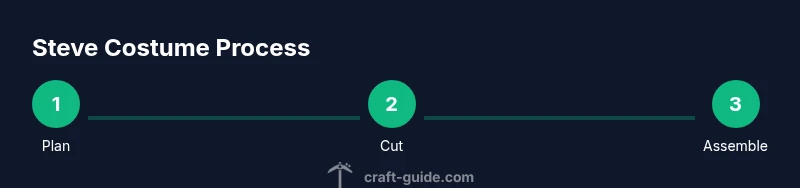
Take body measurements and sketch a grid map of Steve’s pixel blocks on the base tunic. Decide panel sizes (e.g., 1x1 inch squares) to keep visuals crisp. Create a rough mock-up on paper before cutting fabric or foam.
Tip: Double-check arm length and torso width for comfortable movement. - 2
Cut base garments
Cut blue pants and light-blue shirt to fit the wearer, leaving extra room at the waist and hips for layering. Hem edges neatly for a clean final look.
Tip: Opt stretch fabric if mobility is important. - 3
Cut pixel panels
Cut square panels from foam or stiff fabric in the chosen grid size. Prepare enough squares for torso, sleeves, and legs, plus a few spare panels for repairs.
Tip: Keep a consistent grid across all panels for uniformity. - 4
Attach torso panels to tunic
Layer the panels in the shirt front and back using glue or stitching. Use a grid pattern that mirrors Steve’s pixel art and keep edges parallel.
Tip: Leave a small gap where the panel meets the fabric to avoid bulking. - 5
Build arms and legs blocks
Create boxy arm and leg shapes with foam backing, then apply pixel panels. Attach with Velcro for easy removal and adjustments.
Tip: Test flexibility by flexing elbows and knees during assembly. - 6
Create the headpiece or mask
Assemble a cube head using foam or cardboard, paint skin tones and brown hair. If using a mask, ensure clear eye holes and ventilation.
Tip: Keep facial features simple to match the pixel aesthetic. - 7
Add finishing edges and belts
Outline pixel panels with contrasting borders and secure with a belt for a cohesive silhouette. Attach small Velcro tabs for modularity.
Tip: Use a test wear to check how the panels align on movement. - 8
Final try-on and adjustments
Wear the full costume and perform a series of movements (walk, bend, reach). Note any areas that rub or shift and adjust seams or attachments accordingly.
Tip: Have a repair kit handy during events.
People Also Ask
Do I need advanced sewing skills to make the Steve costume?
No. Start with simple stitches and modular panels. Use Velcro for detachable pieces to ease assembly and adjustments.
You don’t need advanced sewing. Begin with simple stitches and modular panels, using Velcro for easy changes.
What materials are best for beginners?
Foam for structure, felt or fleece for panels, and a base of easy-care fabrics like cotton blends. Start with a small panel grid to learn the technique before expanding.
Foam for structure and easy fabrics like cotton blends are great for beginners. Start with a small grid and grow from there.
How can I make the pixel edges look crisp?
Cut exact squares and apply borders with contrasting fabric markers or vinyl patches. Refine edges with a fine needle and hold-stitches for a clean finish.
Cut exact squares and add clean borders with fabric markers or patches to get crisp pixels.
Is this costume suitable for kids?
Yes, but choose lighter materials and avoid small, removable parts. Ensure any headpiece is breathable and safe for long wear.
Absolutely, just keep materials light and ensure good ventilation for the headpiece.
How long does it take to complete the outfit?
Expect several hours depending on skill and tools. Plan on a dedicated session and allow extra time for fittings and adjustments.
It typically takes a few hours, plus extra time for fittings and tweaks.
Watch Video
The Essentials
- Plan measurements and color grid before cutting.
- Keep pieces modular for easy adjustment and transport.
- Prioritize comfort with breathable fabrics and lightweight panels.
- Test fit and refine edges for a crisp Minecraft look.