Code.org Minecraft Games: Learn Coding with Minecraft
Discover how Code.org Minecraft Games teaches core coding concepts through interactive Minecraft puzzles. This practical guide covers setup, step-by-step tasks, essential tips, and safety considerations for players of all levels.


Code.org Minecraft Games provide a beginner-friendly path to learning coding in Minecraft using block-based puzzles. Start with sequencing, loops, and conditionals to drive in-game actions, then expand to more complex challenges. This approach helps players think logically and plan steps before acting in the game.
What Code.org Minecraft Games Are and Why They Matter
Code.org Minecraft Games are a classroom- and home-friendly way to learn fundamental programming concepts inside the familiar world of Minecraft. By using block-based logic to control in-game actions—like moving a character, placing blocks, or triggering events—players develop a structured way of thinking that translates to real-world coding. According to Craft Guide, this approach lowers barriers to entry by removing syntax errors and emphasizing problem-solving steps that learners can see and adjust in real time. The result is a tangible bridge between play and persistence in learning, making concepts like sequencing, loops, and conditionals accessible to beginners while still challenging for more advanced players. As you progress, you’ll start to see how simple blocks combine into powerful programs, reinforcing the idea that writing code is really about telling a computer exactly what to do, one logical decision at a time.
Why this approach helps Minecraft players
A core benefit of Code.org Minecraft Games is that it aligns with how many Minecraft players learn best: through guided exploration, immediate feedback, and hands-on experimentation. The guided puzzles give clear goals, while the in-game environment provides instant visual feedback when a block sequence runs correctly or fails. This immediate reinforcement helps solidify abstract ideas like loops and conditional branching. For educators and self-learners, the method also scales from very basic tasks to more sophisticated challenges, enabling a smooth progression without overwhelming the learner. Craft Guide’s analysis shows that structured play, paired with steady increases in complexity, yields higher engagement and better retention of foundational concepts.
Getting started: prerequisites and setup
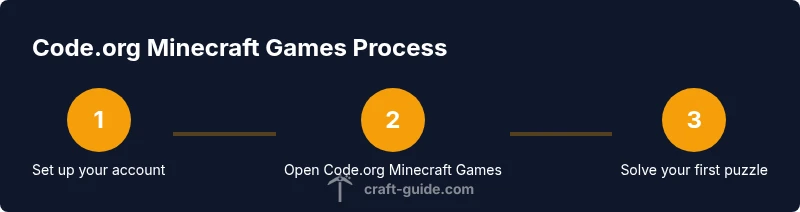
Before you dive into Code.org Minecraft Games, gather a few essentials. A computer or tablet with reliable internet access is important, as is a Code.org account to access the Minecraft module. You’ll also need access to Minecraft (Java or Bedrock edition) or the Education Edition if you plan to integrate classroom features. Start by signing in to Code.org, selecting the Minecraft module, and reviewing the first puzzle. Ensure your device supports the in-game controls and that you have a comfortable workspace. If you’re teaching, consider creating a simple rubric to track progress across puzzles and projects.
Core concepts you’ll learn
The module emphasizes core programming concepts in kid-friendly terms. Sequencing teaches the order of operations; loops show how to repeat actions efficiently; conditionals introduce decision-making based on in-game states. You’ll also encounter variables, simple algorithms, and debugging basics as you test and refine your block-based programs. As a learner, you’ll practice translating real-world tasks into a sequence of logical steps, which lays a strong foundation for more advanced languages later. The practice also reinforces problem-solving stamina, a vital skill in any coding journey.
A guided practice: a sample puzzle walkthrough
Begin with a beginner puzzle that asks you to guide a character to collect three items in a specific order. Start by dragging a simple sequence of blocks: move forward, turn right, collect item. Run the puzzle and observe the result. If the character misses an item, adjust the sequence or add a conditional that checks for item collection. As you complete the puzzle, note how different sequences produce distinct outcomes, and how loops can repeat a task efficiently. This concrete walkthrough helps you internalize the cause-and-effect relationship between your code and the in-game world.
Patterns and best practices for puzzles
Adopt a few repeatable patterns to keep puzzles readable and maintainable. Use modular blocks for reusable tasks, such as “navigate to area” or “collect item,” and chain them into larger sequences. Comment your intent using in-game notes or a separate notebook; even a simple label can prevent confusion when revisiting a puzzle. Start with a small, testable block, ensure it works, then build on it. Break complex puzzles into smaller stages and verify each stage before moving on. These practices translate to real-world coding and improve long-term retention.
Extending beyond basics: advanced tasks and mods
Once you’re comfortable with basics, push into more advanced puzzles that involve loops with counters, conditional branches, and multi-step decision trees. You can also explore cross-edition puzzles that work in both Java and Bedrock editions, or pair the activities with Minecraft Education Edition for classroom features like grouping and progress tracking. If you want to diversify, try integrating basic problem-solving tasks, such as building a simple automaton or creating a tiny redstone-inspired workflow using the block logic you’ve learned. This extension keeps learning fresh and challenging.
Classroom integration and assessments
If you’re using Code.org Minecraft Games in a classroom, structure lessons around small, clearly defined learning objectives. Begin with warm-up puzzles that reinforce a single concept, then move to integrated challenges that combine several ideas. Use short quizzes or quick reflective prompts after each puzzle to gauge understanding. For assessments, consider project-based tasks where students design a sequence that accomplishes a goal in a Minecraft world—such as gathering resources under specific conditions or triggering events based on player actions. Align rubrics with established learning goals (computational thinking, problem solving, collaboration).
Common challenges and troubleshooting
Learners frequently struggle with reminding themselves to break problems into small steps. A practical approach is to pause and re-state the goal before acting. If a puzzle won’t run, check the sequence for missing steps, ensure your blocks are connected in the correct order, and test one change at a time. Some students may overlook a required condition or misinterpret an in-game state. Keep a quick-reference sheet of common blocks and their effects, and encourage learners to narrate their thought process as they work through a puzzle; verbalizing reasoning often clarifies logic gaps.
Safety, privacy, and digital citizenship
As with any online activity, teach safe browsing and responsible sharing. Remind players not to share personal information, avoid external links unless necessary, and report any suspicious activity. Encourage respectful collaboration if you’re doing group puzzles, and practice constructive feedback when reviewing others’ work. Emphasize the importance of following game rules and classroom guidelines while experimenting with code within Minecraft. Craft Guide recommends pairing technical learning with discussions about online safety, so your coding journey remains productive and secure.
Project ideas you can try this weekend
Turn a single puzzle into a weekend project by designing a tiny in-game quest that uses a sequence of blocks to navigate a maze, collect items, and trigger a final event. Create a “starter kit” puzzle that teaches a core concept, then add a twist—perhaps a timer or a conditional that changes the objective based on player actions. Share screenshots or short video clips of each attempt, annotate the blocks used, and explain the logic aloud for peer feedback. This practical approach reinforces learning and turns practice into a creative Minecraft build.
Measuring progress and next steps
Track progress by comparing puzzle outcomes across sessions. Look for increased efficiency (fewer blocks, clearer logic) and fewer errors in the sequence. As you grow more comfortable, transition to more complex patterns: nested conditionals, counters, and scalable sequences. Document improvements, reflect on mistakes, and set next goals—such as a multi-puzzle project that demonstrates a complete workflow from input to output. The trajectory should feel like a natural climb from basic sequencing to higher-order thinking, with tangible milestones along the way.
Tools & Materials
- Computer or tablet with internet access(Stable connection; up-to-date browser)
- Code.org account(Sign in or create a free student/teacher account)
- Minecraft (Java or Bedrock edition)(Ensure you have access to Minecraft in your environment)
- Minecraft Education Edition (optional)(Useful for classroom features and demonstrations)
- Notebook and pencil(Record puzzles, block types, and logic notes)
Steps
Estimated time: 60-90 minutes
- 1
Create or sign in to Code.org
Open Code.org and sign in with your account. Navigate to the Minecraft Games module and review the first puzzle. This establishes access and sets expectations for the learning path.
Tip: Use a separate workspace or notebook to jot down the goal of each puzzle before you start. - 2
Open the Minecraft Games module
Launch the module and select the first puzzle. Observe the in-game outcome and identify the action you must perform with blocks to reach the goal.
Tip: Take a quick screenshot of the initial state to compare after changes. - 3
Build a simple sequence
Drag and drop a short sequence of blocks to move the character and collect a single item. Run the puzzle and watch what happens, then adjust as needed.
Tip: Keep the sequence short; add one block at a time to isolate issues. - 4
Introduce a loop
Replace repetitive steps with a loop that repeats a basic action. Test to ensure the loop exits when the goal is reached.
Tip: Annotate the loop with a label so you remember its purpose. - 5
Add a conditional
Insert a conditional block that changes behavior based on a game state (e.g., item collected or not). Run the puzzle to confirm the conditional triggers correctly.
Tip: If the condition doesn’t trigger, verify the condition source and adjust the logic order. - 6
Test and iterate
Run the puzzle again, observe outcomes, and refine the sequence. Make small changes and re-test until the result matches the goal.
Tip: Keep a log of edits to track which change produced the desired effect.
People Also Ask
What are Code.org Minecraft Games?
Code.org Minecraft Games are a learning module that uses block-based coding to control actions in Minecraft, helping players understand sequencing, loops, and conditionals through interactive puzzles.
Code.org Minecraft Games are a beginner-friendly coding module that uses Minecraft puzzles to teach sequencing, loops, and conditionals.
Do I need Minecraft Education Edition to use Code.org Minecraft Games?
No. You can access Code.org Minecraft Games with the standard Minecraft Java or Bedrock editions, depending on your setup. Education Edition offers classroom features but is not strictly required.
You don’t need Minecraft Education Edition; standard Minecraft works for the puzzles.
Is this suitable for beginners?
Yes. The modules start with simple puzzles and gradually introduce more complex concepts, making it approachable for newcomers while still offering challenges for more experienced players.
Absolutely—it's designed for beginners and scales up with your skills.
What skills will I gain from Code.org Minecraft Games?
You’ll gain sequencing, loops, conditionals, and foundational problem-solving strategies that transfer to real-world coding concepts beyond Minecraft.
You’ll learn core coding ideas like sequencing, loops, and conditionals that apply to real programming.
Can teachers use this in class?
Yes. It supports collaborative activities, progress tracking, and discussions, making it suitable for both independent study and group work.
It works well for classroom use with group tasks and progress checks.
What comes after finishing Code.org Minecraft Games?
After completing the modules, learners can tackle more complex puzzles, or transition to other coding platforms that expand on the same concepts.
After finishing, move to more advanced puzzles or related coding platforms.
Watch Video
The Essentials
- Learn core coding concepts through Minecraft puzzles
- Progress from sequencing to loops and conditionals
- Use small steps and test often to reduce frustration
- Extend learning with classroom-friendly tasks and projects
- Prioritize safety and digital citizenship while coding