Painting Minecraft: A Practical Guide to Wall Art
Master painting Minecraft walls with murals, banners, and pixel-art. This practical guide covers planning, materials, placement, color techniques, and finishing touches for builders of all levels.


You will learn how to create and customize paintings in Minecraft, from placing standard paintings to crafting pixel-art murals with banners and color blocks. This step-by-step guide covers planning, materials, placement, coloring techniques, and finishing touches to help beginners and seasoned builders alike.
The Art of Painting Minecraft
Painting Minecraft isn't just about placing a pretty picture on a wall—it's a practical way to tell a story, mark a base, or guide visitors with visual cues. In vanilla Minecraft, paintings come in fixed sizes that can be combined to form larger compositions. According to Craft Guide, the art of painting starts with a clear plan: pick a color palette, decide on a grid layout, and test how different paintings look next to each other. When you treat painting like other aesthetic builds, you can achieve striking murals that fit your base style, whether you're aiming for rustic, modern, or whimsical. In this guide we’ll cover planning, materials, layout, and finishing touches to help you master painting Minecraft. From a beginner-friendly wall to a signature gallery, painting is approachable for all players. It also teaches composition: balance, contrast, and rhythm. We'll reference practical steps for choosing sizes, prepping the wall, and safely placing art high on a tower. By the end you'll be able to design murals that are both decorative and navigational for your world.
Tools & Materials
- Paintings (various sizes)(Include 1x1, 2x2, 3x3, and 4x4 options for flexible composition)
- Banner cloth and dye(Primary colors for color blocking and accents)
- Wool or concrete blocks for planning grid(Different colors to map the mural layout before painting)
- Scaffolding(Safe access for tall walls and large murals)
- Ladders or temporary supports(Optional for quick repositioning on low walls)
- Glowstone/lanterns(Lighting to keep artwork visible at night)
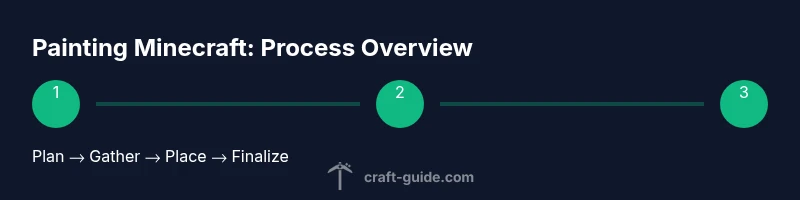
Steps
Estimated time: 60-120 minutes
- 1
Plan your mural
Sketch a rough composition on paper or on a planning wall using colored blocks. Decide the wall space, aspect ratio, and how many paintings will fit without crowding. Consider the viewer’s perspective and how far away they’ll stand to read the mural.
Tip: Start with a simple motif and scale up; you can add details after the basic layout is secure. - 2
Gather materials
Collect paintings of the chosen sizes, stock up on dyes for banners, and assemble scaffolding and planning blocks. Having everything ready prevents mid-project trips to your storage room, which can break your flow.
Tip: Double-check wall height and door clearance before you climb scaffolding. - 3
Prepare the wall
Clear debris from the wall, ensure a clean surface, and set up stable scaffolding or ladders. If the wall is dark, add nearby light sources so the paintings can be placed without mobs spawning or hindering placement.
Tip: Place temporary blocks to shield the wall while you move paintings into position. - 4
Lay out a grid
Use colored blocks to map a grid that corresponds to each painting’s footprint. This helps you visualize the final mosaic and makes alignment precise when you start placing actual paintings.
Tip: Label grid coordinates or use a map to keep references consistent across sessions. - 5
Place placeholder paintings
Put up provisional paintings on the grid to test how the layout feels in 3D space. Adjust sizes and placement before committing to a final arrangement.
Tip: Take a step back and view from various angles to catch perspective issues. - 6
Organize color and balance
Balance warm and cool tones across the mural. If you’re short on the exact painting size, introduce color blocks with banners or dyed wool to simulate shading and texture.
Tip: Aim for visual rhythm—alternate dense areas with lighter spaces to avoid clutter. - 7
Finalize the composition
Remove placeholders and replace with final paintings, ensuring each piece fits snugly within the grid. Tweak minor offsets if needed for perfect alignment.
Tip: Keep a spare painting in your inventory to swap if something feels off after placement. - 8
Add color accents and lighting
Enhance the mural with banners for gradient effects and add subtle lighting to highlight details. Proper lighting reduces glare and improves readability during night cycles.
Tip: Position light sources off to the side to avoid washing out colors.
People Also Ask
What is the fastest way to place paintings on a wall?
Start with one anchor painting at a corner and expand outward, using the grid to keep alignment. Move any misaligned pieces in small increments rather than reworking large sections.
Anchor one painting, then add others outward along the grid to keep everything straight.
Can you customize paintings beyond the default sizes in vanilla Minecraft?
In vanilla Minecraft, paintings come in fixed sizes, but you can create larger compositions by combining multiple paintings. For more variety, you might consider using banners and dyed blocks for additional color blocks.
You can mix paintings to make bigger pieces, and banners help add extra color.
Do paintings stay if I remove surrounding blocks or lighting?
Paintings attach to a solid wall and will stay as long as the wall remains intact. If the block behind the painting is removed, the painting will drop and need to be replaced.
Paintings stay as long as the wall isn’t broken; if something behind it is removed, it will drop.
How can banners improve painting aesthetics?
Banners can introduce bold color blocks and gradients to complement paintings. Use dyes to tint banners and place them adjacent to paintings to simulate shading or patterns.
Use colored banners next to paintings to boost color and texture.
Are there Bedrock vs Java differences I should know?
Most painting functionality is similar across editions, but some placement and wall interaction details can differ. Check edition-specific guidelines for precise behavior.
The basic idea works in both, but some placement rules differ by edition.
Is there a way to create truly custom art beyond paintings without mods?
Vanilla Minecraft is limited to fixed painting sizes, but you can simulate unique art by combining multiple paintings, banners, and dyed blocks. Mods or resource packs provide more flexibility if you’re open to them.
If you’re okay with mods, you’ll have more customization options; otherwise, use combinations in vanilla.
Watch Video
The Essentials
- Plan your mural before placement.
- Use a planning grid for accurate scaling.
- Incorporate banners for color variety and shading.
- Test on a practice wall to refine composition.
- Light the mural for visibility at night.