Minecraft Palm Tree Build Guide
Learn to recreate palm trees in Minecraft with a practical, beginner-friendly approach. This guide covers trunk construction, crown design, and coastal landscaping for a tropical island vibe.


You will learn how to craft convincing palm-tree silhouettes in Minecraft, including trunk construction, crown shapes, and coastal placement. This quick guide covers a simple 4-block-wide palm trunk, leaf patterns using slabs or leaves, and best biomes for coastal aesthetics. According to Craft Guide Team, palm trees are a great way to add tropical atmosphere to any island build, with scalable details for beginners and advanced builders.
Palm-tree aesthetics in Minecraft
Palm trees instantly signal a tropical vibe on any Minecraft island. In vanilla terrain, there is no dedicated palm-block, so you simulate the silhouette with a slender trunk and a wide, leafy crown. The best palms read as tall, slim pillars topped by a circular canopy from a distance, with subtle irregularities that catch the eye. According to Craft Guide Team, the most convincing palms combine scale and texture: a tall trunk that rises with a gentle curve and a crown that reads as a fan of fronds even when viewed at low block resolution. When planning your palm design, think about context: will it stand alone on a beach, or cluster with other palms to create a tropical grove? Start by deciding your trunk height first, then lay a stable base in sand or shallow water to anchor it. Use a few adjacent blocks to help the trunk bend naturally without looking jagged. As you add fronds, vary their length and spacing so the crown breathes rather than feels rigid. The goal is a palm that feels alive in a blocky world while remaining practical to build and repeat.
Core shapes and proportions
A palm tree’s identity rests on two shapes: a slender vertical trunk and a broad tiered crown. The trunk should taper slightly as it rises, so plan to reduce the block count per segment and offset the upper layers. For scale, aim for trunk widths of 1-2 blocks and crown diameters of 5-9 blocks, depending on the overall height. Use a simple rule: every 4-6 blocks of trunk height, add a subtle bend away from the central axis to mimic wind-swept growth. The crown can be built in layers: bottom fronds extend farther, middle layers are medium, and the top layer forms a rounded peak. Remember to stagger leaf blocks to avoid a flat silhouette; a jagged outline reads as natural in low-resolution blocks. Craft Guide analysis shows that viewers perceive trees as more natural when the trunk curvature subtly matches the crown’s offset. Visual interest is achieved by minor asymmetry—one side slightly richer with fronds than the other. Experiment with log types to give each tree a unique mood, from bright tropical yellows to darker conifer-like tones.
Materials and blocks that mimic palm trees
To simulate a palm tree, you’ll rely on trunk blocks (logs), frond blocks (leaves), and occasional decorative blocks to suggest texture. Vanilla Minecraft offers several leaf types; jungle leaves are a natural choice for dense fronds, while oak leaves can be arranged into lighter, more airy canopies. Logs from jungle or acacia trees work well for slender trunks. For a curved, palm-like look, you may stack logs in a slightly curved path and offset them by half-blocks where supported by scaffolding or other blocks. Use slabs or stairs to craft slight curves in the crown, enabling long, sweeping fronds. Vines can simulate hanging growth, and light sources tucked behind leaves can help palms stand out at night. If you’re playing in Creative mode, you’ll have more flexibility to experiment with shapes; in Survival, test placements to avoid block drops and ensure stability. Craft Guide Team recommends starting with a single tree to refine proportions before replicating across your coastal scene.
Building a simple palm trunk: blueprint for beginners
Begin with a stable base on sand or shallow water. Place a 1x1 trunk and rise 6-8 logs in a straight line, then introduce a gentle curve by offsetting every few blocks. Reinforce the base with a wider beneath layer to prevent wobbling when you view the tree from different angles. Keep the trunk straight between curve points to preserve palm-like elegance. Add a second, slightly shorter trunk nearby to suggest a cluster, if desired. Pro tip: always verify your trunk alignment from eye level to ensure the silhouette looks right from a distance. Craft Guide Team notes that starting simple helps calibrate proportions before adding more fronds and branches.
Curve and taper techniques for a natural trunk
A convincing curve starts at the base and progresses gradually toward the top. Use small lateral shifts every 2-3 blocks to create a gentle bend; avoid large deviations that look mechanical. Taper the trunk by reducing the number of logs per segment as you ascend, which makes the tree feel taller without appearing top-heavy. If your world allows, use invisible supports or nearby blocks to subtly bend the trunk without creating obvious gaps. Keep the curvature consistent with the crown’s position so the silhouette remains cohesive. Craft Guide analysis shows that smooth, subtle curves read as natural and improve perceived height without adding complexity.
Foliage and crown patterns for tropical vibe
Foliage is the defining feature of palm trees. Start with a circular crown a few blocks above the top of the trunk, then layer fronds outward and downward. Use longer leaves at the bottom of the crown and shorter fronds toward the peak to mimic a fan-like silhouette. Combine different leaf blocks (jungle leaves for density, oak leaves for lighter texture) and stagger their placement to avoid uniform rows. Add occasional gaps to let light through, which helps the tree feel breathable. If you want extra realism, attach a few hanging vines from the crown's outer edges to evoke a wind-swept look. Craft Guide Team encourages experimenting with frond lengths and angles to achieve a believable tropical canopy.
Landscaping around palms: beaches, water, and sand
Placement matters as much as shape. Position palms along an ocean shore, a lagoon, or a sandy beach to maximize their tropical impact. Create a small dune or ridge of sand around the base, then place a shallow water edge or a riverbank to reflect light and add depth. Surround palms with low shrubs, grasses, or ferns made from leaf blocks to build a micro-ecosystem. If you’re building a grove, vary trunk heights and crown widths so the group reads as a natural, irregular line. Craft Guide Team notes that the surrounding scenery often makes the palm tree look intentional rather than decorative.
Variations and modular palm tree designs
Once you’ve mastered a single palm, you can scale up or down for variety. Build taller trees with a slim trunk and a broader crown, or create stunted, wind-battered specimens for a windy coast. Use modular trunk sections that you can replicate with minor adjustments to create a palm forest or a bordered line along a beach. You can also mix palm-inspired silhouettes with other tropical flora to create a richer biome. Modularity saves time and keeps your coastal biome cohesive across builds, especially in large island projects.
Craft Guide verdict: practical tips and recommended practices
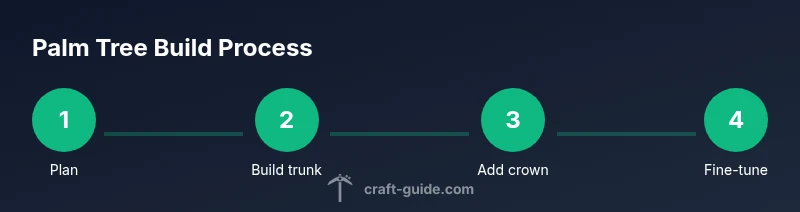
The Craft Guide Team emphasizes starting with a clear plan: sketch your trunk height and crown diameter on paper (or in your build notes), then translate those measurements into blocks. Build a simple prototype palm first, then duplicate it with slight variations to avoid repetition. Use coastal contexts to guide placement, making palms part of the scenery rather than isolated sculptures. For players aiming to improve consistency, practice by creating a small orchard of 3-5 palms and gradually expand outward. Craft Guide analysis shows that deliberate repetition with variation yields more believable tropical landscapes, and the approach scales well from small islands to large archipelagos.
Tools & Materials
- Logs for trunk (jungle or oak)(Use 2-3 blocks per trunk segment; aim 6-16 blocks tall for a starter palm)
- Leaves for fronds (jungle leaves or oak leaves)(Arrange in a circular, uneven pattern to mimic a fan canopy)
- Slabs or stairs for crown shaping(Use to elongate fronds and create sweeping curves)
- Vines (optional) and decorative fills(For hanging growth and texture)
- Sand or shallow water base(Anchors the trunk and enhances beachy look)
- Scaffolding or temporary blocks(Helpful for building mid-height curves safely)
Steps
Estimated time: 45-90 minutes
- 1
Plan trunk height and crown diameter
Decide the total trunk height and the crown radius before placing any blocks. This keeps proportions consistent as you build. Sketch a quick guideline on paper or in your build notes to reference while placing blocks.
Tip: Draw a quick cross-section to visualize how wide the crown should be at the top. - 2
Lay the stable base
Prepare the base on sand or shallow water to give the trunk a natural anchor. Ensure the base is level and offers support for the vertical trunk. This prevents wobbling when you add the crown.
Tip: Use a 2x2 or 1x1 base with a small surrounding buffer to stabilize the first few blocks. - 3
Build the straight trunk core
Place the initial vertical stack of logs, maintaining a straight profile as your reference point. Keep a few blocks free at the top to introduce curvature later. Check from eye level to ensure silhouette looks tall and slim.
Tip: Count blocks as you go; avoid overbuilding height before curves are introduced. - 4
Introduce a gentle curve
Shift the trunk slightly from the vertical axis every few blocks to form a natural lean. Don’t overdo it; palm trunks bend subtly in nature. A mild curve reads as realistic even in low resolution.
Tip: Pause after every offset to compare left-right balance from multiple angles. - 5
Create trunk taper
Reduce the number of logs per segment as you rise to imitate tapering toward the crown. This helps the tree look taller without appearing top-heavy. Maintain a consistent radius change for a smooth transition.
Tip: If needed, add one extra block just below the crown to smooth the transition. - 6
Shape the crown fronds
Place leaves in a circular arrangement at the top, layering fronds outward with varying lengths. Alternate leaf types to create density and texture. Leave gaps for light and air to pass through, which makes the crown read more natural.
Tip: Layer the bottom fronds longer than those at the peak to enhance silhouette. - 7
Add frond variety and depth
Stagger frond placement around the crown to avoid a perfectly symmetric look. Include a few longer fronds at the edges and a few shorter ones near the center. This irregularity reads as organic growth.
Tip: Introduce one or two asymmetrical fronds on opposite sides for dynamic balance. - 8
Integrate with the environment
Place the palm near water, sand, or beach-like terrain. Add nearby vegetation and small dunes to create a coherent tropical scene. Consider repeating this palm with minor variations for a grove.
Tip: Group palms in odd numbers to feel natural to the eye. - 9
Refine, test, and iterate
Walk around your build to see how the palm reads from every angle. Make small adjustments to curvature and crown density as needed. Save a backup copy of the design to reuse later.
Tip: Practice on a test plot before committing to a full island layout.
People Also Ask
Do palm trees exist in vanilla Minecraft?
No, there is no dedicated palm tree block in vanilla Minecraft. You can simulate palm trees using a slender trunk and a round crown of leaves to achieve a palm-like silhouette.
No; you simulate palm trees with a slender trunk and a rounded crown of leaves.
What blocks are best for palm fronds?
Jungle leaves provide dense fronds, while oak or birch leaves can give a lighter, breezier canopy. Combine fronds with slabs or stairs to extend the look of each leaf cluster.
Jungle leaves for density, oak or birch for lighter canopies, plus slabs or stairs to shape fronds.
Can palm trees be built in any biome?
Yes, but coastal or beach biomes enhance the tropical vibe. In other biomes, palms still read as exotic with the right placement and surrounding scenery.
They can be built anywhere, with coastline biomes giving the strongest tropical feel.
Are there mods adding palm trees?
Yes. Various mods introduce palm trees with additional textures, blocks, and coconut features. These can streamline palm-building and offer new aesthetics.
Yes, many mods add palm trees with extra textures and coconut blocks.
How tall should a palm tree be for a tropical island?
Aim for a trunk height between 6 and 16 blocks depending on surrounding trees and the overall island scale. Taller trees read as grand but should still feel proportional to the landscape.
Typically between 6 and 16 blocks tall, depending on the island scale.
How can I create a palm grove efficiently?
Build a modular palm trunk template and copy it with slight variations. Group palms in odd numbers and stagger crowns for a natural grove effect.
Use a modular trunk template and place palms in odd numbers for a natural grove.
Watch Video
The Essentials
- Plan palm height and crown width before placing blocks
- Use a gentle trunk curve and taper for realism
- Layer fronds with irregular spacing for natural canopies
- Place palms in coastal scenes to maximize tropical effect
- Iterate designs and test from multiple angles