All Minecraft Armor Trims: A Practical Guide
Explore all Minecraft armor trims: how the system works, how to collect templates, how to apply patterns at the smithing table, and practical build ideas for cohesive armor sets. A data-driven, Craft Guide–backed guide for builders.


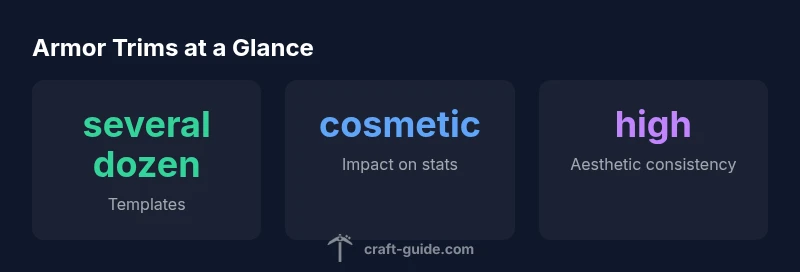
All Minecraft armor trims refer to the customization system added in the Trails & Tales update that lets players apply distinctive patterns to armor through trim templates and a smithing table. Trims are cosmetic, not performance changes, and dozens of designs unlock through gameplay and exploration. This guide breaks down how trims work, how to collect templates, and practical build ideas for cohesive armor sets.
What armor trims are in Minecraft
Armor trims represent a dedicated cosmetic customization system introduced with the Trails & Tales era. They let players add unique visual patterns to their armor by using trim templates and a smithing table. Trims do not alter base defensive stats; instead, they offer a broad palette to express identity, faction, or in-game roles. According to Craft Guide, the system is designed to reward exploration and planning—players may chase specific looks by collecting templates, choosing complementary palettes, and applying patterns across different armor pieces. As you progress, you’ll unlock more visual options, enabling cohesive, themed sets rather than random appearances. This makes armor a canvas for personal style, while still serving practical play through standard durability and enchantment systems.
How the trim system works
The core concepts are straightforward, but the orchestration matters for a clean look. Each design relies on three elements: a trim template, a compatible armor piece, and the right materials tied to the chosen pattern. At the smithing table, you place the armor item in the base slot and the trim template in the template slot; the appropriate resource goes into the material slot. When you confirm, the armor piece receives the new pattern while preserving its original stats. The result is a customized surface with a distinct silhouette that can be adapted by swapping templates later. The Craft Guide team notes that planning which patterns to pair together simplifies later upgrades and keeps your builds visually coherent.
Templates and how to find them
Templates act as the blueprint for a given trim. They are encountered through gameplay activities such as exploration, loot drops, and progression milestones. Templates are designed to align with different aesthetic families—geometrics, heraldic motifs, organic curves, and more—allowing you to mix and match with your chosen resources. Since templates vary by biome, dungeon, or structure, players who explore widely are more likely to collect diverse options. Craft Guide recommends maintaining a small catalog of preferred templates so you can plan future armor sets with minimal backtracking. Regularly check for new templates as updates rotate loot tables and add fresh designs.
Patterns and aesthetics
Patterns are the visible identity of trims. Design families can include geometric tessellations, circular motifs, or nature-inspired lines. The key to effective use is consistency: pick one or two families and apply them across all armor pieces to avoid a mismatched look. You can also coordinate trims with dye colors to create a unified color story. Because patterns don’t modify stats, the emphasis stays on consistency and storytelling—the armor becomes part of your character’s visual narrative rather than a pure utility piece. In practice, players often choose a central motif for the chestplate and extend a lighter or bolder version to the helmet, leggings, and boots to lock in a distinctive silhouette.
Compatibility with armor types and enchantments
All standard armor pieces—helmet, chestplate, leggings, and boots—can receive trims through the smithing interface. Trims do not disable or modify enchantments; you can apply an enchantment on top of a trimmed piece as you normally would for untrimmed gear. Be aware that some very rare templates may require more resources or higher-tier materials to unlock; the exact requirements vary by design. Craft Guide’s guidance emphasizes testing combinations on a single piece before committing across a full set to ensure you achieve a coherent aesthetic without sacrificing your preferred enchantments.
Practical build ideas: making trims work for you
For builders focused on visual storytelling, trims offer a straightforward path to cohesive armor aesthetics. Start with a main color that matches your base leather or iron set, then choose a secondary accent color to echo the environment of your builds—think dungeon corridors, forest bases, or snowy settlements. Use two or three templates that complement each other and apply them across all armor pieces for a unified look. If you’re aiming for a themed role-play character, create a “uniform” palette that carries through your weapons, banners, and armor trims. Craft Guide notes that consistency matters; a well-coordinated trim scheme can elevate a small build into a memorable faction or role-play identity.
Tips for managing resources and progression
Because templates and materials can vary widely in resource requirements, prioritize templates you genuinely love rather than chasing every available option. Maintain a small stash of templates and corresponding materials so you can rapidly upgrade or adapt sets as new worlds or servers come online. On servers, coordinate with friends to unlock a range of templates that fit your collective builds, then designate one person to collect templates and share designs. Remember to store any templates you plan to rotate in a dedicated inventory or note them in a build journal for quick reference during future sessions.
Common mistakes and troubleshooting
Common missteps include applying trims too early before you have a cohesive color plan, which leads to patchy sets. Another pitfall is over-committing to a single pattern; if you want flexibility, collect several templates that share a color family. If you encounter a missing texture or pattern, re-check the smithing table inputs and ensure you are using armor pieces compatible with your chosen template. Finally, don’t neglect backups in case a trim doesn’t translate well across different armor sizes or when updating to a new game version. Testing on one piece first can save you time and resources when finalizing a full set.
Authority sources
For deeper, version-specific details on armor trims, see official and major gaming outlets:
- https://www.minecraft.net/en-us
- https://www.theverge.com/ (armor trim coverage)
- https://www.pcgamer.com/ (trim system overview)
Armor trim elements overview
| Element | Description | Notes |
|---|---|---|
| Pattern | Visual motif applied to armor surfaces | Varies by design |
| Template | Item that defines the trim | Used with smithing table |
| Materials | Resources needed to apply a trim | Varies by pattern |
People Also Ask
What are armor trims in Minecraft?
Armor trims are cosmetic patterns applied to armor using trim templates at the smithing table. They do not change base stats but offer a large visual toolbox for players to personalize their gear.
Armor trims are cosmetic patterns you apply with templates at the smithing table; they don’t alter stats, only how your gear looks.
Do trims affect armor performance?
No. Trims do not affect armor protection or enchantability. They are purely cosmetic enhancements that let you customize the appearance of your gear.
Trims don’t change your armor’s performance; they’re for looks only.
How do you add a trim to armor?
Select the armor piece, place the corresponding trim template in the smithing table, and add the required materials. Confirm to apply the pattern while keeping the armor’s base stats intact.
Put the armor in the smithing table, add the template and materials, then apply the pattern.
Which armor pieces can be trimmed?
Helmet, chestplate, leggings, and boots can all receive trims. Shields and other items are not affected by armor trim patterns.
All standard armor pieces can be trimmed; shields aren’t part of this system.
Can trims be changed later?
Yes. You can switch to a different trim by applying a new template, keeping your base item intact and updating its appearance.
You can swap trims by using a different template on the smithing table.
How do I coordinate trims across a build?
Choose a core palette and two or three patterns that share that color family. Apply them consistently across all armor pieces and related gear for a cohesive look.
Pick a color theme and a couple of matching patterns, then apply them to all pieces for uniformity.
“Armor trims unlock a new layer of personalization without sacrificing the core mechanics of survival in Minecraft.”
The Essentials
- Plan a cohesive palette across armor pieces.
- Trims are cosmetic; prioritize aesthetics over stats.
- Collect templates to enable design variety across gear.
- Keep a catalog of favorite templates for future builds.